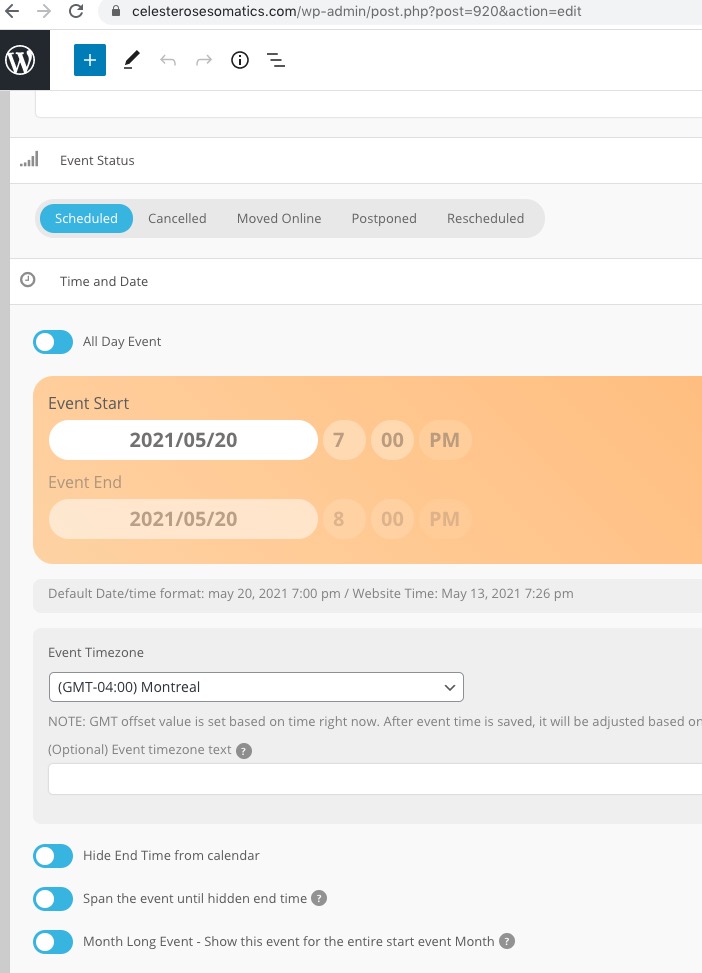
If anybody else finds this, I had the same issue and indeed, clearing my cache solved it!
Archives: Replies
Replies for tickets on suppota
Reply to: tickets(237882)
Probably better to set up a mobile specific calendar
Such as an events list or basic weekly view like
[add_eventon_wv]
depending on the page builder you can hide content based on screen size
and only show content based on side
so you would use the current shortcode for desktop and tablet and the movibe calendar for mobile devices
see this page is using the full calendar
https://www.kidsmagicworld.com.au/kids-magician-events/
if you shrink it down to mobile it looks very similar however they are in fact 2 different calendars
1 for desktop and 1 for mobile
Reply to: tickets(237887)
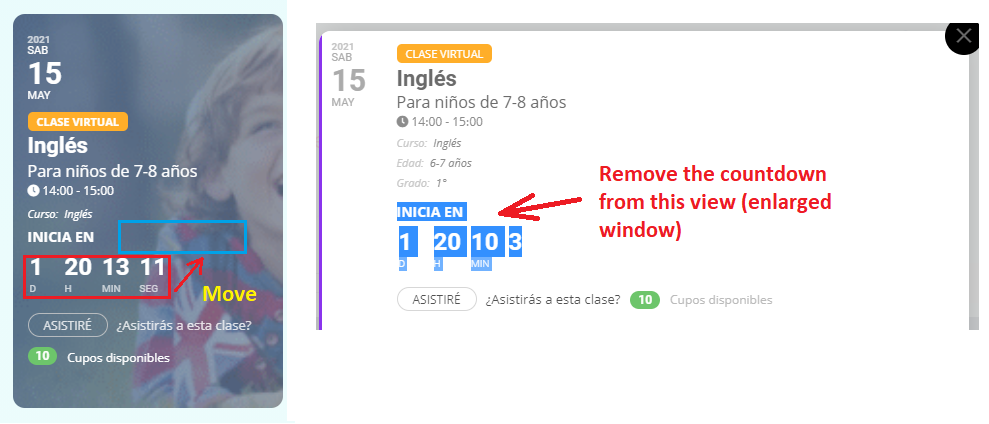
See image.
Reply to: tickets(237127)
https://learnpod.com.ng/login
eventon
YLJzSXyp0(9zu6pnFdWR$4EL
Reply to: tickets(237822)
Thanks for your quick reply. It worked.
It’s a pity the options are not very logical
- To disable Jitsi you have to go to “Scripts and styling”
- To disable PayPal and Zoom you have to go to “Thirs Party APIs”
- To disable Google Maps you have to go to Google Maps API…
and it’s not very intuitive that something is disabled when it’s blue instead of grey (“enable xxx” would be more intuitve)
Have a nice day.
Reply to: tickets(235934)
Thanks
no there is no ip block , just a http protection with user and pass ( the one I give you at first )
Reply to: tickets(237836)
I hope you have been able to login and confirm that the plugins have already been licensed for the website and are now broken.
Reply to: tickets(237854)
RSVP is at the current version as is EventON base.
Reply to: tickets(237588)
Thanks so much. I don’t have any IP blocking on my site. I also have my page caching plugin turned off on the two pages that I’m using Action User. Thanks.
Reply to: tickets(237833)
Hello,
Could you try updating EventON to 3.1.5, then clean browser cache and check again?
To update eventon to latest version: If you are unable to do autoupdate, you can go to codecanyon your account > download and get the latest eventon version as zip file. Then you can go to your website, deactivate old eventon, activate (Do not delete eventon settings & data when EventON is uninstalled) from eventon settings, delete old eventon, install new one and activate. This link will further explain the process it. Also you can follow us on twitter to get real-time announcements on updates!
On my side: