I enabled debug on EventON Calendar. I have the debug.log file showing all errors. I can privately send it to you if you need it.
Archives: Replies
Replies for tickets on suppota
Reply to: tickets(390478)
I use Edit Event to make changes, and I go to Set Event Image
Reply to: tickets(390712)
Please add this CSS code to EventON > Styles (If you don’t see any change, EventON > Scripts & Styling > turn off Write dynamic styles to header > save settings > turn on Write dynamic styles to header). You can also add this code to wp-admin > Appearance > Customize > Additional CSS.
.et_pb_module.et_pb_text_align_center .ajde_evcal_calendar.boxy #evcal_list { justify-content: center; }
In order to change their height, please add tile_height=”100″ to the shortcode.
Reply to: tickets(390745)
Hello,
I cannot re-create the issue.
Please send us wp-admin access to your site from “Access Info” box on right side menu, to further assist your situation.
Reply to: tickets(390746)
Hello,
Could you send us order ids of your purchases, so we can find them in our system?
Reply to: tickets(390507)
L1 is NO and L2 is EN? Or all of your events are L2?
Reply to: tickets(389864)
I don’t think that this is related to EventON itself, but to WordPress or server config.
Please take a look at
https://wordpress.org/support/topic/dashboard-in-error-403-access-denied/#:~:text=If%20it%20is%2C%20you%20can,see%20if%20the%20error%20reappears.
If you disable EventON and only try to enable Filters add-on will it show the same issue?
Reply to: tickets(390712)
In addition to seeking guidance on centering cards/tiles on a page, I would also like to change their size because they’re way too big.
Reply to: tickets(390751)
Hello,
Please take a look at our Filters Plus add-on:
https://www.myeventon.com/addons/filters-plus/
Try on
https://dev.myeventon.com/wp-admin/
For more advanced functionality, you need to customize the source code.
Reply to: tickets(389767)
Please take a look at
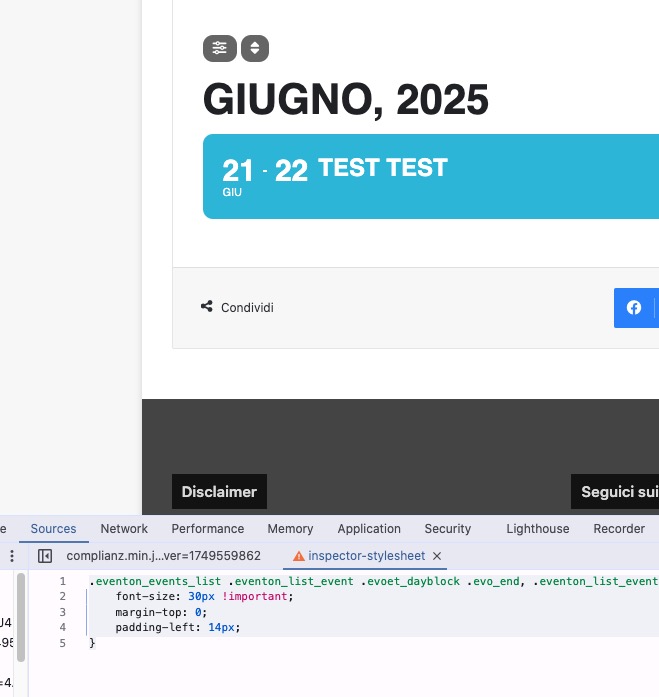
.eventon_events_list .eventon_list_event .evoet_dayblock .evo_end, .eventon_list_event .evoet_cx .evoet_dayblock .evo_end, .eventon_events_list .eventon_list_event .evoet_cx .evoet_dayblock span.evo_end { font-size: 30px !important; margin-top: 0; padding-left: 14px; }