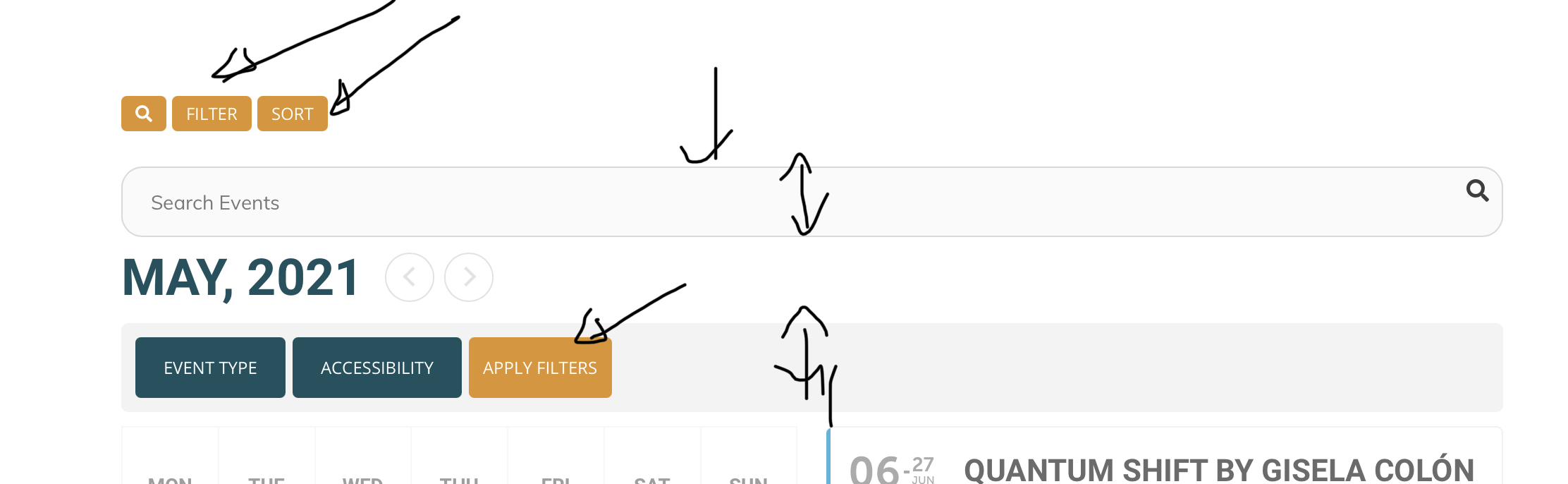
This is not my website. But I like the design they did for search and filter
Replies for tickets on suppota
This is not my website. But I like the design they did for search and filter
you are using weekly view shortcodes in a daily view thats not going to work
see video below
Hey,
Thank you for the update.
See you soon.
yes 2 ways
you can iether set the entire calendar to open events in the single events page (or open the single event in a new window)
or you can set an individual event to do so (so you could have the entire calendar slide down but 1 event could open in a new window
see video below on how to do it
Hi, I have reopened this ticket as we require further help with this implementation.
My client wants to feature this week long event using the Daily View. We have purchased this add-on and are having the same issues we were having with the Week View add-on. We have updated the shortcode (above) to include an event type 2 (specific for the Conference Events) and replaced the weekly view tag with the daily view tag –
[add_eventon_dv fixed_week=”5″ fixed_year=”2021″ fixed_month=”6″ event_type_2=”312″]
The display is no longer appearing on the desired week.
In addition when we click forward, day by day to the event at the end of June, and then click from 30 June to 1 July the calendar jumps forward to 31 July.
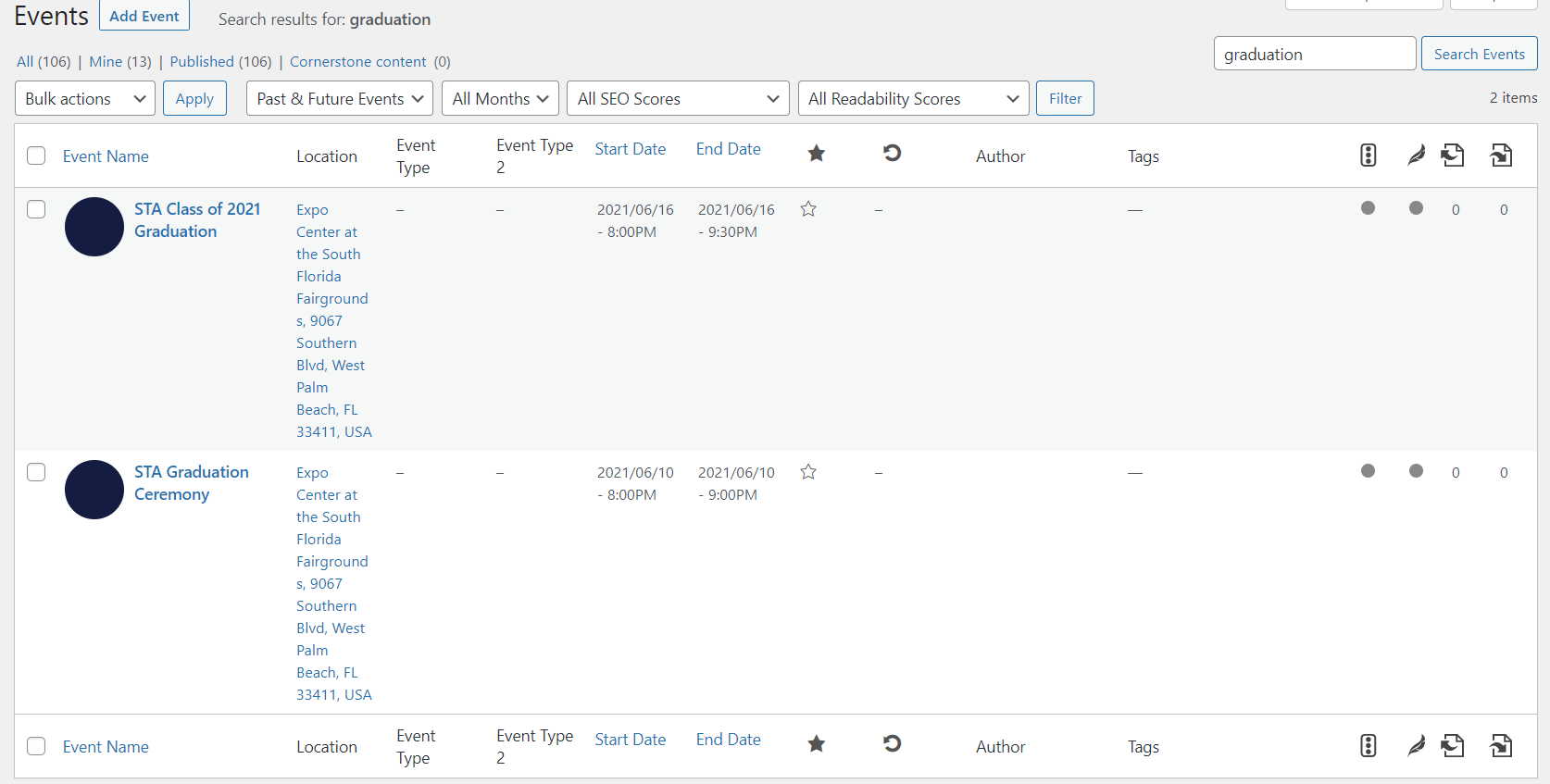
More info now: It seems that most entries may be correct now. Some older entries that were replaced with newer entries were still showing in the events backend in the admin panel, so we deleted all and reuploaded the ICS file. See image attached. That one from the 10th was old and not on the main Google calendar anymore.
So new bottom line, it seems the calendar does not delete old entries. It seems we had to do it manually. This may have corrected the problem we had.
However, I’m still wondering if we should activate the ICS Importer in the admin panel or should we wait for Basilis to advise us on that?
Randy
Hi Infotainerdave,
I understand that we need to wait for Bas. However, our charter school client needs a working calendar, so please let him know that this is somewhat of an emergency.
If there are any suggestions about how we can keep things up to date while we wait for Bas, they will be greatly appreciated.
When you say the customizer will tell us if it’s safe to activate or update, are you suggesting we try it?
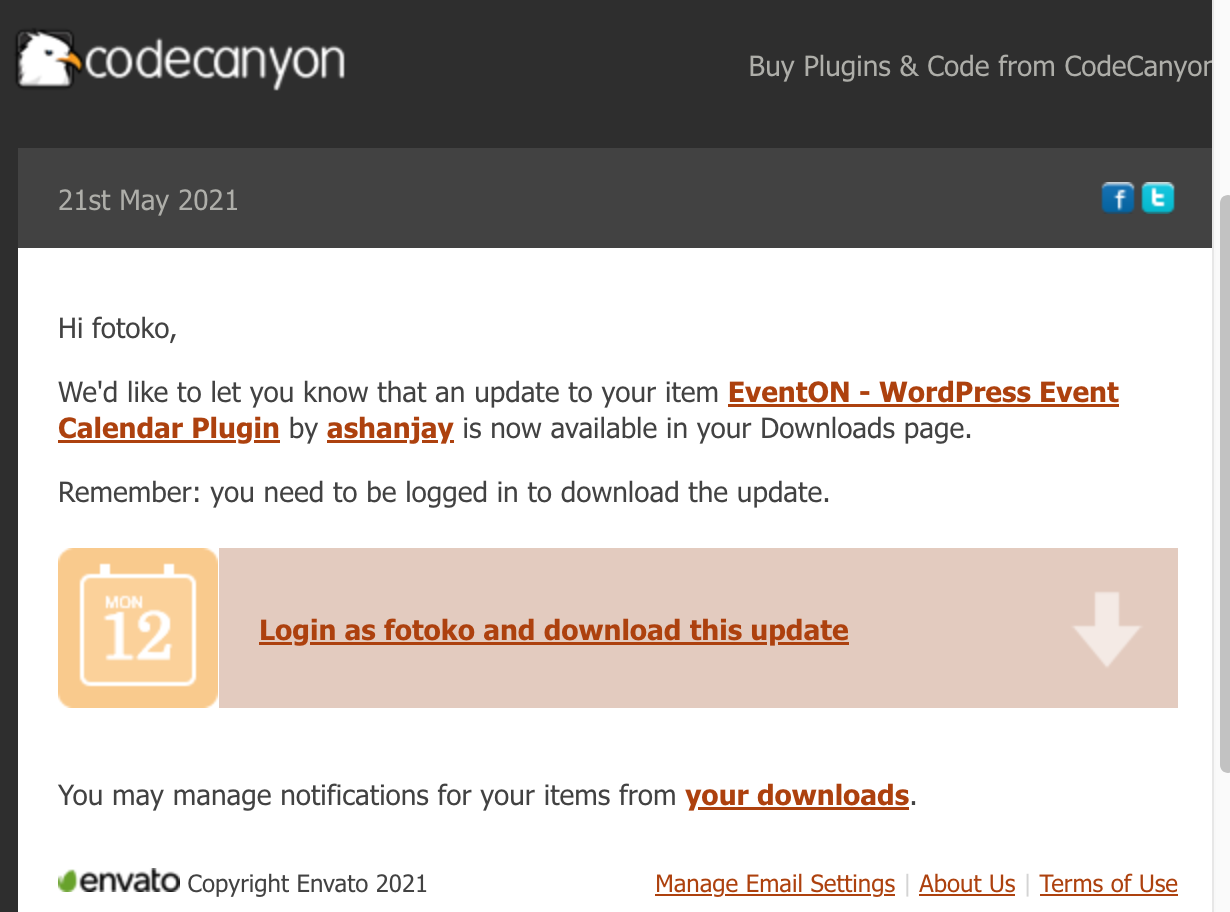
Also, I see on Codecanyon EventON has a new update. See attachment. Should we do that update? I’ll try to wait for your answer, but we may have to go ahead and do that update in the mean time.
Randy
Nitzan we are a small team and you have 46 tickets here and we have done a lot of support for you. Unfortunately those orders you are asking for refunds were purchased well over our 30 day grace period. 🙁
I can replicate this.
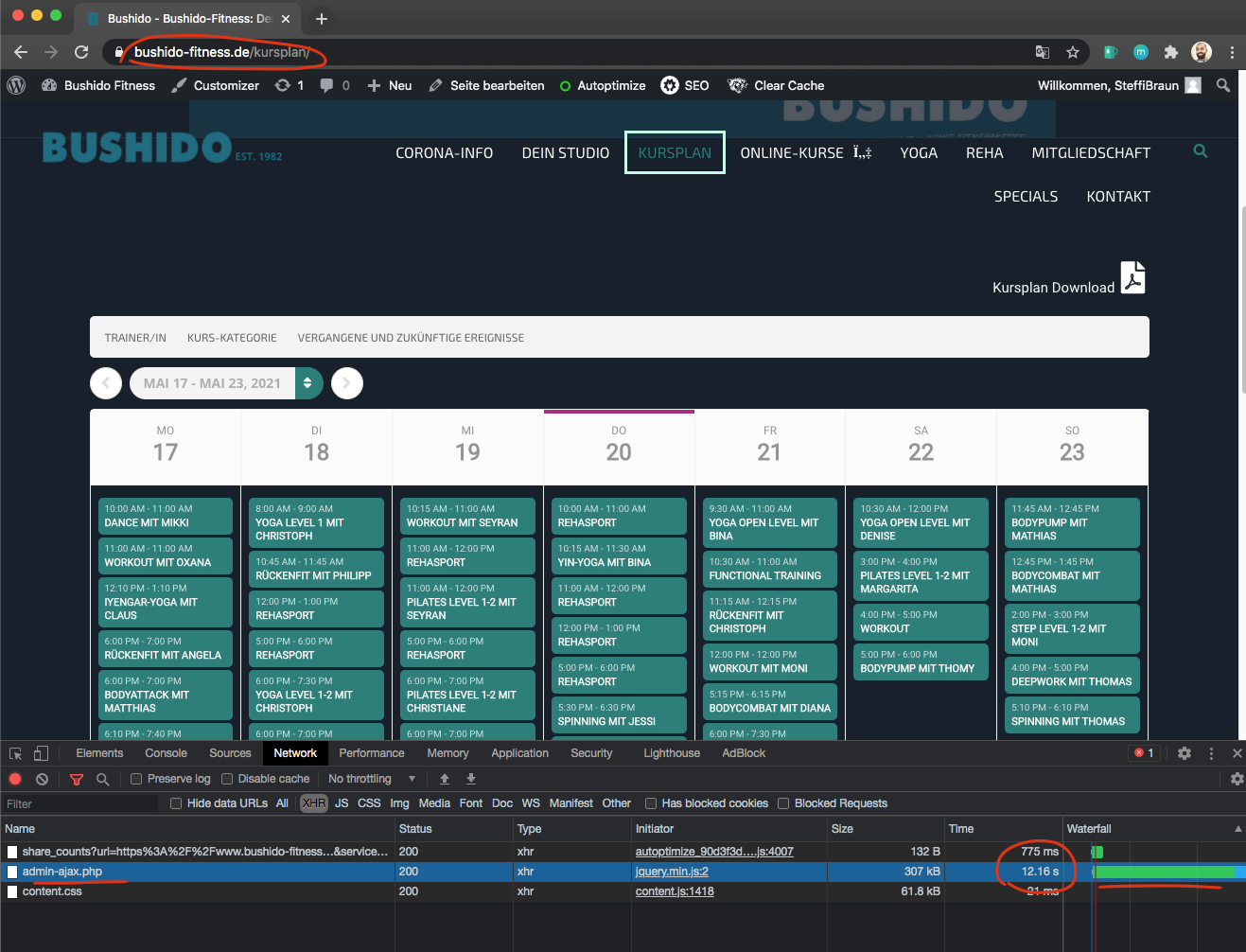
It is the ajax calls that is taking a long time to load. Currently the weeklyview does not support loading events without ajax call. Even if we get rid of the ajax intial load when switching to new weeks you are going to run into this again.
Have you tried optimizing phpmyadmin database tables? May be using a cache plugin that can also cache wp queries? I am not really sure wy the 73 events are taking a long time on frontend..
Lior I have gone ahead and refunded and your subscriptino is also cancelled now. If you have more questions, kindly send us a new ticket and we would be more than happy to help you resolve your issues!