Hi,
I updated the plugin and noticed that on desktop the animation works perfectly. Thank you for your efforts and great support.
However, on mobile, the animation is not working. Only blank grey day boxes appear but no animation is displayed. You may kindly check that too.
I appreciate.
I see that events now are coming in with images, success!
However, when I go into edit or change the image on an event, my changes do not appear. When I select an image to set, it doesn’t change once I leave the file selection.
Hi Artem,
Didnt see that there is an update – now it works
Thanks !
Hi Artem,
My clients are getting nervous about this as they would like to publish new events to be able to plan ahead.
Any news ???
The problem is obvious and I think this shouldnt be taht hard to fix it !
Thanks
Marcin
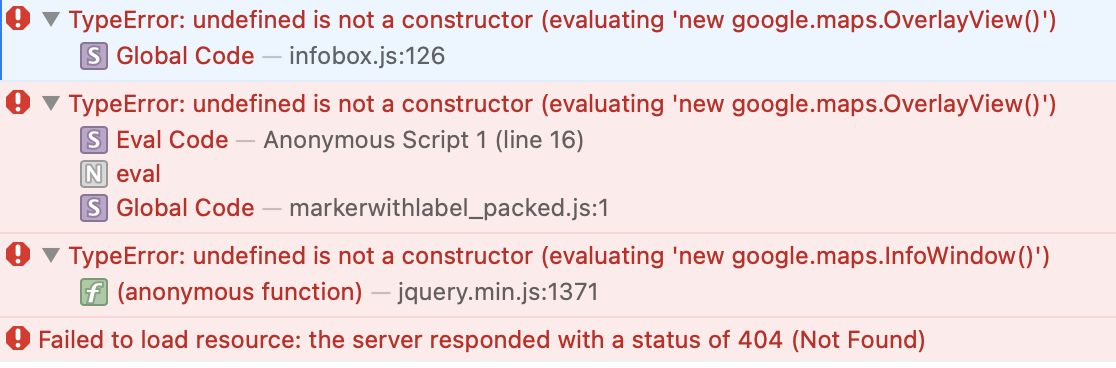
Heya Team! update attached with latest errors. any idea how to get these maps working??
dinosauradventurelive.com
Thanks. I have made those changes to enable the cache and change the communication method.
Access info was there last night . Something must have deleted it overnight. I have restored it.
Perfect! Please keep us updated.
“Access Info” is empty.
Could you try going to EventON > Advanced > enable Cache calendar events list data? Also try switching “Select which HTTP server communication method to use for calendar” on the same page.
Please also try increasing memory limit:
https://docs.myeventon.com/documentations/increasing-wordpress-memory-limit/
Perfect! Please keep us updated.