Hello,
The ticket seems to display on my end https://pasteboard.co/K2iWB0I.png. Kindly confirm, were you able to fix the issue or am I missing something?
Replies for tickets on suppota
Hello,
The ticket seems to display on my end https://pasteboard.co/K2iWB0I.png. Kindly confirm, were you able to fix the issue or am I missing something?
Hi Victor,
I have added the custom CSS below in Appearance > Customize > Additional CSS and the icons are displaying.
.evo_metarow_socialmedia a.evo_ss i { font-family: evo_fontawesomes,evo_fontawesome,evo_fontawesomeb !important; }
Hi, thanks for taking the time.
I installed the classic editor now.
::
The reason why I have the clumsy code of 12 different calendars on the event-directory page is, in fact, for styling reasons, and also, because I can’t seem to get the “Event Lists” option to work.
It yielded this shortcode:
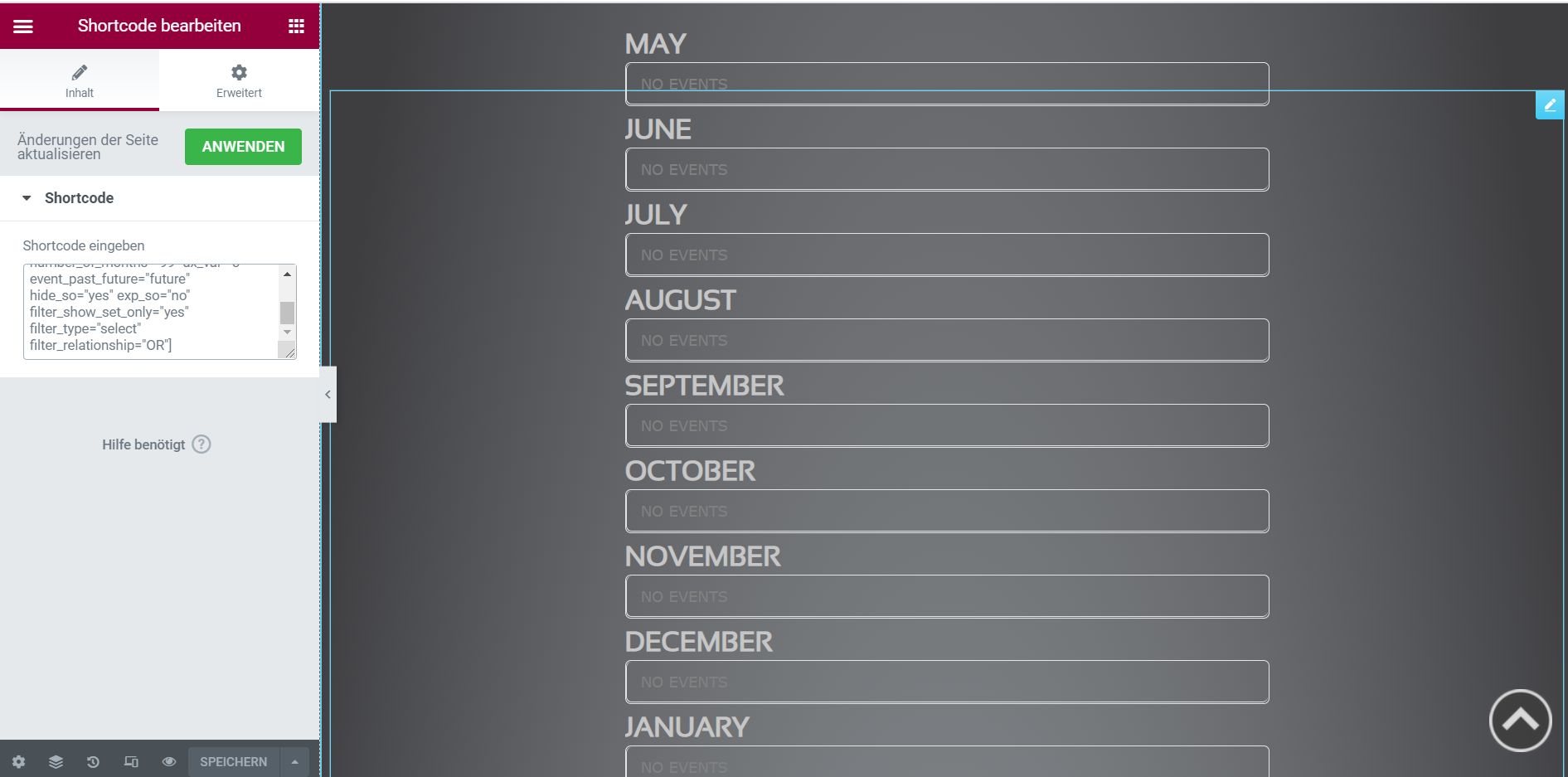
[add_eventon_list number_of_months=”99″ ux_val=”3″ event_past_future=”future” hide_so=”yes” exp_so=”no” filter_show_set_only=”yes” filter_type=”select” filter_relationship=”OR”]
which looks like >> please see image attached
https://hristosinafrica.org/intra/
User: eventon
Pass: gRZyqCn@8Bf(mi$BPTM1IJ#n
I still have the issue with the link from tickets to google calendar which is much more of an issue to us.
Please investigate why when we click on the add to calendar from the event card it is not taking the information through to google.
This is a real problem for us
Thanks
Helen
Great! If you have any further questions or concerns please create a new ticket.
Ashan,
On dev2: https://dev2.myeventon.com/wp-admin/post.php?post=25931&action=edit (original), https://dev2.myeventon.com/wp-admin/post.php?post=26515&action=edit (copy)
Thank you for your messages, I am going to assign this ticket to Ashan and he will be able to take it from here and find you a solution. Please allow some time for him to get back to you, we greatly appreciate your patience and thank you for being a eventon customer! Also please disable any IP blocking on your site if there are any.
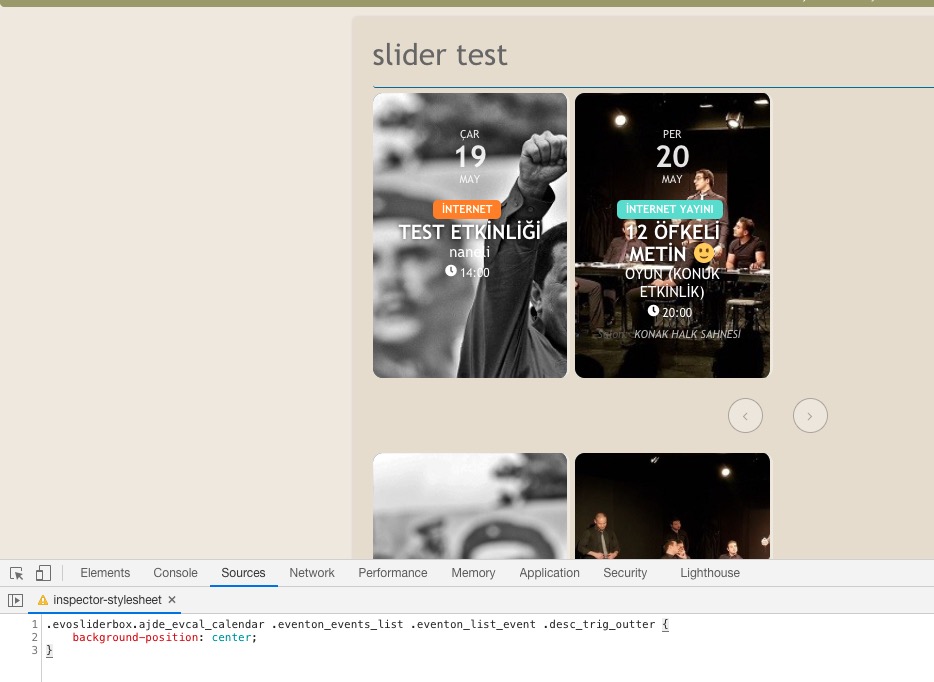
Please add this CSS code to EventON > Styles (If you don’t see any change, EventON > Scripts & Styling > turn off Write styles to header > save settings > turn on Write styles to header):
.evosliderbox.ajde_evcal_calendar .eventon_events_list .eventon_list_event .desc_trig_outter { background-position: center; background-position-x: center; background-position-y: center; }
Please send us wp-admin access to your site as a private message for us to further assist your situation.