yes in myeventon>>>>>settings
scroll down to the bottom and you can export all events as a csv
Replies for tickets on suppota
yes in myeventon>>>>>settings
scroll down to the bottom and you can export all events as a csv
Your action user is 4 years out of date
and weekly view to 1.1.3
can you update action user to 2.2.5
and ful cal to 1.1.13
To update eventon addons: You can download latest eventon addons from myeventon > my account. Then you can go to your website, deactivate old addon and install new one and activate then delete the old addon. This link will further explain the process. Also you can follow us on twitter to get real-time announcements on updates!
Thanks for that pointer.
I’m working on a different approach – https://borrowed-time.info/programme-test2/ that’s working for me. But is there any tweak I can do that will hide the event date from the event top? The event is only happening over three days and I don’t need the event date for each event listing.
Thanks
Is it possible to do this install with just the wp-admin access? I’m having trouble getting access via FTP.
Here’s login creds. Also, I was not able to complete the edits from the last ticket regarding styling on individual Event pages. If you wouldn’t mind could you make that fix as well. Thank you.
https://www.triangleself-defense.com/wp-admin/
u: EventOn
e: info@ashanjay.com
p: HgS!pFgZqew8UWQAlqla6$ip
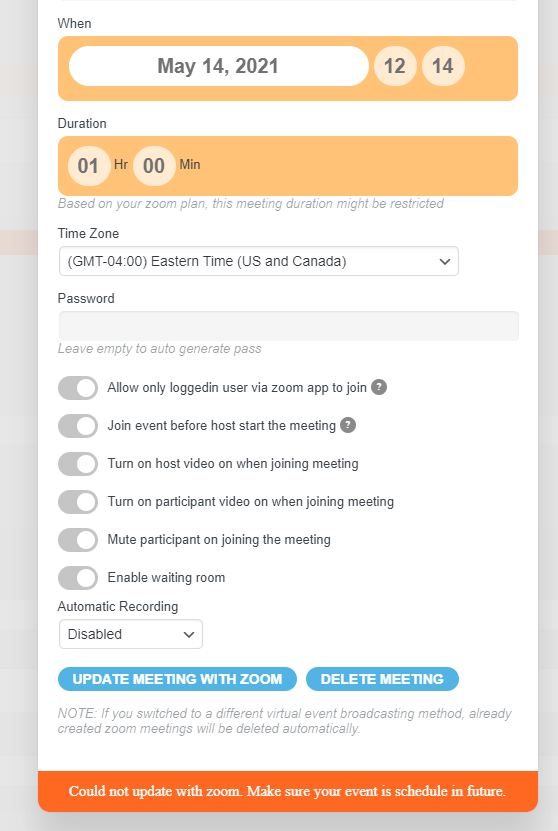
1.- I am still having issues with creating the zoom meetings. I get the same error even though I cleared the cache. It bothers me that when this site gets ready to launch this feature my customer who will handle this application for his zoom meetings he will have the same problems I have. No good. I need you to get to the bottom of it either telling me what I am doing wrong or fixing it. See attached.
2.- When the zoom meeting ID gets created, HOW the creator of the zoom meeting gets to START the meeting from the interface of this plugin. I hope you wont tell me he has to go through the normal process of opening the browser, enter the zoom url, and start the meeting. I am expecting something more sophisticated, as your plugin is, to allow the creator of the meeting to START the meeting by the clicking of a button eventhough after that zoom app takes over.
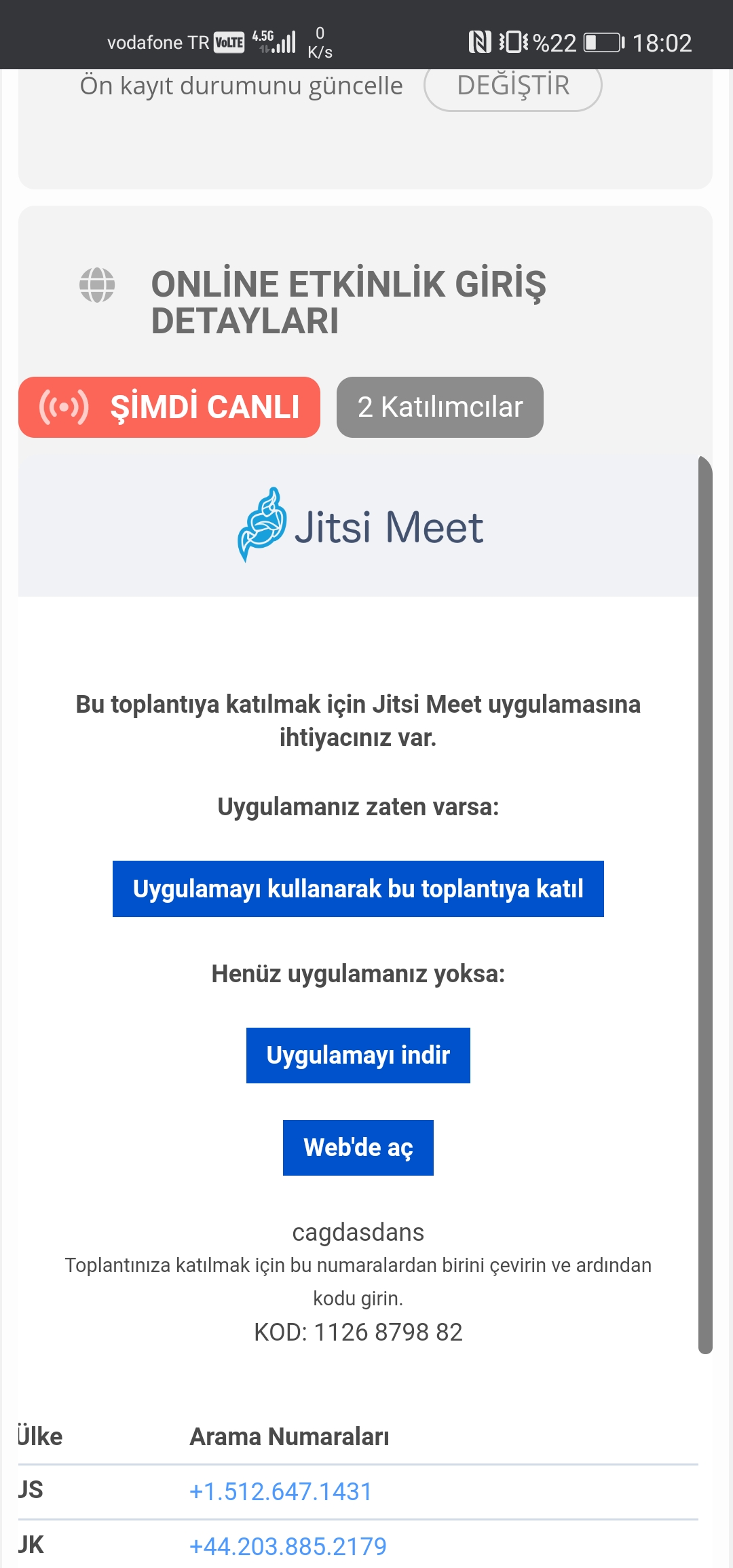
I explain the problem step by step.
For mobile devices:
1. A virtual event has been created.
2. Jitsi was created.
3. The event has been entered.
4. Jitsi nested browser is opened.
5. On mobile devices, the nested jits do not look good. Because “Full Screen” is not supported on mobile devices.
Desktop devices:
Steps 1,2,3,4 have been applied.
5. Single page of the event, Jitsi opened one within the other. “Full Screen” works well with Jitsi. Because the jitsi feature supports full screen.
Another problem (mobile client bug): The nested Jitsi offers 3 options: Open with Jitsi App. Download Jitsi App. Open with the web.
These three options do not work on mobile devices. I guess because it is a nested browser.
Hello, I updated.
No different results.
Can you see the bullets in frontend:
https://danmor.net/event-directory/
9. octobre
in backend I can see them, too.
thanks, DM