User: eventon
Pass: 4AO2gOywu(iqj4VZwM6UMGKT
Replies for tickets on suppota
User: eventon
Pass: 4AO2gOywu(iqj4VZwM6UMGKT
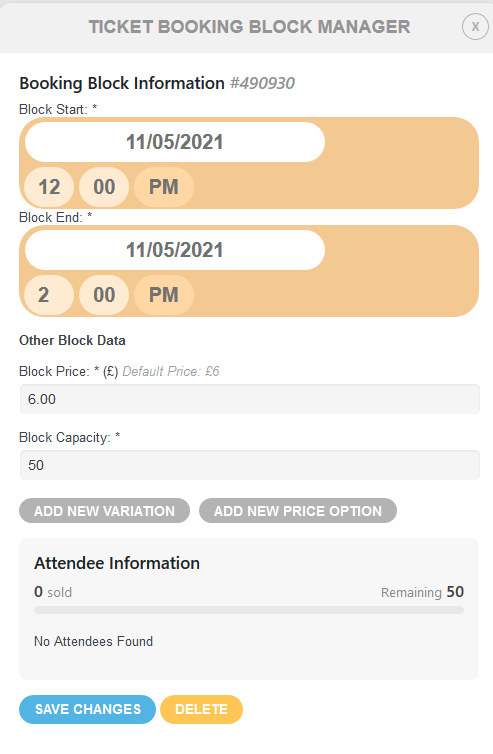
And this is what it looks like when looking over previous events with variations – they are now gone.
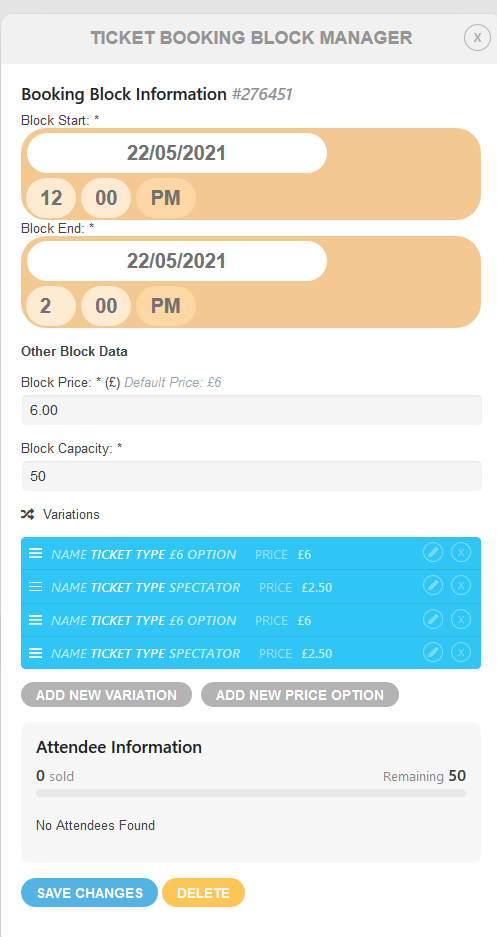
This is what happens when adding a new date to an event – four variations appear with being added.
After further investigation definitely an issue with Eventon and MemberPress. On ALL browsers if you are logged in the calendar is displayed correctly. If not logged in the elements do not stack correctly. I have logged the issue with MemberPress support however their initial response is it is an Eventon issue – surprise!
As MemberPress is integral to the site, I really don’t care whose issue it is, all I need is for one of you to come up with a fix or workaround.
Many Thanks
Phil
Hi There,
Yes we can do this for you.
https://helpdesk.ashanjay.com/my/dash/?page=customize-eventon
Go to the following request and you have the ability to contact us so we can do the customizations for you
Hey Dean,
It would be really easier for anyone of us, to help you, if we could have backend access.
Hey!
This is great feedback, the only problem is the discussion sometimes is not needed for the feature requests!
But in any case, we appreciate bring us such ideas, we can consider them while we implement the new version of the software.
Hi There,
We are sorry u are facing issues! We would love to help, please provide us backend details so we can be able to take a look
closing this
WP admin
Address: https://frontline-negotiations.org/wp-admin/
User: eventon
Pass: TCjDFBQToBM%*Aef8fmietxu
This isn’t working. Please check