WP admin
Address: https://frontline-negotiations.org/wp-admin/
User: eventon
Pass: TCjDFBQToBM%*Aef8fmietxu
FTP
Address: narj.ftp.infomaniak.com
user: narj_cchn1
pass: tN-P4JaK%HbFSm
Replies for tickets on suppota
WP admin
Address: https://frontline-negotiations.org/wp-admin/
User: eventon
Pass: TCjDFBQToBM%*Aef8fmietxu
FTP
Address: narj.ftp.infomaniak.com
user: narj_cchn1
pass: tN-P4JaK%HbFSm
Thank you for the video.
Let’s deepen the script a little.
1- There are 3 different types of events in the project: Yoga, Dance, Party.
2- I can use RSVP for events besides RSVP Points. (1 point = 1 RSVP yes)
3- There is an event called “Online Yoga Lessons”. This type of event is “Yoga”.
4- I bought 1 point for the “Online Yoga Class” event.
5- I am now a user. I have 1 point. And my user role is “yogastudent”
5- Now I want to use RSVP for “Online Yoga Class” event. And I was able to respond to RSVP with 1 point.
6- I have 0 points left in my account. I cannot respond to RSVP for any incident. Right. Because I have to purchase RSVP Points for each event.
Key questions:
Can I redeem 1 point for the event I just purchased?
If I buy points for yoga event type defined event, can I limit these points to only “Yoga” event type? Or can I limit this to the “Dance” type of event?
Could you update EventON to 3.1.5 on https://www.mtbcoach.de/?
To update eventon to latest version: If you are unable to do autoupdate, you can go to codecanyon your account > download and get the latest eventon version as zip file. Then you can go to your website, deactivate old eventon, activate (Do not delete eventon settings & data when EventON is uninstalled) from eventon settings, delete old eventon, install new one and activate. This link will further explain the process it. Also you can follow us on twitter to get real-time announcements on updates!
Great! Please keep us updated.
Hello,
Unfortunately, no.
Hello,
Create the table you want using WP’s Gutenberg or Elementor or WP Bakery Pagebuilder or similar plugin. Then add Ticket and RSVP buttons with links to EventON’s events.
Create events manually with enabled Bookings. Then add booking blocks.
Hello,
The latest version of FullCal is 1.1.13 and yours is still 1.1.3:
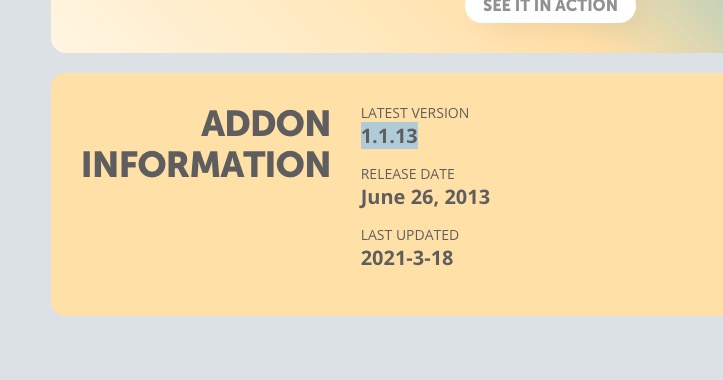
Could you update?
To update eventon addons: You can download latest eventon addons from myeventon > my account. Then you can go to your website, deactivate old addon and install new one and activate then delete the old addon. This link will further explain the process. Also you can follow us on twitter to get real-time announcements on updates!
Hello,
Make sure that your repeating event’s Start and End date are set to the first repeat.
Please send us wp-admin access to your site as a private message for us to further assist your situation.

This is an example of the issue.