at General Calendar Settings
select No filter
it can working..
but I want to use that..


Replies for tickets on suppota
at General Calendar Settings
select No filter
it can working..
but I want to use that..
Thank you but what did you do ?
I’ll need to install to an other client next week and would appreciate to know what th e problem was 😉
Thanks !
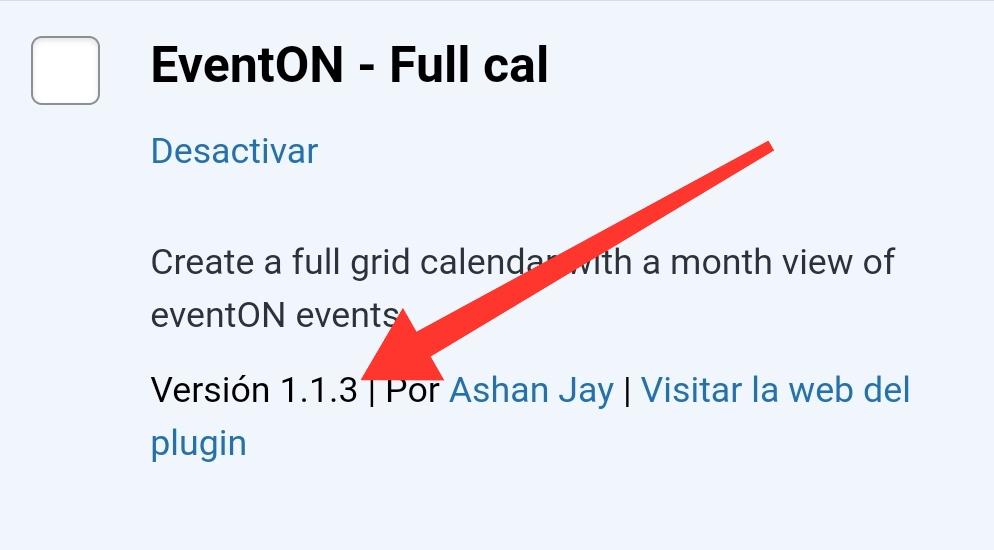
Please, check the screenshot (v1.1.3). I had downloaded the addon today so I have the latest version.
check now all good
We are glad your issue is resolved, if you have any further questions or concerns please create a new ticket.
If you have a moment, we would greatly appreciate if you could kindly leave us a review at codecanyon! from your account > downloads. Cheers!
Also we have eventon 3.1.5 out now which fixes potentially the emails yissue you might have with your current version
To update eventon to latest version: If you are unable to do autoupdate, you can go to codecanyon your account > download and get the latest eventon version as zip file. Then you can go to your website, deactivate old eventon, activate (Do not delete eventon settings & data when EventON is uninstalled) from eventon settings, delete old eventon, install new one and activate. This link will further explain the process it. Also you can follow us on twitter to get real-time announcements on updates!
clear your browser cache
In chrome
CTRL+H
left hand side- clear browser data
makes sure cached image and files only box is ticked only
make it for all time
Hi Amie,
Please clear your Chrome browser cache and then try again. I am able to toggle the settings on my end.
The latest version is version 1.1.13, you can check that from here https://www.myeventon.com/latest-versions-of-addons/. Please update to that version.
Thanks. I look forward to the refund of the amount as soon as possible.
Hi,
yes, we are using opening in new window as a workaroud. Thanks
Yes, I have the latest version installed (1.1.3)