Hello,
Please try following this guide: https://docs.myeventon.com/documentations/why-my-site-and-eventon-page-loading-slow/
Replies for tickets on suppota
Hello,
Please try following this guide: https://docs.myeventon.com/documentations/why-my-site-and-eventon-page-loading-slow/
Hello,
Could you update Action User to 2.2.5?
To update eventon addons: You can download latest eventon addons from myeventon > my account. Then you can go to your website, deactivate old addon and install new one and activate then delete the old addon. This link will further explain the process. Also you can follow us on twitter to get real-time announcements on updates!
Hello,
I deactivated FullCal. Could you try activating it?
Login info stopped working. Could you check?
The problem with these kind of issues is that we cannot do much from our side since the problem is in the server.
Yes, this ticket is private.
Hello,
My test event: https://www.geografiaconlospies.com/wp-admin/post.php?post=6752&action=edit
You can see it here:
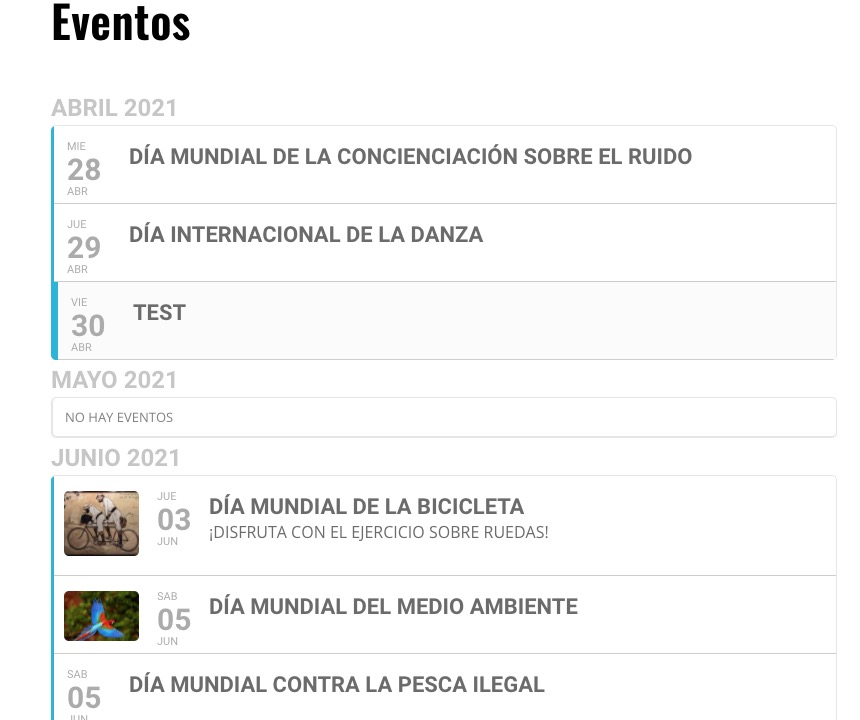
Could you tell us more?
Hi Liz,
Please update Eventon and Eventon addons to the latest versions.
To update eventon to latest version: If you are unable to do autoupdate, you can go to codecanyon your account > download and get the latest eventon version as zip file. Then you can go to your website, deactivate old eventon, activate (Do not delete eventon settings & data when EventON is uninstalled) from eventon settings, delete old eventon, install new one and activate. This link will further explain the process it.
To update eventon addons: You can download latest eventon addons from myeventon > my account. Then you can go to your website, deactivate old addon and install new one and activate then delete the old addon. This link will further explain the process.
Hi there,
Could you try going to EventON Settings > Time Settings > enable Use WP default Date format in eventON calendar (Excluding eventCard event date format) > save > disable the option > save again?
If it does not solve the issue, please open your own ticket so that we can help you troubleshoot the issue further.
I am having the same issue. Are you able to give me some troubleshooting steps instead of requesting access to my admin?
… in short:
I create an event list with slide down event cards. At all non-rsvp virtual events after April 30th 11am the virtual event data (Zoom-link etc.) on the slide down event card doesn’t show up.