I talked to him he said you can add the code. Thank you for your help
Archives: Replies
Replies for tickets on suppota
Reply to: tickets(391993)
Ok, thank you. Let me know when it is done. My coder has a lot of customization done so please make sure it doesn’t interfere with that. OR if you can give him the code to add he can do that too. What ever you think is best. He sees these messages here too. Thank you for helping us. I am hoping it is resolved as it was very bad.
Reply to: tickets(390710)
^ Please also note that it wasn’t loading until I logged in, then it started loading for me. So testing in incognito might be best to replicate the issue.
Reply to: tickets(390710)
Hi Artem,
This seemed to have worked for a while but the issue is now back. The calendar isn’t loading in Chrome or Safari this time. I’ve copied a site to staging for you to use for debugging and have shared the access info in the sidebar. Please let me know if you need me to provide anything else that might help!
Reply to: tickets(393234)
I have updated it, but I’m still not seeing them?
Reply to: tickets(393116)
OK, I think that is beyond me. I tried variations on this: if ($start != $end) ….. and this: if ($start == $end) … but can’t get it to work. Can you tell me which php file in the plugin controls that default function so I can see how it’s set up there?
Reply to: tickets(393280)
Woocommerce updated. Thanks
Reply to: tickets(393514)
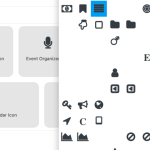 as you can see some icons are missing
Reply to: tickets(393514)
Also I deactive your plugin and it goes in conflict with my theme which is using some icons. SOme icons disappeared in the backend with your plugin.
Reply to: tickets(393514)
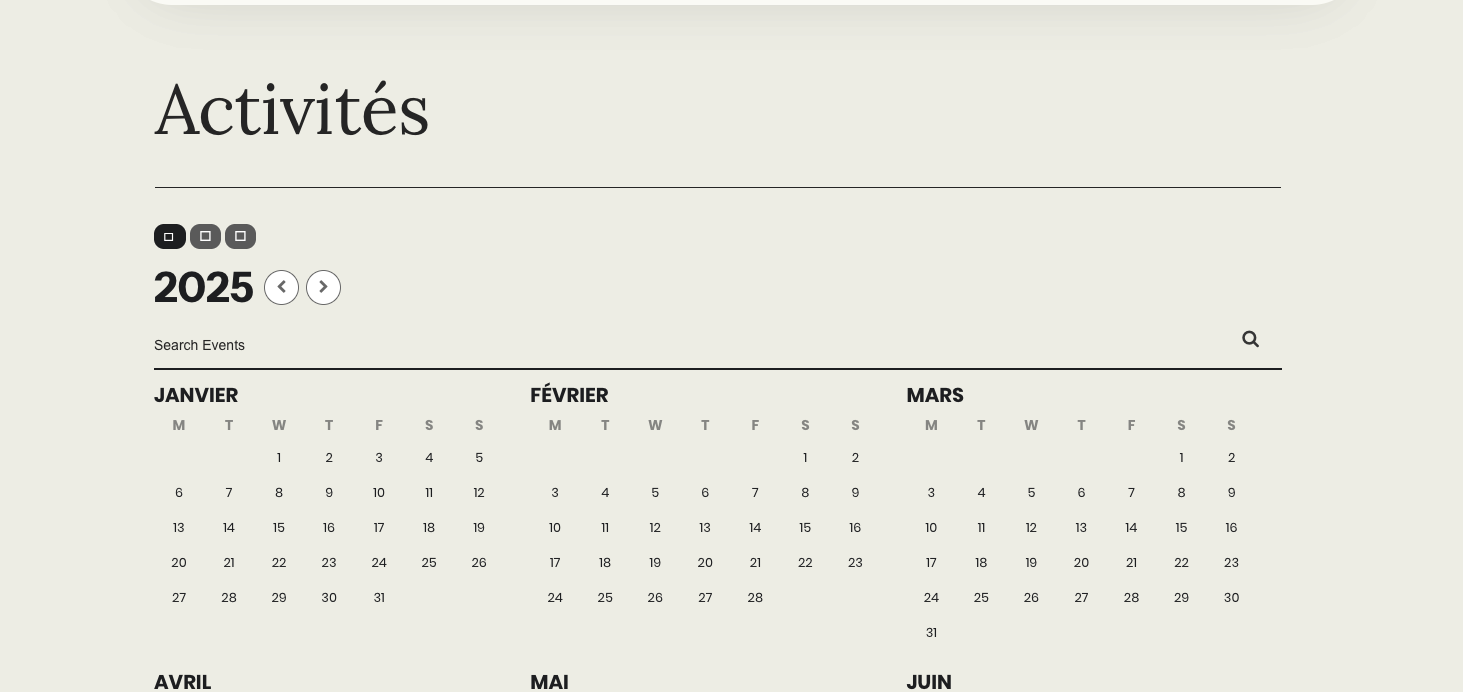
made a video as well
https://www.loom.com/share/556dbb7fafb24ebeb538b8a7c7a61ccf?sid=02005b9b-a5ed-40df-b722-1f831ad10a67