Om Ashish,
Please keep me updated.
I have send a payment through PayPal.
Did you received it ?
Namaste
Marc.
Replies for tickets on suppota
Om Ashish,
Please keep me updated.
I have send a payment through PayPal.
Did you received it ?
Namaste
Marc.
do you mind if we turn off and on all plugins and switch themes on the staging site?
please update evento to 3.1.5
To update eventon to latest version: If you are unable to do autoupdate, you can go to codecanyon your account > download and get the latest eventon version as zip file. Then you can go to your website, deactivate old eventon, activate (Do not delete eventon settings & data when EventON is uninstalled) from eventon settings, delete old eventon, install new one and activate. This link will further explain the process it. Also you can follow us on twitter to get real-time announcements on updates!
tickets to 1.9.2
variations to .9
events list ext to .21
To update eventon addons: You can download latest eventon addons from myeventon > my account. Then you can go to your website, deactivate old addon and install new one and activate then delete the old addon. This link will further explain the process. Also you can follow us on twitter to get real-time announcements on updates!
hostname – 37.220.88.157
| soulnut | hAhrEQK?zh9+ |
Hye Xuan,
So I have fixed the first part ( the work that we agreed ). Now Members do not need to pay for, u just need to put their price to be zero:
https://nimb.ws/Y0HnSW
now for the next one:
1. Create a new ticket and add my name that u want me to work on it
2. Provide me a URL where I can see the Zoom details ( basically an event that shows details )
I will fix this, I have found the trick to do it, so just create the new ticket and I will do it quick for you for just $50
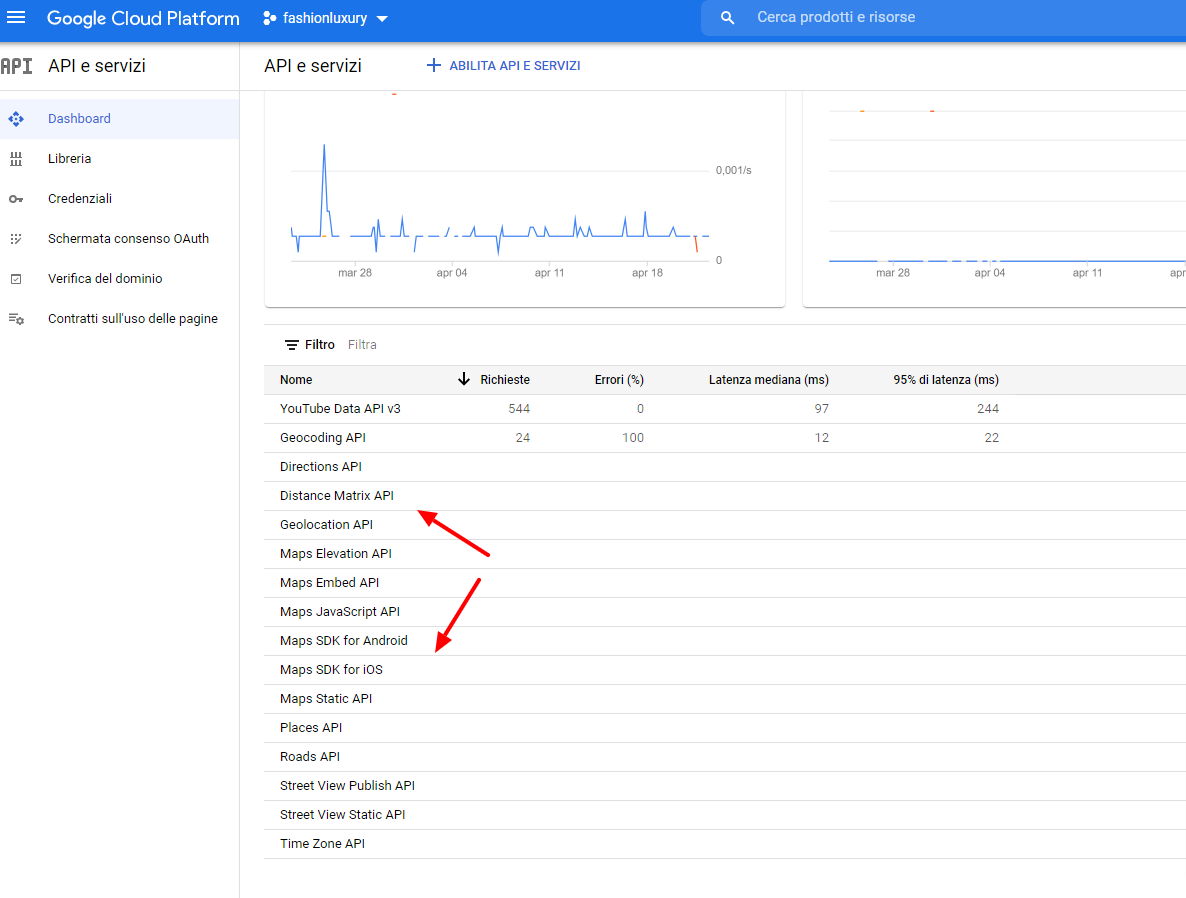
hi I did as you recommended by previous email but the google map is still not displayed how can I solve ?.
I attach image of the services activated google …
Thanks in anticipation. Yours sincerely
Hi Basilis,
sure, I thought I’d already done this, please excuse.
user: adminNS
pw: cgftN&ugfR7d2bUby1&h#v@W
you can export all events as a csv
myeventon>>>>settings
scroll all the way to the bottom and export
this will be all events but if you open up the csv you can see the month you are after
If ytou have the RSVP addon we have the invite addon- that will allow you to invite people to that event to RSVP to (you need rsvp to make it work)
we have the subscriber addon so when you add an event it auto sends that event out to subscribers (it sends the events 1 by 1)
when you used the rss addon how were you using it within an email system? were you useing rss feed to email
can you give us full wp-admin access please