I should mention that I have the same problem with sharing on Twitter, the date of the event does not appear. Surely there is a way to fix this?
Archives: Replies
Replies for tickets on suppota
Reply to: tickets(232369)
After a while, it now seems to work. However, the date of the event is not shared or highlighted on Facebook. Is there a solution?
Reply to: tickets(232502)
That login definitely works. I’ve tried it in another browser.
Reply to: tickets(232502)
login did not work for us
Error: cookies are blocked or not supported by your browser. You must enable cookies to use WordPress.
cookiers are enabled so i don’t know what that is all about
Reply to: tickets(232148)
see video below
Reply to: tickets(228522)
Yes that’s right.
Reply to: tickets(220300)
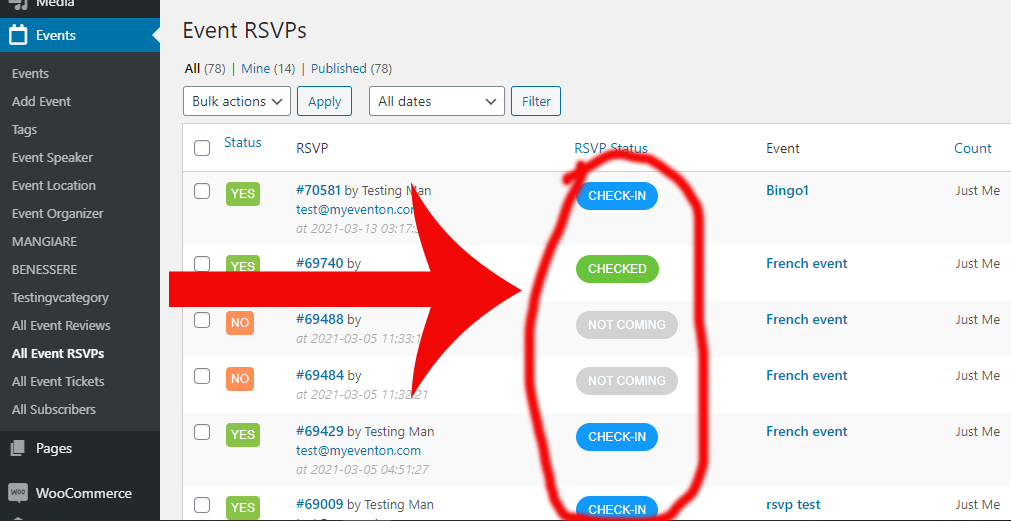
ATTENTION !!!
DO NOT DO ANYTHING MORE IN THE ADMIN.
I FOUND WHERE YOU CHANGED AND RETURNED EVERYTHING AS IS!
Reply to: tickets(220300)
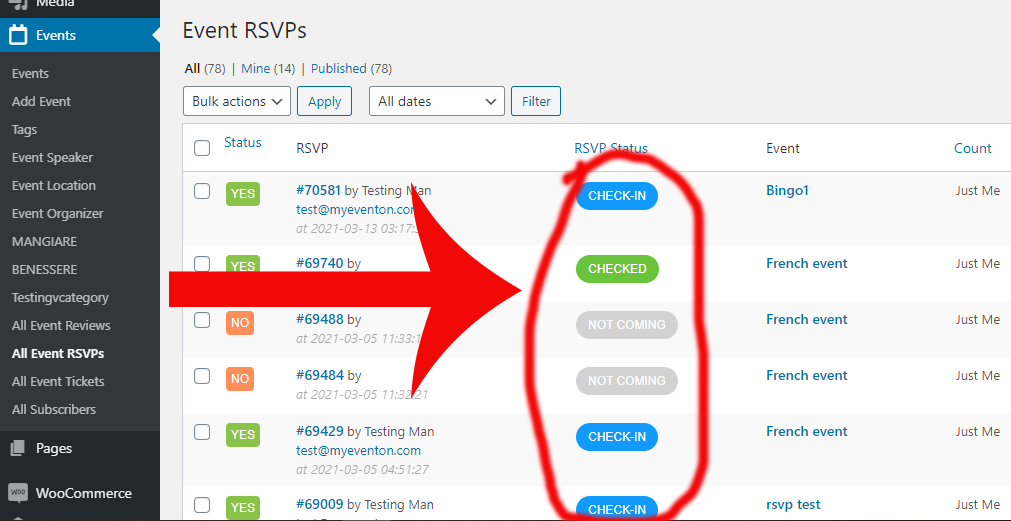
return it to me as here on your demo in the admin panel of the site !!!
I can't understand why you changed something on my website.
I DIDN'T ASK YOU TO CHANGE ANYTHING! return as it was that
the buttons were active and had the same names (statuses)
Reply to: tickets(230502)
Roll Back in progress…
Reply to: tickets(220300)
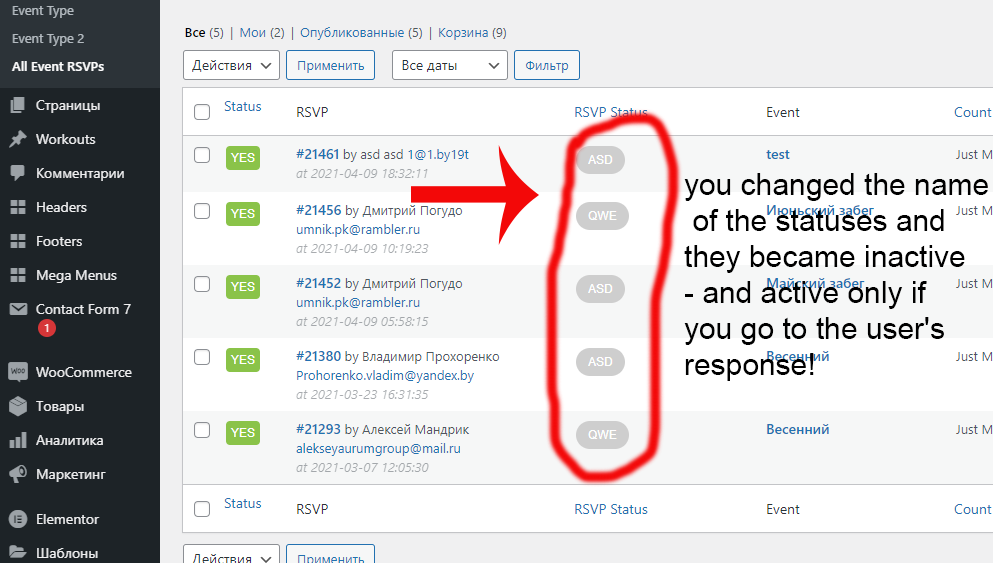
Why did you change something!!!???I didn’t ask you to change anything !!!
I just asked you a question and then you did not understand this question!!!
Return as it was in the admin panel for the administrator – here are these words – – check-in-and-checked
Because they used to be active-you didn’t have to go to the event !!
I didn’t ask you to change anything ! I just asked and YOU DIDN’T UNDERSTAND THE QUESTION AT ALL!
On the screen that is made from the admin panel – I highlighted what you changed-return as it was-that these buttons would become active – and then after you changed their names, they became inactive!!!