Hello Artem,
Thanks for your answer.
Here are the credentials :
WP url : https://vertical-master.ch/wp-admin/
Login: EventOn-support
Pass : 6&zvL)g53k56Wo7R
Let me know if it works.
Thanks in advance for your help.
Best regards,
Michaël.
PS : I looked into the ticket plugin files and, unless I’m mistaken it seems there is some code to call event location in the woocommerce cart and billing :
/class-integration-woocommerce.php
foreach( apply_filters(‘evotx_ticket_item_meta_data’, array(
‘event_time’=>array($this->langX(‘Event Time’,’evoTX_005a’), ucwords($ticket_time) ),
‘event_location’=> (isset($values[‘evotx_elocation’])? array($this->langX(‘Event Location’,’evoTX_005c’), stripslashes($values[‘evotx_elocation’]) ):”),
), $values, $EVENT) as $field=>$val){
if(empty($val)) continue;
$return_string .= ‘<span class=”item_meta_data_’.$field.'”><b>’. $val[0].”</b> ” . $val[1]. “</span>”;
}
didn’t get the video sorry
That’s fine. Please quote for additional requirements and I’ll put it to me client. Please also let me know turnaround for both options.
you could also try in
myevewnton>>>>settings>>>>>event top
deacivating Hide live event progress bar with time remaining
its one more thing that loading which is more built for virtual 1 day events than multi day events – unless the client really loves that feature I’d turn it off
Yes in the latest version 3.1.4
in myeventon>>>>>settings>>>>scripts and styles
the last toggle is to turn off the jitsi api
To update eventon to latest version: If you are unable to do autoupdate, you can go to codecanyon your account > download and get the latest eventon version as zip file. Then you can go to your website, deactivate old eventon, activate (Do not delete eventon settings & data when EventON is uninstalled) from eventon settings, delete old eventon, install new one and activate. This link will further explain the process it. Also you can follow us on twitter to get real-time announcements on updates!
so I have fixed the image it should just show the image now
load more – loads more for that month only
currently you are using main calendar which shows one month at a time with the ability to switch months with arrows
events list shows a large list of events however many months you wish to show
in your case I would recommend creating a dedicated events page which has all the events on it in a big list
on your home page have your calendar as it is BUT when they click the load more- it redirects to the dedicated calendar page instead
Alternatively we do have an addon that will show the next (for example) 3 events and then you click load more and it will load more events regardless of which month they are in
called events list extended which among other things will have the next x events regardless of the month https://www.myeventon.com/addons/event-lists-extended/
That google user permissions error only happens on the page where I’m using the Events Map Addon.
If I go to the home page, https://staging6.xn--h9j7a0c4cs2a.jp, and select an event there is still no map on the card but no Google console error.
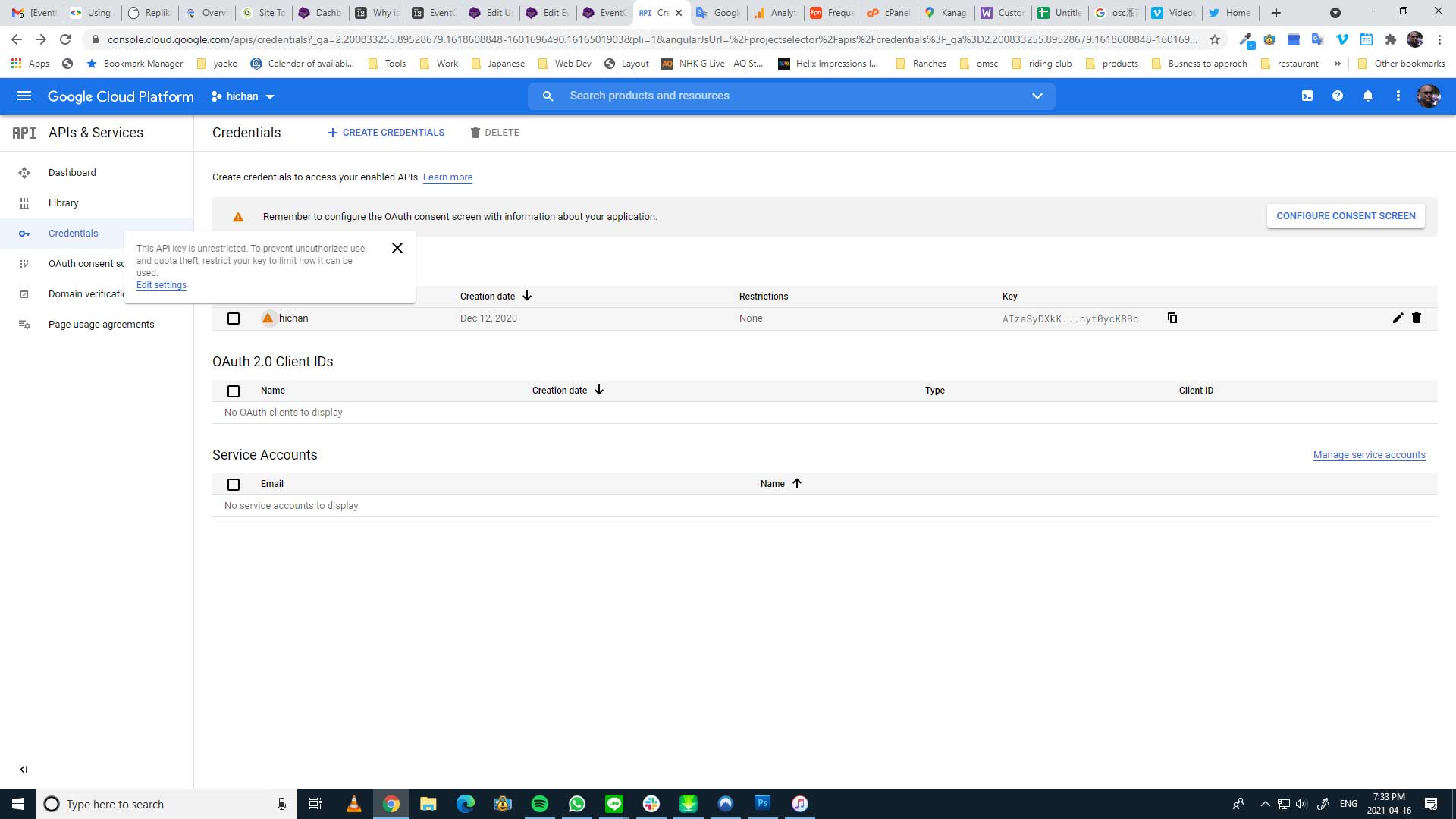
No error are being generated now. I removed all domain restrictions and verified the Japanese version of the url ひーちゃん.jp as well.
The card still doesn’t show the map.
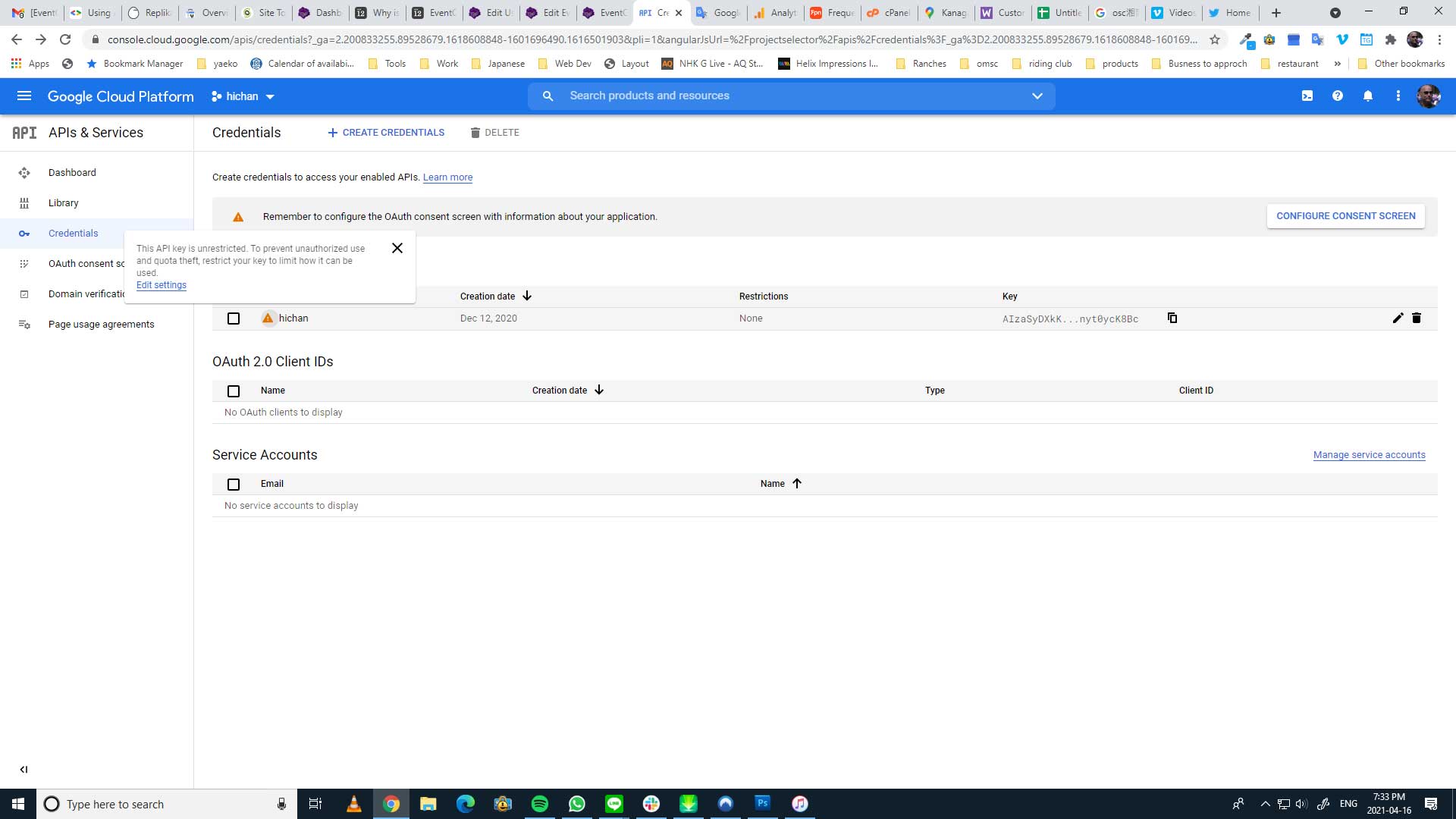
Nothing to fix on the google end.
There are no restrictions. Why does the main map work?