Reply to: tickets(232525)
Replies for tickets on suppota
Thank you again for your help on this. I know this is an older ticket now but I was revisiting it for info. In the meantime, I was able to convince my client to allow only registered members to purchase tickets for her virtual events.
After re-watching your video I was hoping you could clarify something. You mentioned at 2:38 that an upcoming version of EventON would allow for the embedding of streaming events into the events themselves so that only those logged in and who have purchased tickets can access it.
So the latest version does this now? If that’s the case, you’re saying a customer could log in, find the event and it would allow them to stream the event after clicking the event card’s details? This would save my client having to email out a new password for each event, correct? And they wouldn’t need to use the check-in button for each user to keep track since only customers would be able to access the room since sharing of the URL and password wouldn’t work?
Right now I have added a URL to the Zoom Meeting URL to join field but in order to use the feature above I’d need to have them click Create Zoom Meeting to fill out the details and embed the room into the event, correct?
Hi Again
Just to let you know that I’ve fixed the problem. Yesterday I disabled the date from my WP blogs which also must have disabled your calendar from registering any dates. Mystery solved.
Thanks for looking, or trying to look anyway.
Best Regards.
Jackie
Thank you so much for the quick response. When you say “only using eventon search” do you mean the search function that only searches the calendar or is there a way to make the eventon search the overall site’s search feature?
Also, if I have to remove past events to not show up in the wordpress search, is there a way I can make the calendar not go to past months (back arrow icons on top right of calendar and listing here: https://www.nyls.edu/events/)?
Thank you so much for your help with this!
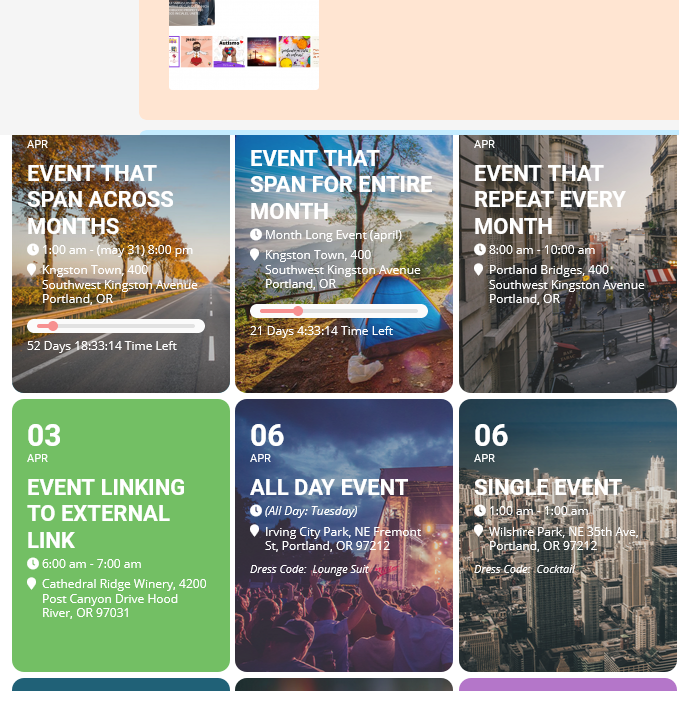
so the big circle is there a way to fix it ? or take it away it looks like it changes the hover function
I should mention that I have the same problem with sharing on Twitter, the date of the event does not appear. Surely there is a way to fix this?
After a while, it now seems to work. However, the date of the event is not shared or highlighted on Facebook. Is there a solution?
That login definitely works. I’ve tried it in another browser.
login did not work for us
Error: cookies are blocked or not supported by your browser. You must enable cookies to use WordPress.
cookiers are enabled so i don’t know what that is all about
see video below