Hi Ashish,
Please refer to my 2nd last comment on this thread: https://helpdesk.ashanjay.com/ticket/rsvp-show-only-certain-additional-fields-in-rsvp-form-display-as-a-checkbox-list/
I explain in detail what the issue is. Basically when the other plugins are updated, this customisation no longer works. Log in to our live site and you’ll see that everything is updated. The staging site has not been updated which is why it is working for you.
Thanks
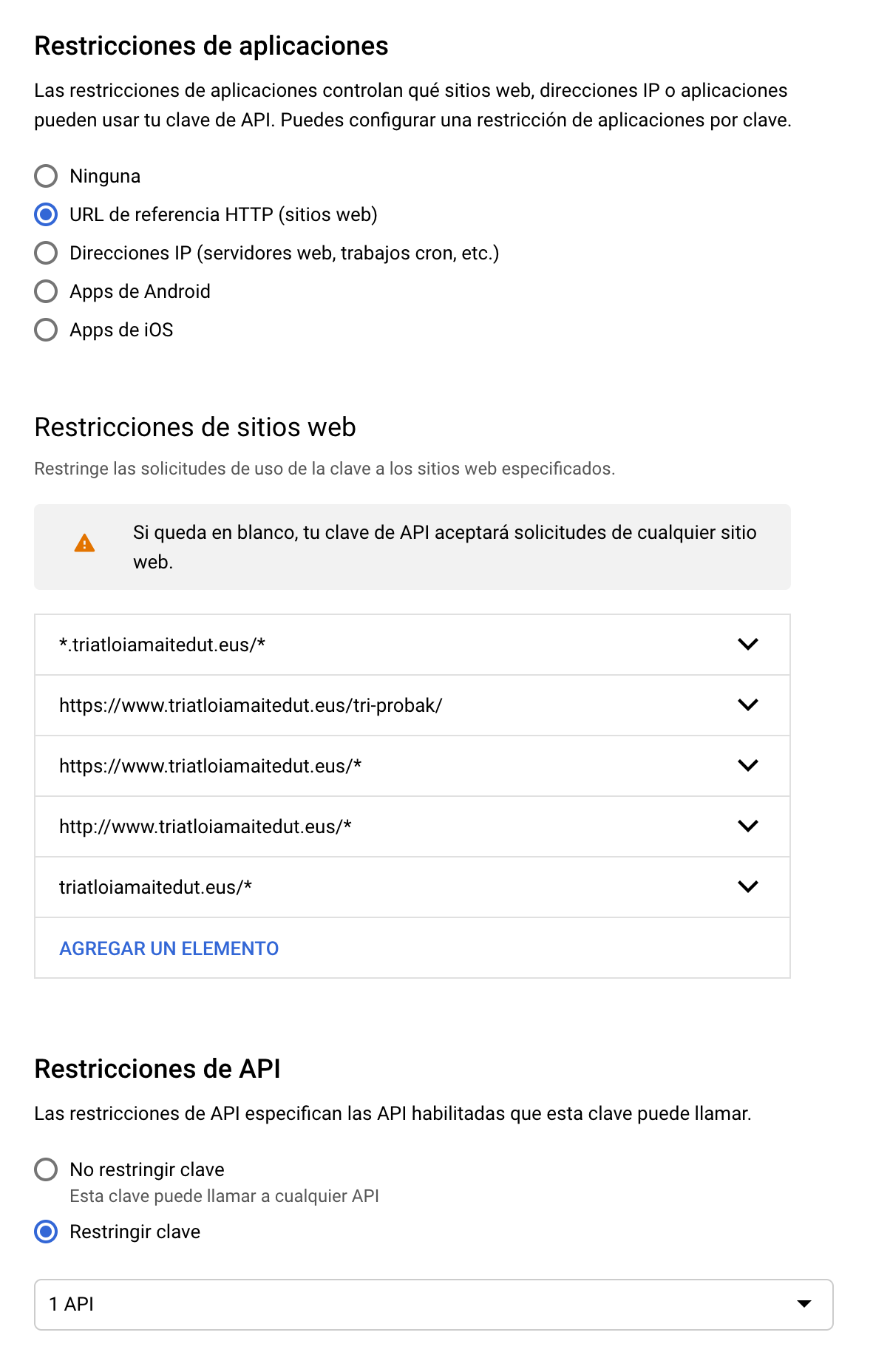
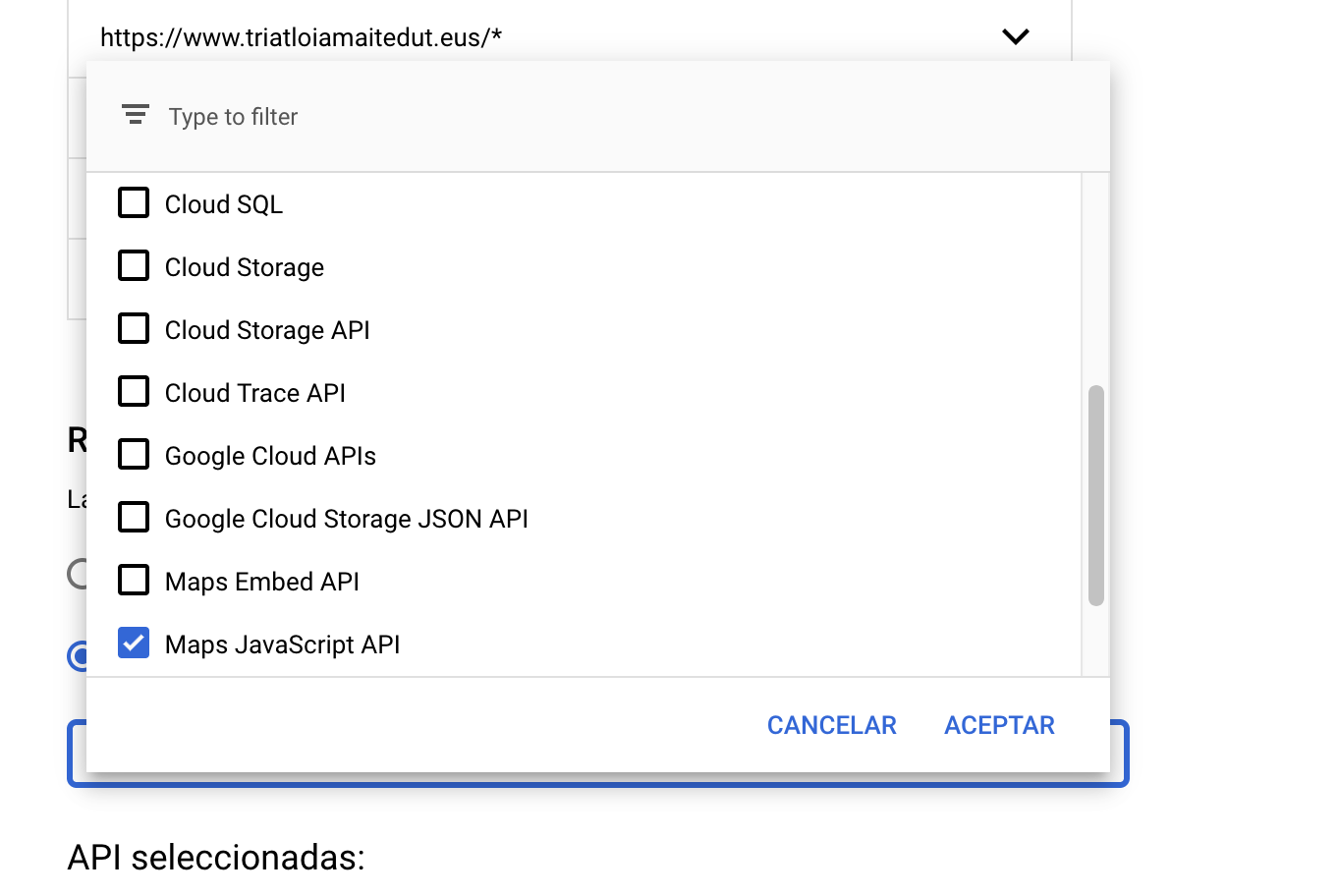
Here is a screenshot of the API config

The error looks like this
The correct password for log in is ADr6mh15eWd$Q9d9
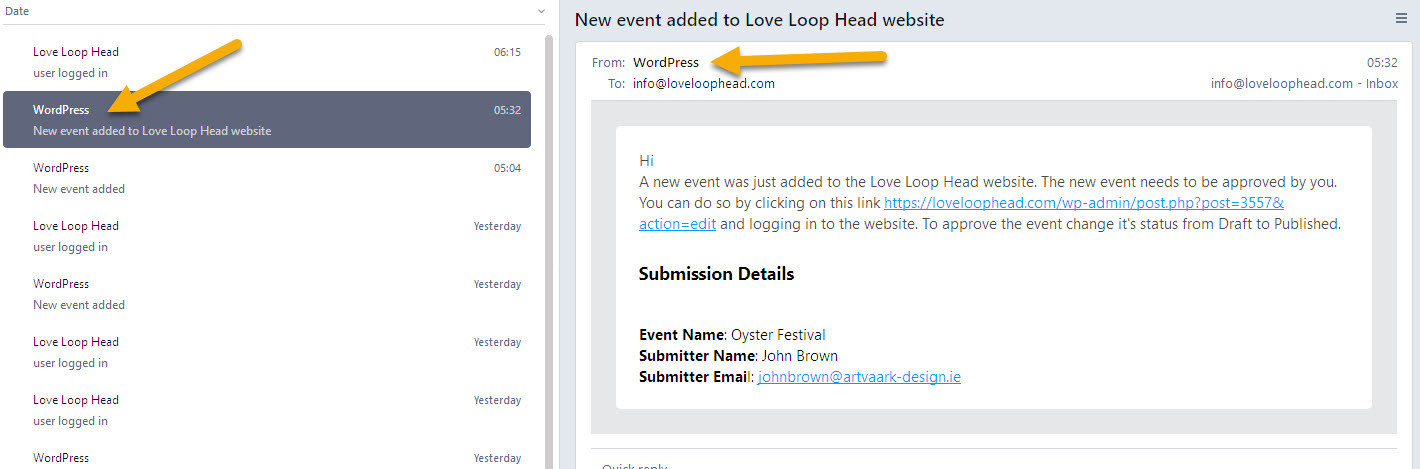
Yeah, but that’s the from email. See attached screenshot what I mean.
Hello!
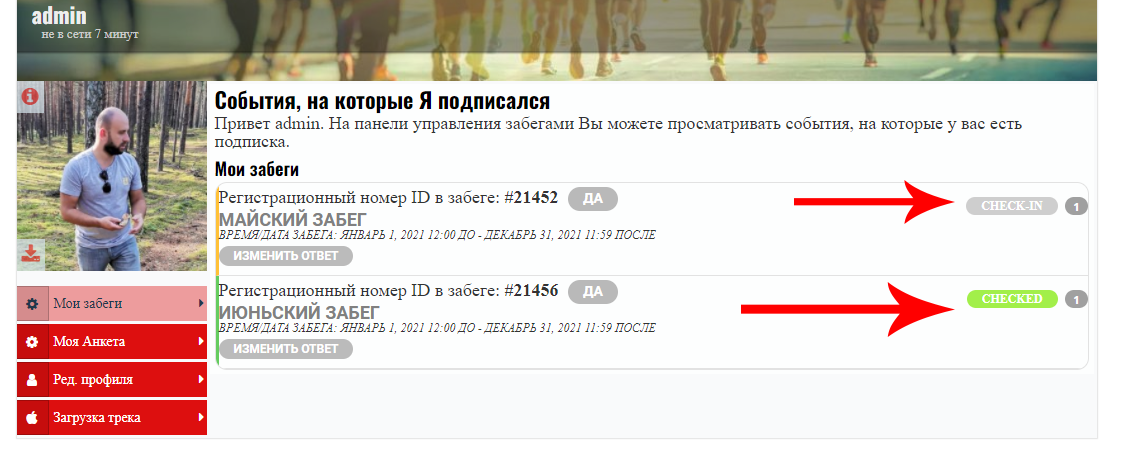
Tell me, in this place on the page where all the events that the user has responded to are displayed, there are two words-check-in-and-checked
I found where to rename them but when I renamed them, they were renamed in the admin panel and after that the buttons in the admin panel stop being active ((you can not change the status ((
can you tell me in which files you need to do this so that they do not become inactive?
I created an account with the editor role, is that sufficient?
Login info:
eventon-support
$ApgpfUSKBXBMWgReo&X0P4V
reapplix.com/wp-admin
shortcode:
under 2021
<p>[add_eventon_list number_of_months=”12″ hide_empty_months=”no” tile_bg=”1″ hide_past=”yes” show_et_ft_img=”no” show_year=”yes” number_of_months=”12″ fixed_month=”1″ fixed_year=”2021″ hide_empty_months=”yes” ]</p>
and under past events:
[add_eventon_el el_type=”pe” pec=”cd” number_of_months=”48″ sep_month=”yes” hide_mult_occur=”yes” hide_empty_months=”yes” show_year=”yes” event_order=”DESC” month_order=”DESC” hide_so=”yes”]
Est-il possible d’avoir une réponse SVP ?