I just added a new event from scratch and the same : showing May 16th ticket.
Okay where do I add the shortcode? on the event page?
Okay I will try. But I want to start selling this weekend and I can’t add anymore event. So please see what is the problem. Thanks
Thanks for the quick response. My apologies, I should have mentioned that Featured Image is already unchecked in EventCard Data. The Event Ticket box appears to be the culprit. It’s including the image with the rest of the ticket data. No way to turn that off? Or do I need to target it with a custom style for display: none?
That helped, now trying to hide empty months by using this hide_empty_months=”yes” but it’s not working.
I just set the events one hour longer at the moment, so that they are displayed for a longer time.
It would be nice to be able to set a timeframe how long an already live event is being displayed.
Ashan will check this out. I am trying to find a temporary solution for you.
It seems that this works when purchasing from Single Event Page and doesn’t from the calendar.
Could you try adding this to the shortcode
ux_val=”3a”
This sets User Interaction to Lightbox popup window with AJAX.
Ashan handles refunds. Please wait for his response.
Hello,
Please go to EventON Settings > EventCard Data > uncheck FEATURED IMAGE.
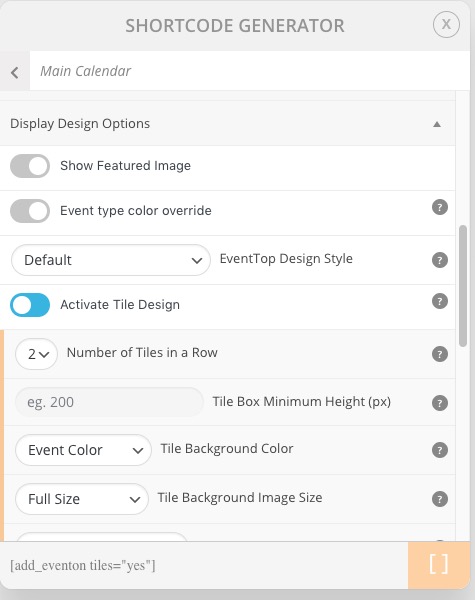
Please go to EventON Settings > ShortCodes > [ ] GENERATE SHORTCODE > Main Calendar: