Thank you for your messages, I am going to assign this ticket to Ashan and he will be able to take it from here and find you a solution. Please allow some time for him to get back to you, we greatly appreciate your patience and thank you for being a eventon customer! Also please disable any IP blocking on your site if there are any.
Archives: Replies
Replies for tickets on suppota
Reply to: tickets(221886)
We are glad your issue is resolved, if you have any further questions or concerns please create a new ticket.
If you have a moment, we would greatly appreciate if you could kindly leave us a review at codecanyon! from your account > downloads. Cheers!
Reply to: tickets(230935)
Hello,
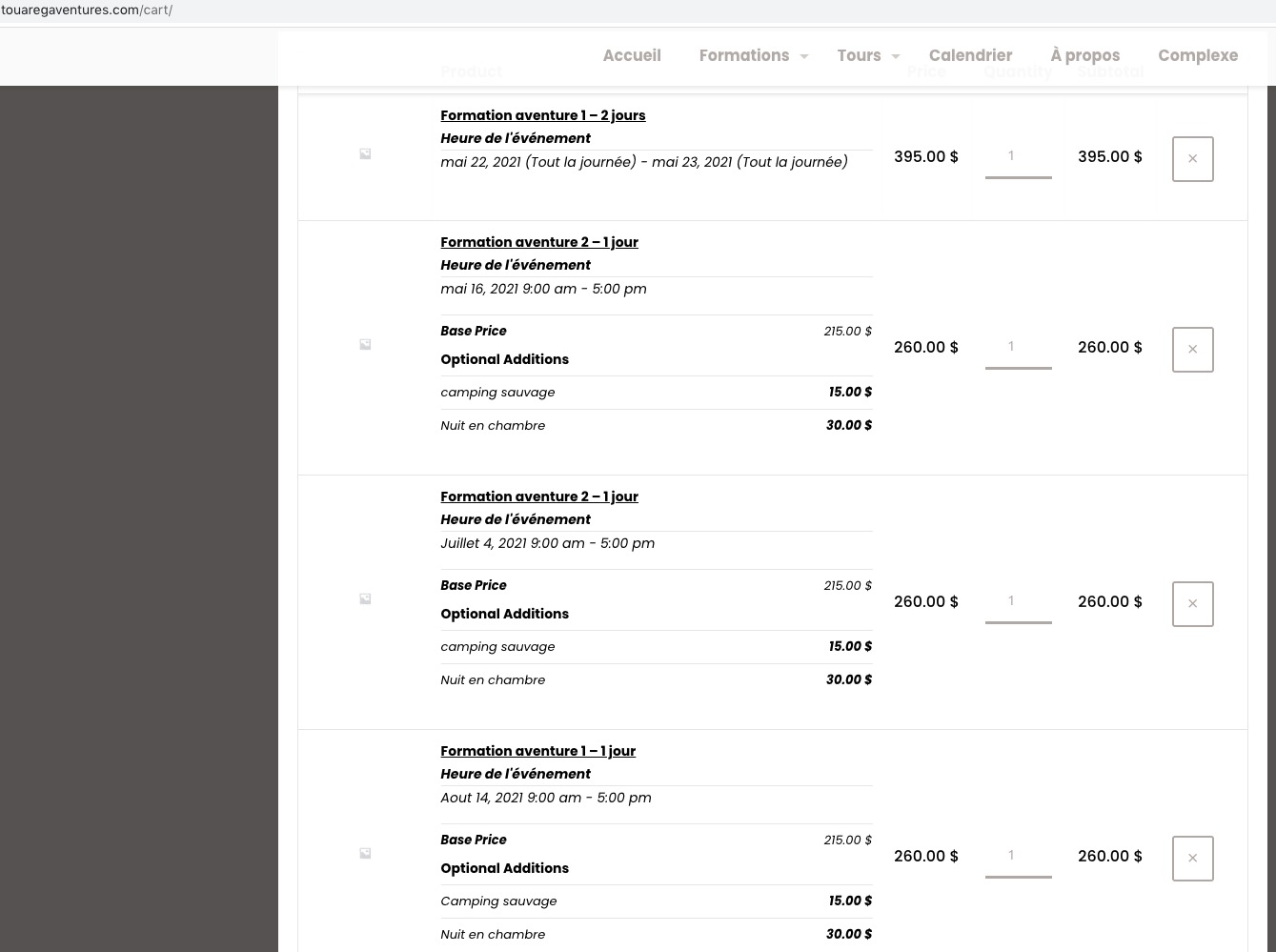
Could you tell us which events have this issue?
I’ve tested some of them and they seem to work correctly:
Reply to: tickets(228110)
We are glad your issue is resolved, if you have any further questions or concerns please create a new ticket.
If you have a moment, we would greatly appreciate if you could kindly leave us a review at codecanyon! from your account > downloads. Cheers!
Reply to: tickets(229618)
We are glad your issue is resolved, if you have any further questions or concerns please create a new ticket.
If you have a moment, we would greatly appreciate if you could kindly leave us a review at codecanyon! from your account > downloads. Cheers!
Reply to: tickets(230132)
Hello,
I am sorry but I am not sure how to re-create this. Could you help?
The event on this image https://helpdeskx.s3.amazonaws.com/wp-content/uploads/2021/03/28173321/Lista-de-espera.png is this one https://divertimatica.com/wp-admin/post.php?post=2887&action=edit, correct?
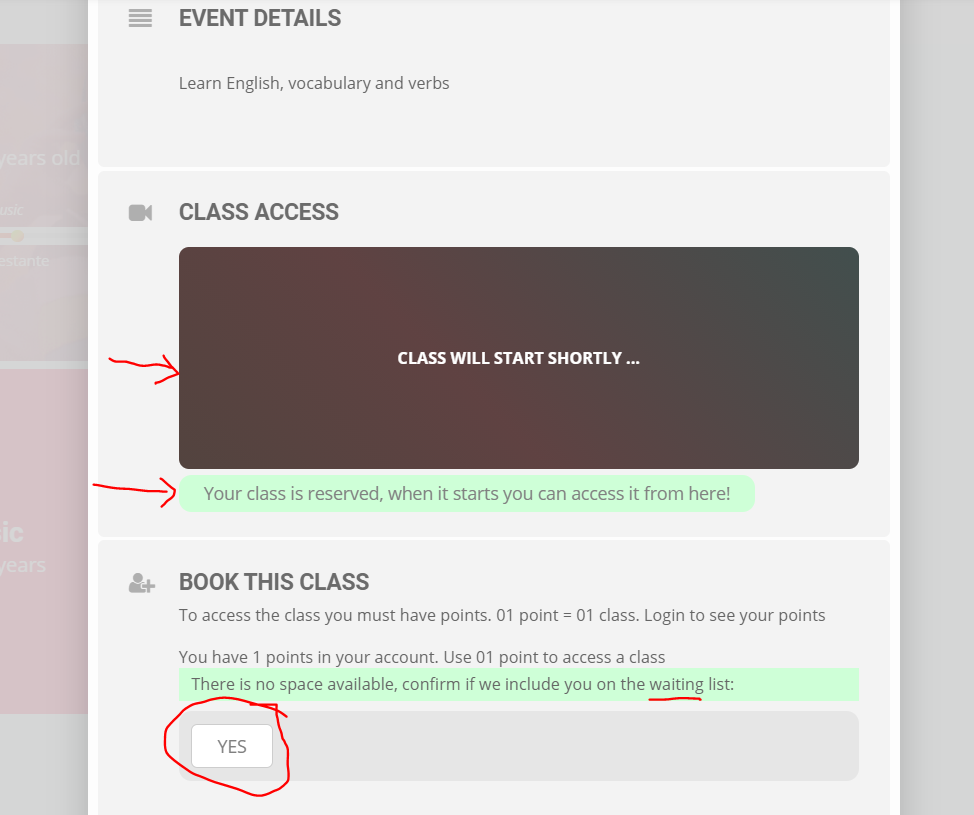
So I need to enable RSVP and fill in it’s capacity + enable “Enable Points to RSVP for this event”. I also need to enable Virtual Event.
And even if there are no spaces available it still shows “Yes”.
Reply to: tickets(229961)
sFTP:
host: sftp.flywheelsites.com
username: collab2021
password: collab-test-pass
Folder: stemdivsearch > stem-connector_staging
Thank you
Reply to: tickets(231046)
Hello,
1. The problem is in this style from the theme:
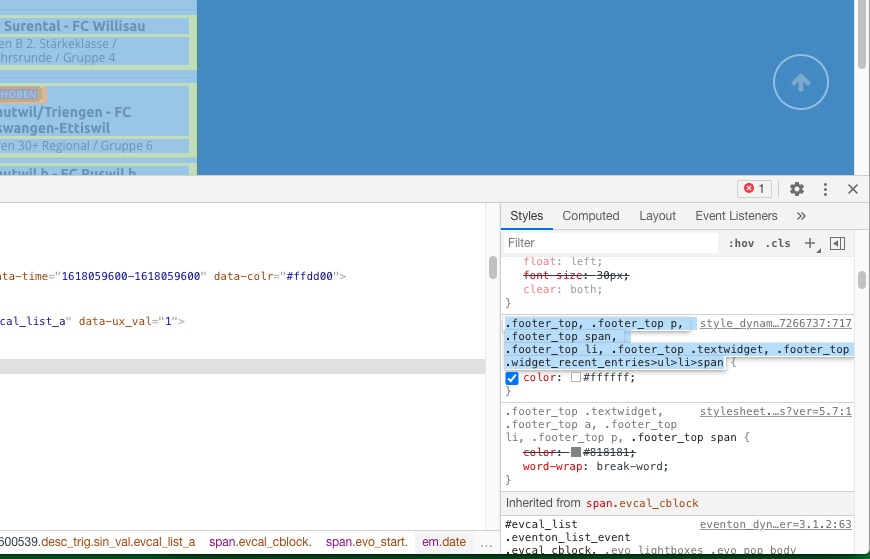
2. Please check Calendar Header, General Calendar, EventTop Styles, EventCard Styles. If you don’t see any change, EventON > Scripts & Styling > turn off Write styles to header > save settings > turn on Write styles to header.
3. You need to use Event Lists: Ext add-on https://www.myeventon.com/addons/event-lists-extended/
Try on https://dev.myeventon.com/wp-admin/:
[add_eventon_el number_of_months=”12″ event_count=”3″ event_count_list=”yes” show_limit=”yes” show_limit_ajax=”yes”]
Reply to: tickets(230937)
Hello,
It seems that your theme adds script files differently:
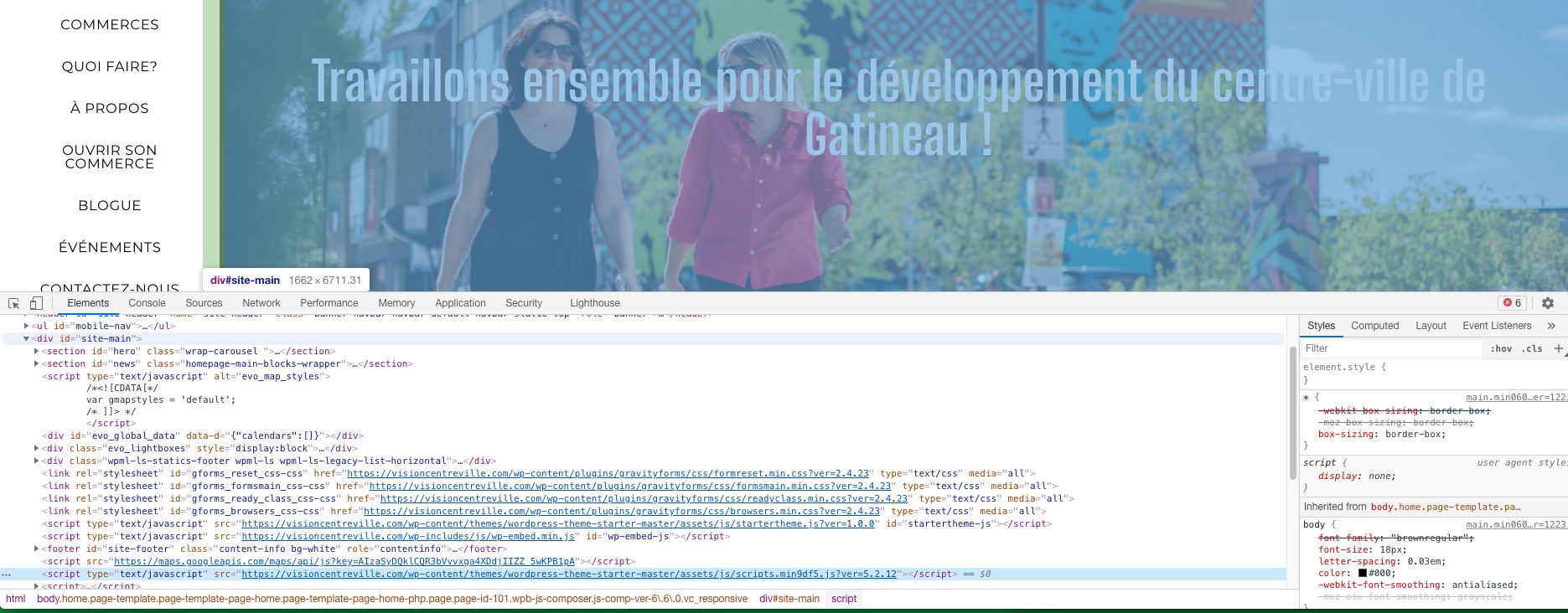
As you can see it adds it to #site-main element instead of body.
Could you try switching your theme to the default one?
Reply to: tickets(230864)
Please correct the right amount and we will proceed to the payment,
thankyou