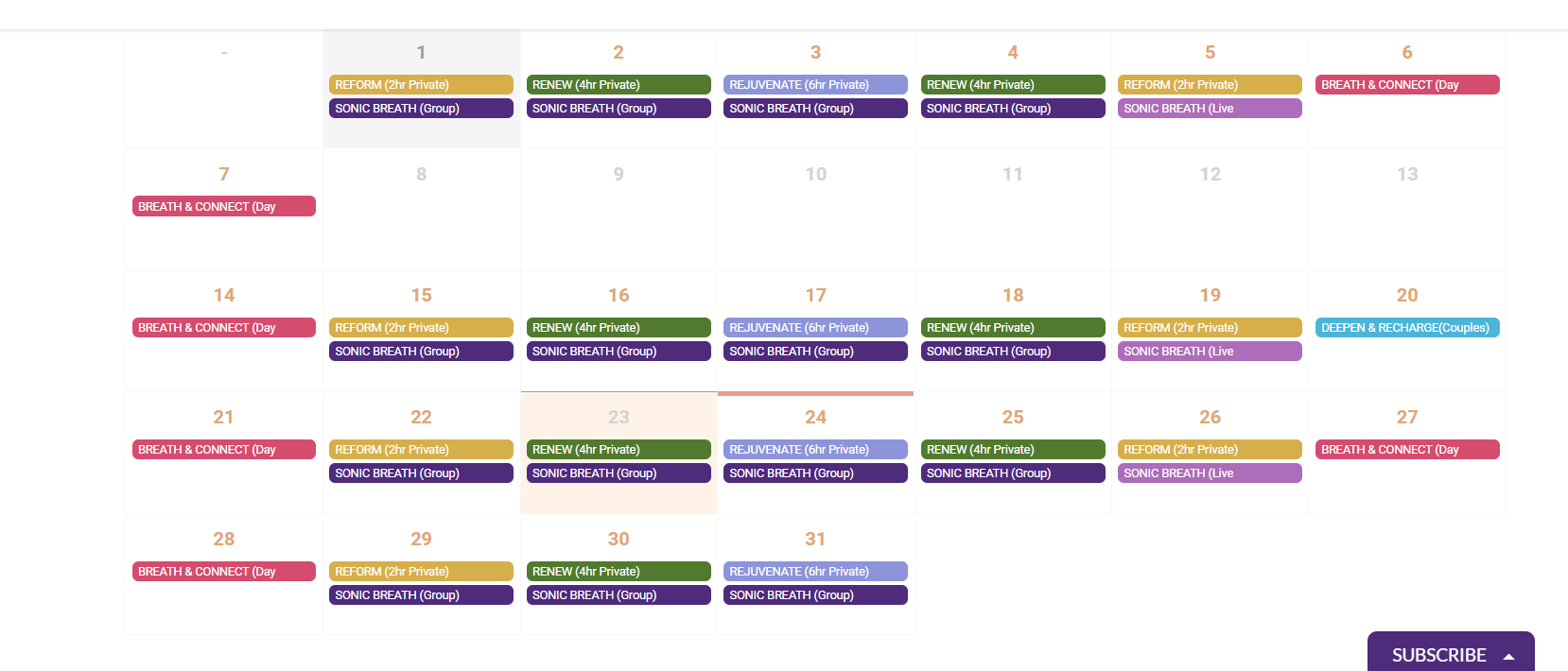
How strange!
You’re not looking at an updated calendar. We had a week long series of events from March 7-12, and went dark (meaning no classes available) for the 2 weeks following those dates.
The black on color DOES make it hard to read, which is why I need CSS to prevent any color change from reverting the text to the default black font color.
To update eventon to latest version: If you are unable to do autoupdate, you can go to codecanyon your account > download and get the latest eventon version as zip file. Then you can go to your website, deactivate old eventon, activate (Do not delete eventon settings & data when EventON is uninstalled) from eventon settings, delete old eventon, install new one and activate. This link will further explain the process it. Also you can follow us on twitter to get real-time announcements on updates!
I haven’t seen an option to make the payment?
Thanks for your help… it was the local modem caching. Lots of troubleshooting. Now I know!
After clearing my browser cache the text is white
So i’d recommend clearing your own browser cache
the screenshot you presented with the words “The calendar should look like this:” has back text on dark red which makes it harder to read- the white (what I see is readable)
please clarify
How are you adding these adverts to your site- Through a plugin?
we don’t have malware in eveton but in this case I think the developer should have a look in
Thank you for your messages, I am going to assign this ticket to Ashan and he will be able to take it from here and find you a solution. Please allow some time for him to get back to you, we greatly appreciate your patience and thank you for being a eventon customer! Also please disable any IP blocking on your site if there are any.
Hello,
Please send us login info. You can use any email you like and then just send us login/pass.
I deactivated Action User, could you try activating it again?
Hello,
Are you referring to this page: https://demo.myeventon.com/?