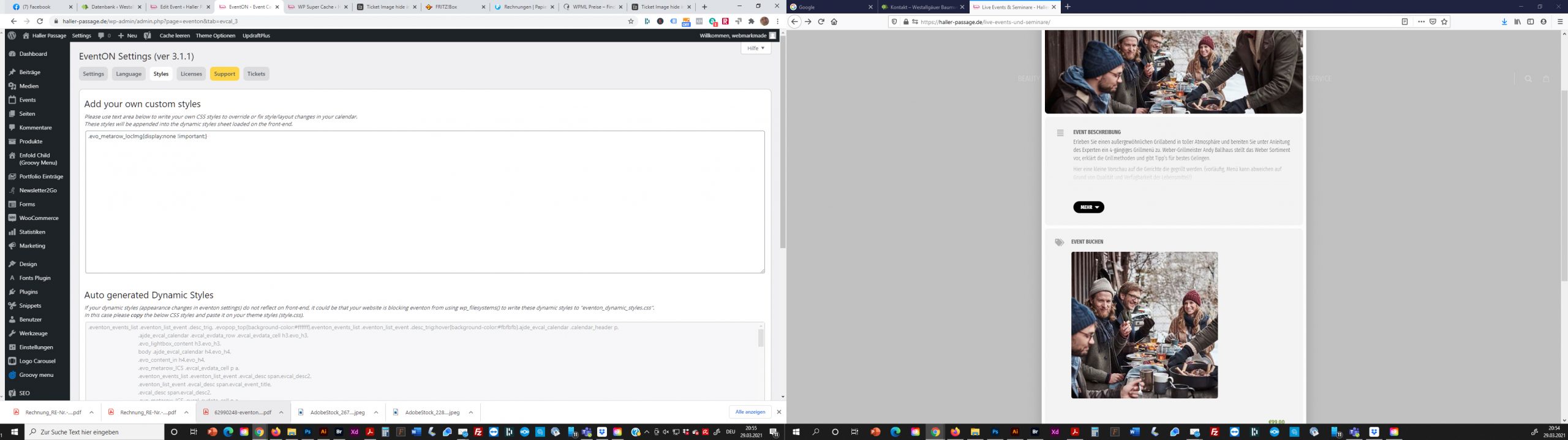
Hello,
unfortunately did not work. I can still see the ticket image in the event card
Replies for tickets on suppota
Hello,
unfortunately did not work. I can still see the ticket image in the event card
Hi of course.
Thank you
Copy that! Thanks for clarifying that event card info.
Do we need to have you customize for the below? Or is this something we can do somewhere? If we open a ticket for you to customize does that incur any charges?
“Can we add text to the image upload option to in action user with instructions/guidance on image size? We want to be able to put image size recs here near the Image Upload option to keep the calendar looking consistent with images.”
Can we add a line of text for the organization image upload in action user saying “Please upload an image 400px wide or larger.” and another for the event image upload in action user that says “Please upload an image 900px wide or larger.”
Thanks. How can I set up the redirect correctly? I’m currently getting a 404.
Sure – did you want to try it on our site at cleverbirdserver.com/club? Please feel free to use the login I provided earlier. I followed the instructions as far as I know…I’m not sure why it isn’t working
Thanks
login info didn’t work for us- please check the username and password and also the page you want it on and we will do it for you
remember when copying and pasting from this site- paste into the text not visual part of your editor so you don’t paste additional HTML code into the shortcode and redo each “
or rather resave your permalinks
perhaps clear your browser cache- best to create a new ticket Yann so we can get wp-admin access and diagnose
Yes your right – thanx 🙂
I would like to duplicate another one we have for a different post type, so it should be straight forward.