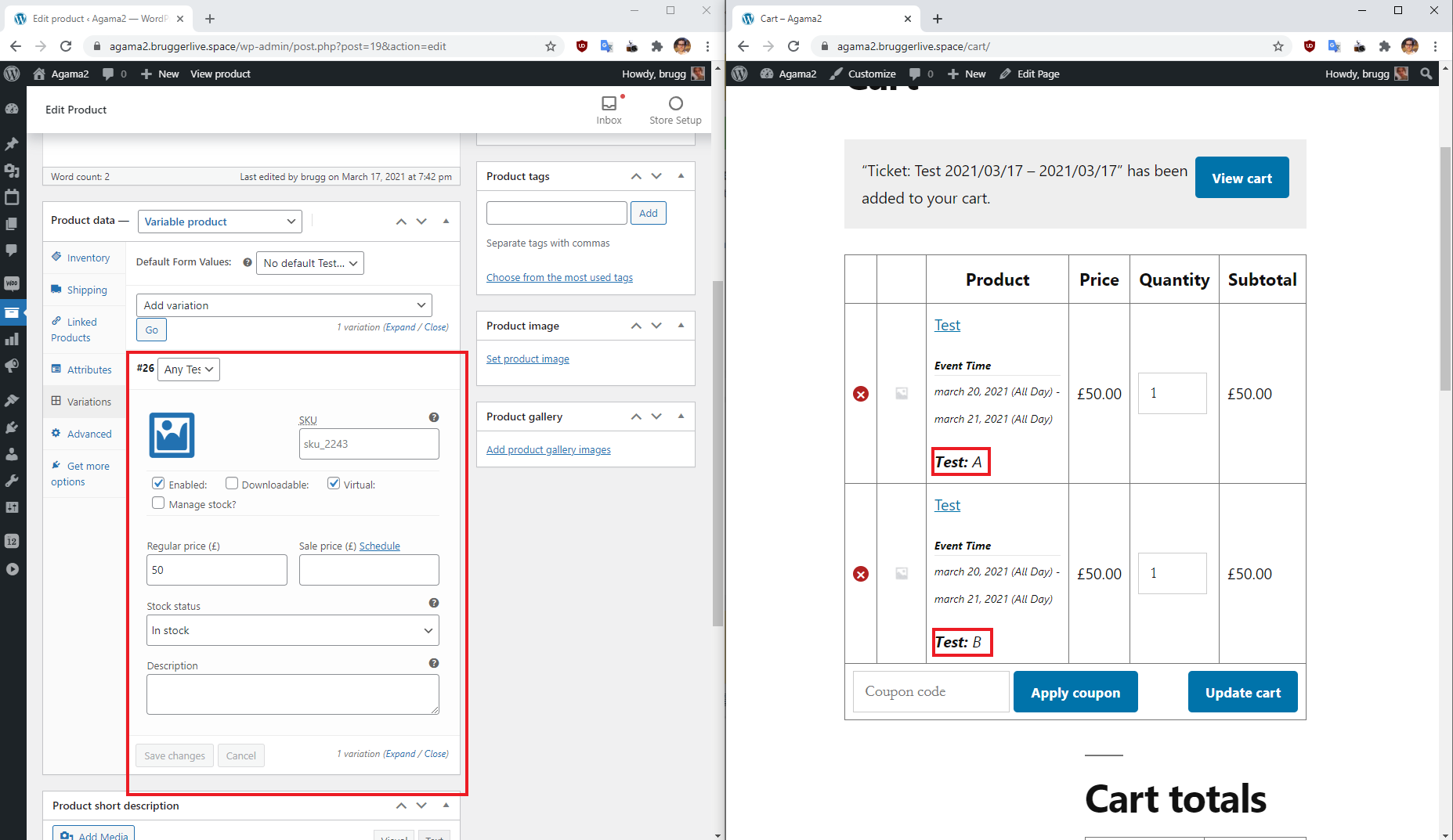
When I add just one variation, it adds a named field to the checkout page. That would be ideal.
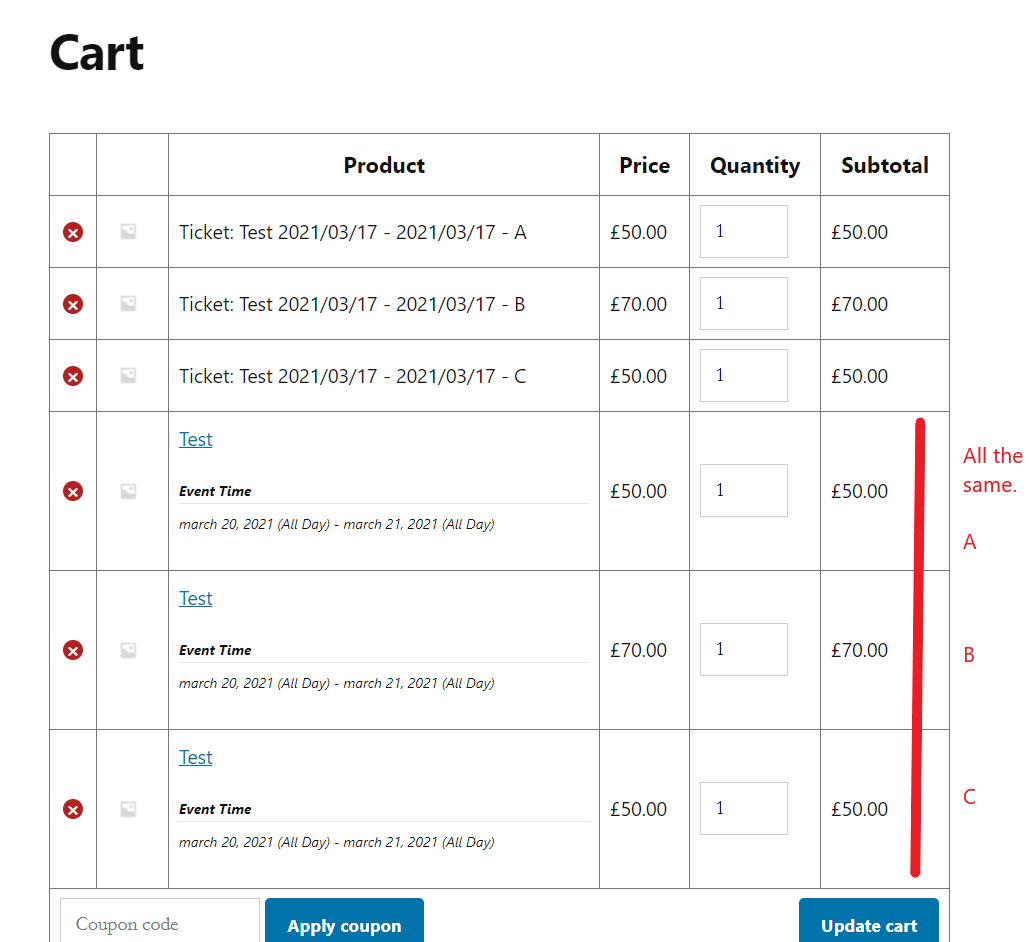
Its not present when adding different variations with different prices, however.
Replies for tickets on suppota
When I add just one variation, it adds a named field to the checkout page. That would be ideal.
Its not present when adding different variations with different prices, however.
Hello,
There was a space before of the Zoom link:
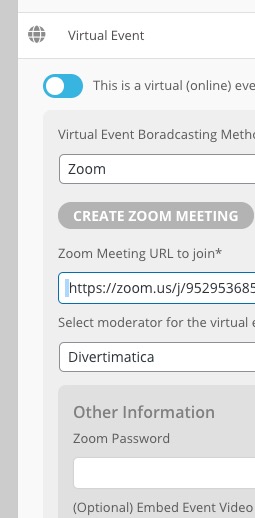
I removed it so it should work now. Try Clase de Matemáticas.
Here is a video: https://www.youtube.com/watch?v=uILiT_osflg
And I attached an image showing the problem.
we can’t seem to access the website very frequently so please provide FTP login
Hello,
Please start with updating EventON and add-ons (if you have any).
To update eventon to latest version: If you are unable to do autoupdate, you can go to codecanyon your account > download and get the latest eventon version as zip file. Then you can go to your website, deactivate old eventon, activate (Do not delete eventon settings & data when EventON is uninstalled) from eventon settings, delete old eventon, install new one and activate. This link will further explain the process it. Also you can follow us on twitter to get real-time announcements on updates!
To update eventon addons: You can download latest eventon addons from myeventon > my account. Then you can go to your website, deactivate old addon and install new one and activate then delete the old addon. This link will further explain the process. Also you can follow us on twitter to get real-time announcements on updates!
And if updating didn’t help, send us login info so we can check.
Yes the zoom link will be sent automatically and there is the option to send a manual email to all who have RSVP’d to that event where you can include the zoom link or anything else
Hello,
Maybe Tickets add-on can help in this case: https://www.myeventon.com/addons/event-tickets/? Try on https://dev.myeventon.com/wp-admin/
OR You can also add a button directly to events by following https://docs.myeventon.com/documentations/setup-use-custom-meta-fields-events/ or https://docs.myeventon.com/documentations/show-additional-custom-data-eventcard/
Depending on your theme you could add that css to the page only (so for the calendar page)
but that would not effect the CSS on the single event page
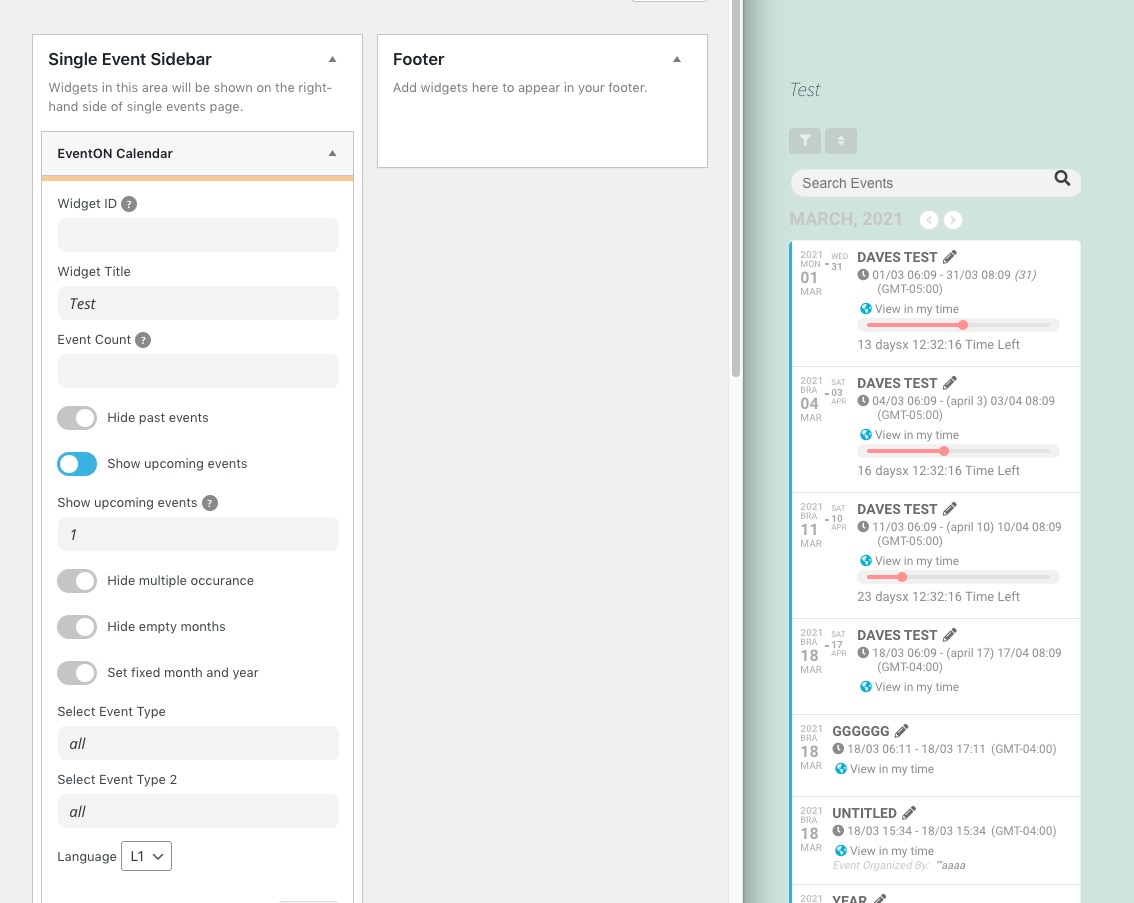
there may be another way- are you using the language fields? if not you could
change the language of that alert to something else in L2
in myeventon>>>>settings- activate Enable language corresponding events
Now what creating your event there will be a new field that will be choose the language- you can leave it as it is – which is L1 or select L2 (the alternative language)
so its up to you what you replace the text with
Would you mind sending us the order ID for this purchase from codecanyon.com, because we do not see this plugin as purchased using your email address in our system. Thank you! and the email address used to purchase
Hello,
I am sorry, the access information you have provided did not work for us. Please check them and post the correct login information as a private message, thank you!
This seems to be woking on our site, so we need to check your wp-admin:
https://dev2.myeventon.com/events/tick-4/