Hello,
Could you send us screenshots?
Can you also please send us a direct link to where the actual issue is happening?
Replies for tickets on suppota
Hello,
Could you send us screenshots?
Can you also please send us a direct link to where the actual issue is happening?
Hello,
Please go to EventON Settings > EventCard > enable Show full event description.
Hello,
Please check our PDFer add-on: https://www.myeventon.com/addons/pdfer/
Hello,
Install Loco Translate > create a new translation according to https://localise.biz/wordpress/plugin/beginners > now you can download .po file to use in POEdit:
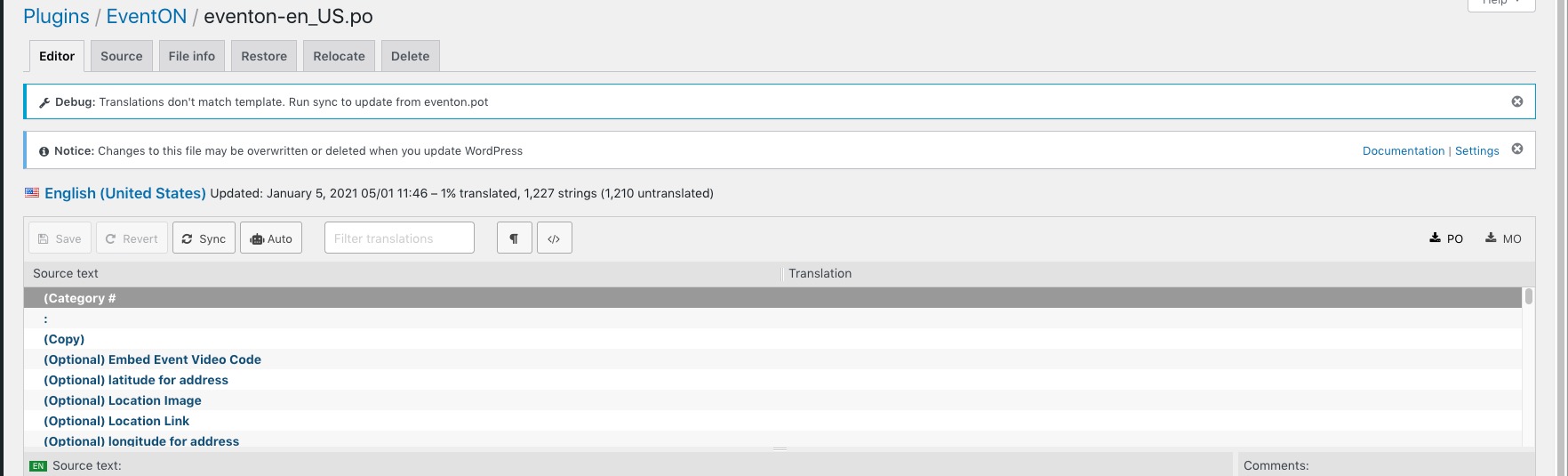
Please check and let me know.
Basically yes that lower right time is how long until the event
the live progress bar ( which can be turned off in Myeventon>>>>>settings>>>>event top) appears on the day of the event and then once the event starts it starts moving along and the lower right time ticks down
the blinking light can be deactivated also in Myeventon>>>>>settings>>>>event top
So onto times
https://motoresports.net/wp-admin/post.php?post=1905&action=edit
is set to GMT 0 and at 904pm not 10 so I need to clarify if that is the event you are talking about before I can answer more
Please use this code:
.evo_metarow_socialmedia a.evo_ss i { font-family: ‘evo_FontAwesomeS’,’evo_FontAwesome’,’evo_FontAwesomeB’ !important; }
we have 3.1.2 just released which should address the issue
To update eventon to latest version: If you are unable to do autoupdate, you can go to codecanyon your account > download and get the latest eventon version as zip file. Then you can go to your website, deactivate old eventon, activate (Do not delete eventon settings & data when EventON is uninstalled) from eventon settings, delete old eventon, install new one and activate. This link will further explain the process it. Also you can follow us on twitter to get real-time announcements on updates!
Hi Artem,
Thanks for the patch instruction. Though before I’ve managed to get round to do it I see that you’ve issued a version update so I’ll probably try that route first.
Thanks for your help.
Chris
1: with the email address you have used on this helpdesk there is no record of you purchasing eventon or the slider addon
2: There are other eventon sliders out there that we don’t make (or support) which suggests to me thats the one you bought from codecanyon which is why our license is asking you to buy it now (as in our version)
wp-admin allows me to check which version you are using.
with no purchase of eventon under the email address we also like to double check that it is activated as there are pirated versions out there.
You see, that right there is messed up. Why in the world would you need admin access to “fix” an activation? Like the rest of the world doesn’t activate only with admin access. No, I paid for your product and I would like you to hold to your plugin and offer a solution where you allow the buyer to register the plugin WITHOUT admin access. Who does that?