But how do I show the link to join the event and the password on the event card?
Even on the eventon sale page you demonstrate this capability.
Archives: Replies
Replies for tickets on suppota
Reply to: tickets(227116)
Hey Marina,
Yes the price difference should be paid 🙂
Reply to: tickets(228070)
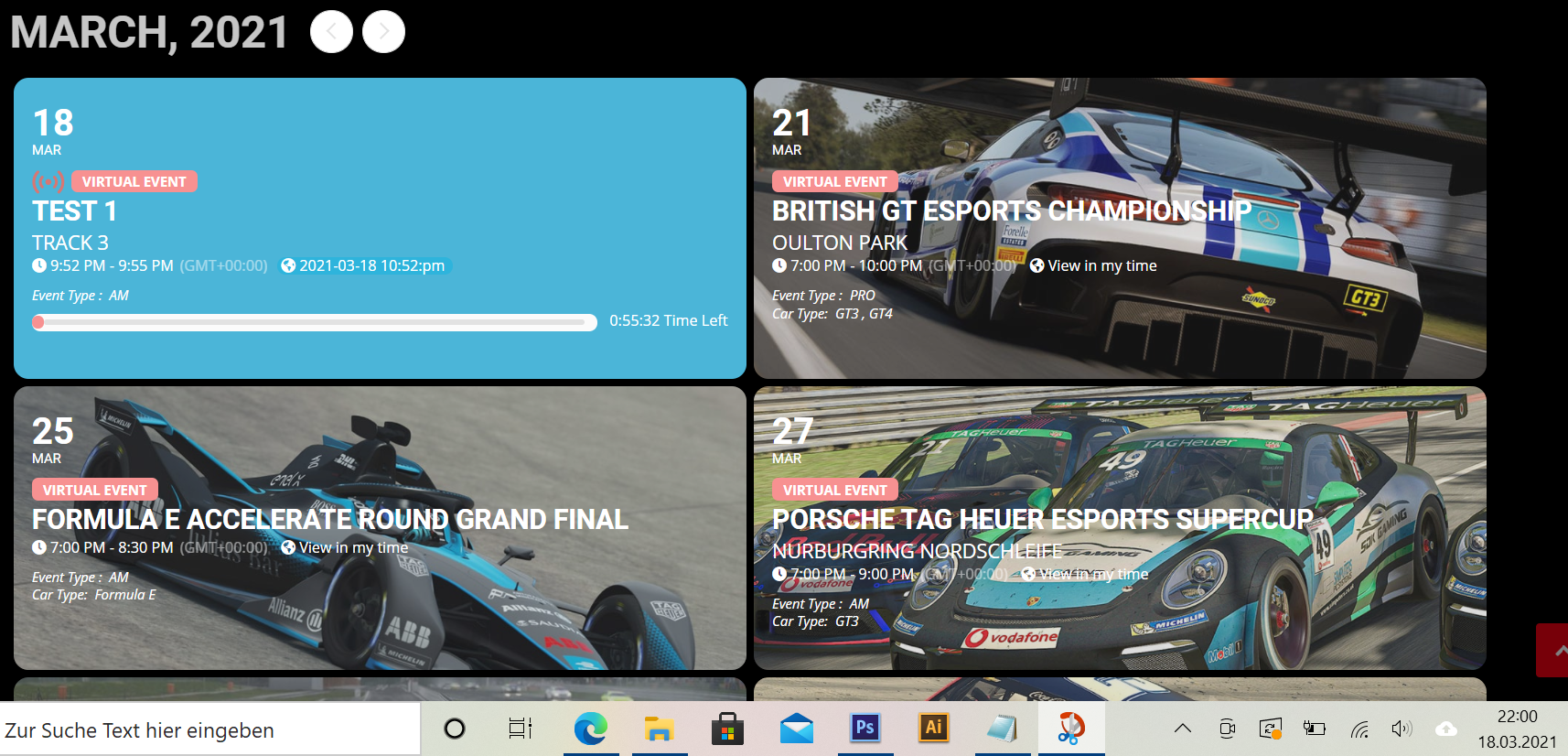
Hi, I updated the EventON plugin and also WordPress to the most recent version. The problem either persists or I misunderstood.
- The screenshot attached ist from March 18, 10 PM (GMT+1)
- The test event was set from 9:52 to 9:55 (GMT)
- Is the time on the bottom right a countdown? And why is the live icon blinking?
- When I set the event to 9:05 GMT, it should have appeared as live in my time zone GMT+1, but it didn’t show up. I guess because you can’t set events in progress.
I am confused by the blinking icon, maybe you can check.
Reply to: tickets(228068)
Just to confirm, this has already been placed on my site?
thanks again for your quick response.
David
Reply to: tickets(226395)
Hello Basilis,
I have some questions about this job that I wask you please to give an answer.
1-Do I have any kind of “product warranty” in respect for this job?
2-What is EventOn responsibility in this job?
3-What is the time of execution for this job?
4-If I need to uninstall the plugin and install it in other theme does the CSS mod still work?
5-Do I get a receipt from you?
6-Do I get a receipt from EventON?
Please don’t get me wrong, is just me trying to know the details of this deal.
Kind regards
JP
Reply to: tickets(228308)
I clicked the wrong thing. The link “How to apply a patch fix” took me to a screen that didn’t have that folder. After clicking on the image I was able to find the right file.
When the next update comes out and I update it will I have this problem again? Will I need to do anything after I do updated it?
Reply to: tickets(227847)
Hi,
Just logged in successfully , so must be okay now.
Reply to: tickets(228308)
I have went through every folder and cannot find that folder name.
Reply to: tickets(228291)
Thank you! This worked perfectly!
Reply to: tickets(226395)
Hey Joao,
Please pay the invoice:
https://www.paypal.me/Basilakis/65usd
And I will do the rest for you. Just need WordPress access