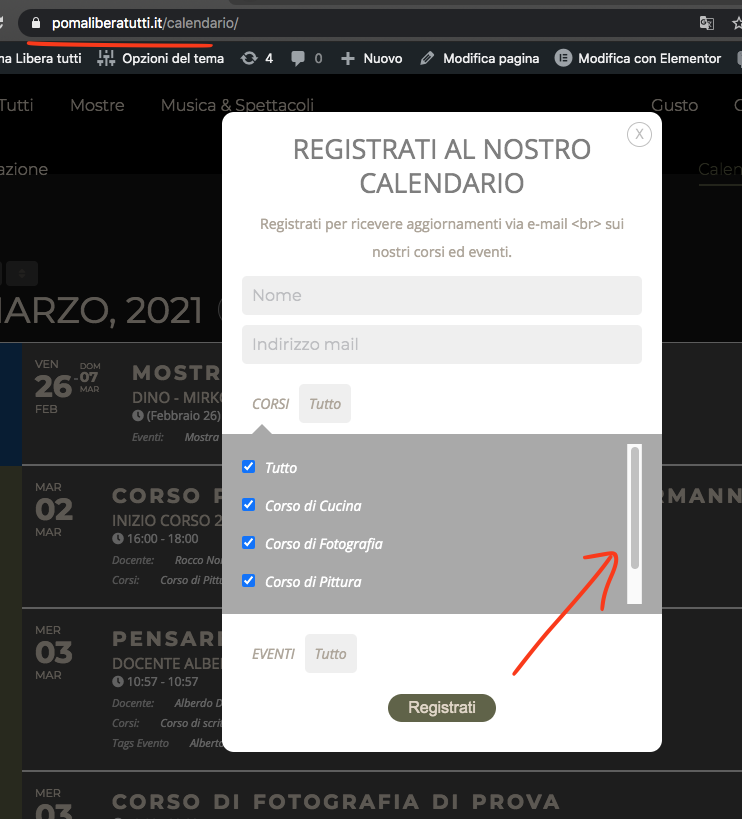
Interestingly I can see the scroll bar. in chrome.
Replies for tickets on suppota
Interestingly I can see the scroll bar. in chrome.
here is the patch fix to do this.
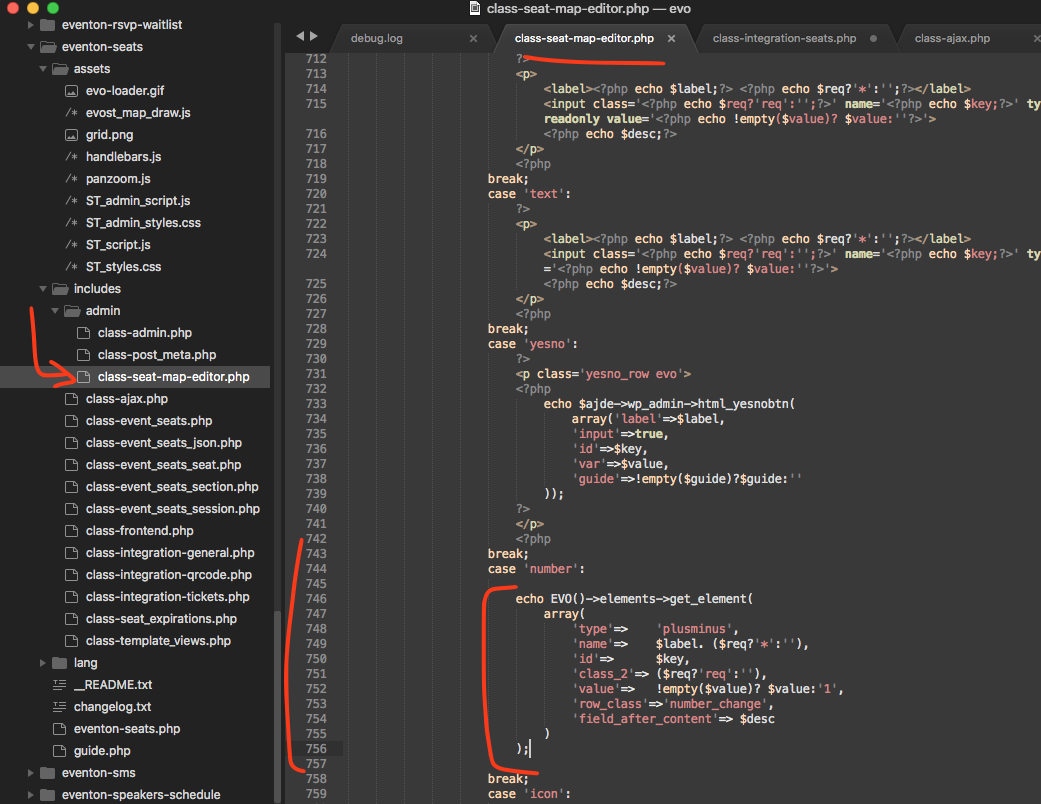
code: echo EVO()->elements->get_element(
array(
‘type’=> ‘plusminus’,
‘name’=> $label. ($req?’*’:”),
‘id’=> $key,
‘class_2’=> ($req?’req’:”),
‘value’=> !empty($value)? $value:’1′,
‘row_class’=>’number_change’,
‘field_after_content’=> $desc
)
);
You may see some style issues, we will address those in the next official version release.
I am assuming when you refer active user you are talking about actionUser addon. And the permission data is saved in your website it should not be effected by new updates. We will keep and eye on this and will verify its functionality in future version updates. Thank you Andrew.
I applied it for you.

Your link does not work so here is the code/ Ive made some changes to make it look better 🙂
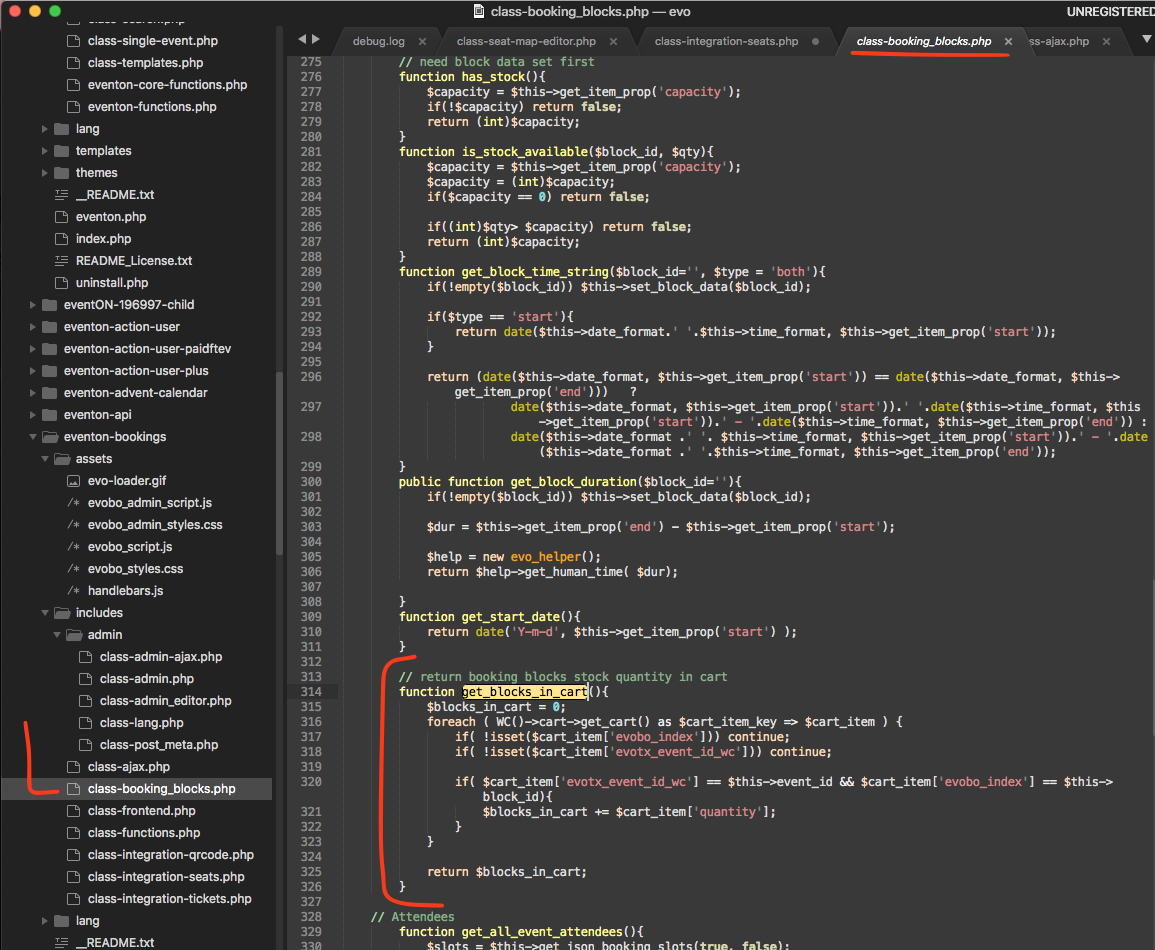
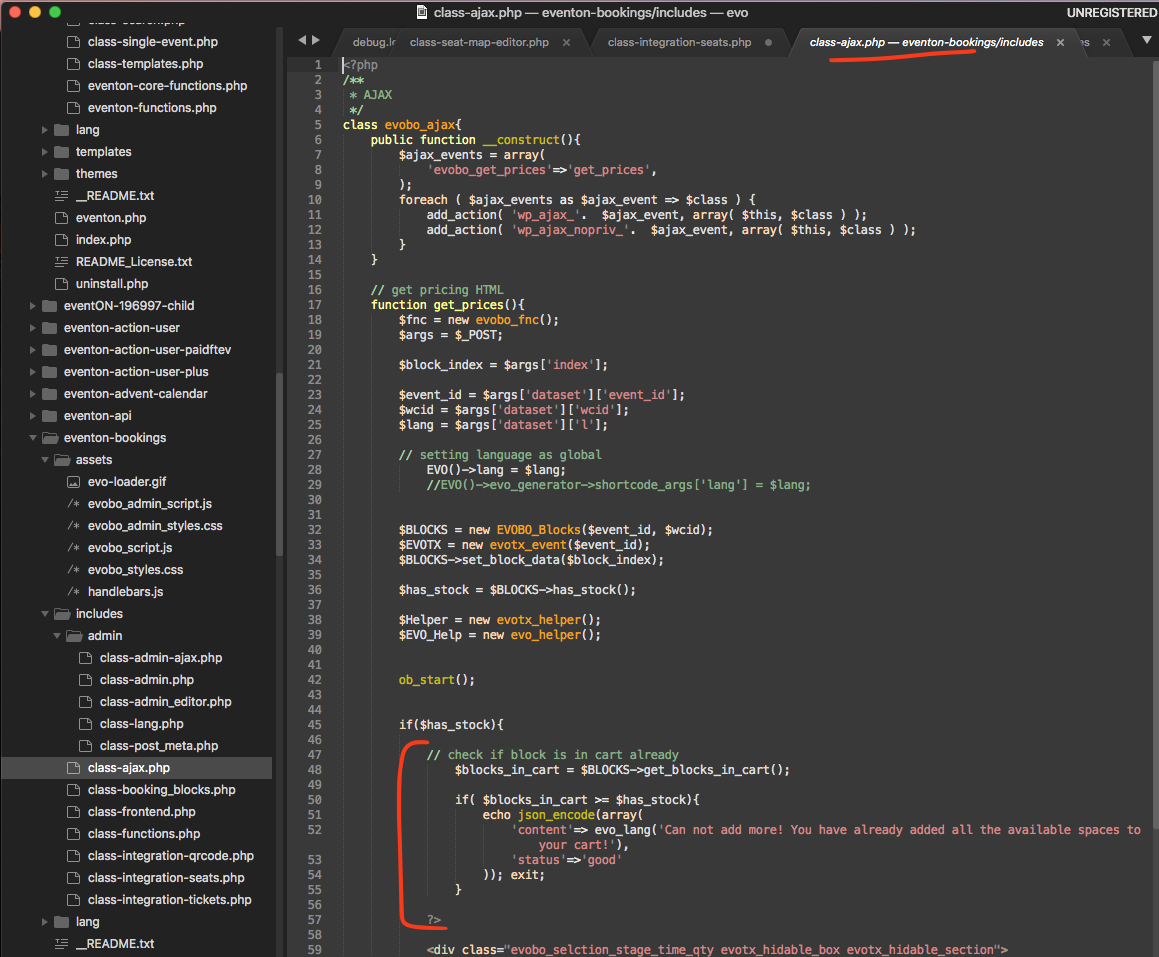
https://codeshare.io/admjOz
Hello – text messages are still going out every time I update an event. I thought this was fixed but can confirm I just updated an event to have it repeat more time and the Twillio account shows text went out.
Hi Tamet,
Could you please try the instructions mentioned in this documentation to make sure your issue is indeed coming from eventon.
Also, please check for latest version of your addons from here Your issue might be related to an older version you are running and we might have resolved this already in the newer version update.
Do let us know how it goes.
Hi Charl,
That’s strange, because we are not able to replicate the issue on our end. Just curious, would you mind logging in with the credentials you have provided for us and then check if you are still having the same issue?
Hi David,
Thanks so much for the review. As always if you have any other questions please do not hesitate to create a new ticket.
Cheers!
Hi David,
You can remove the info by adding the custom CSS below to MyEventOn > Styles
.ajde_evcal_calendar .calendar_header{display:none;}
If the code does not work, navigate to MyEventOn > Settings > Scripts & Styling and enable the “Write dynamic styles to header” option.