Hello,
Could you send us login info as a private message? Please use any email you like and then send us login and pass.
These are only displayed again when you change to the current year.
Could you tell us more about this? You went to Edit Event > changed Start and End dates?
The same time zone (London) is always displayed in the calculated remaining time of the appointment.
Could you go to EventON Settings > Time Settings > make sure that “Default Event Timezone is correct” and “Apply default timezone to all events” is enabled.
Ashan,
Cannot re-create this on dev2: https://dev2.myeventon.com/25765-2/ (“Year” event).
It seems that this only happens with already created events. Could you check?
Hello,
Thank you for your messages, I am going to assign this ticket to Ashan and he will be able to take it from here and find you a solution. Please allow some time for him to get back to you, we greatly appreciate your patience and thank you for being a eventon customer! Also please disable any IP blocking on your site if there are any.
Ashan,
Please only check:
Also, sidenote, clicking on “load more” under feature requests results in a page that says “A DRAGON ATE THIS PAGE!” 
Also, sidenote, clicking on “load more” under feature requests results in a page that says “A DRAGON ATE THIS PAGE!”
Thank you for your messages, I am going to assign this ticket to Ashan and he will be able to take it from here and find you a solution. Please allow some time for him to get back to you, we greatly appreciate your patience and thank you for being a eventon customer! Also please disable any IP blocking on your site if there are any.
Thank you for the patch, that works perfectly 🙂
Hello,
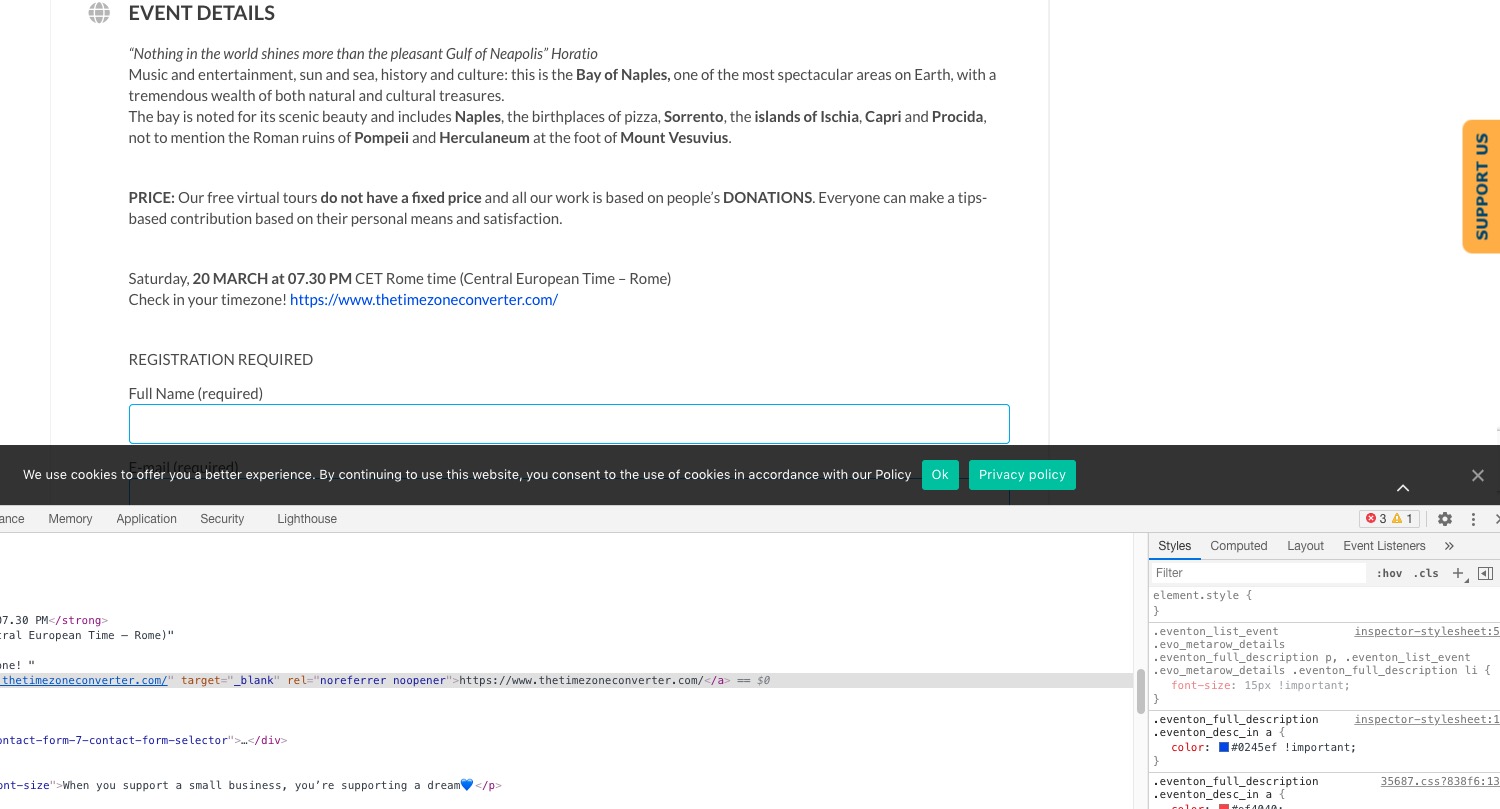
Please add this CSS code to EventON > Styles (If you don’t see any change, EventON > Scripts & Styling > turn off Write styles to header > save settings > turn on Write styles to header):
.eventon_full_description .eventon_desc_in a { color: #0245ef !important; }
.eventon_list_event .evo_metarow_details .eventon_full_description p, .eventon_list_event .evo_metarow_details .eventon_full_description li { font-size: 15px !important; }
Result:
Please check Ashan’s answer in your other ticket.
Hello,
We are sorry for the delay.
1. They can do this from wp-admin > Edit Event > Tickets.
2. Please check this guide: https://docs.myeventon.com/documentations/use-qr-code-addon-check-attendees/. In order to make sure that Organizers can scan tickets you need to go to EventON Settings > QR Code > select their role in “Select user roles that is allowed to checkin guests.”.
3. Acton User allows them to do this. Just use this shortcode: [evo_event_manager]
4. Please check Event API add-on: https://www.myeventon.com/addons/event-api/. Just use event_organizer=ID as “Additional Calendar Parameters via API URL”. Try on https://dev.myeventon.com/wp-admin/
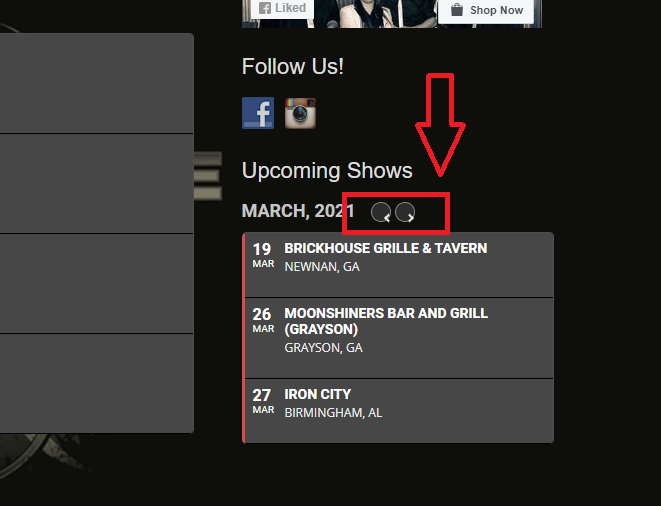
Hello…I’ve made the CSS Style adjustment you gave me, and there were some changes, but the centering is now off again. The circles for the widget are more appropriate, but the back/forth arrows are off on the widget still…..Please see attached screenshot…Thanks!!