Hi Michaela,
I have looked at the link you provided and it seems that you have so many events listed there. Kindly confirm, were you able to fix the issue?
Replies for tickets on suppota
Hi Michaela,
I have looked at the link you provided and it seems that you have so many events listed there. Kindly confirm, were you able to fix the issue?
Hi David,
To make the color settings appear, please navigate to myEventOn > Settings > Scripts & styles and enable the “Write dynamic styles to header” Option.
Let us know if that works.
Hi Xuan,
I am glad to hear that your issue has been fixed. If you have any other questions, please do not hesitate to reach out again.
Hi Ashan, sorry but it’s me again. I’m just the gift that keeps giving 🙂 We have updated our live website with the new changes from dev. However, the eventon calendar behaves funny. On our main page, we use the code to display the future events event_past_future=”future” but it only displayed newly created events (created after plugin update). It looks like on dev it works fine.
On the live main page, for now we display all the events in March.
On this live page we added the code to display the future events https://foogin.com/sample-page/ you can see that it is showing just one in March. On dev, we use the same on this page https://dev.foogin.com/ and it works fine. We tried changing theme on live to rule out the theme error, but got the same results.
Since you were adding the code on dev, I thought maybe we missed our on something. Can you please have a look?
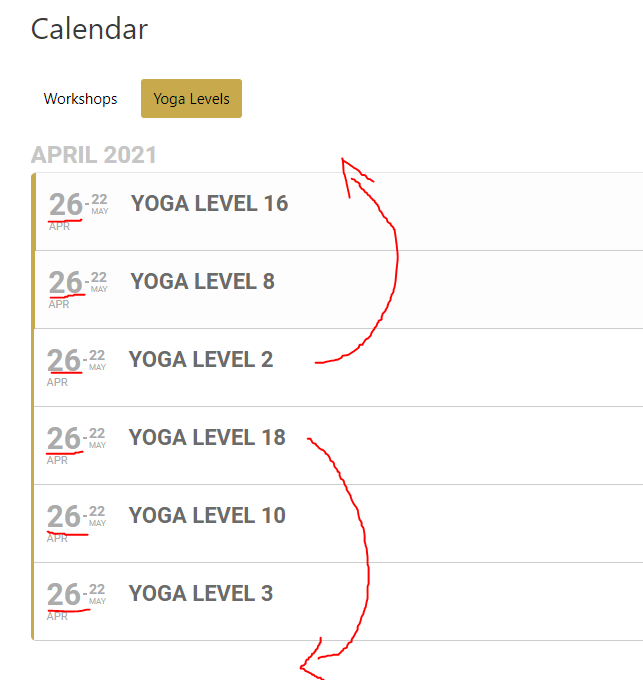
I tried reordering post with the “Post Types Order” plugin, as suggested in another ticket. However that didn’t do anything.
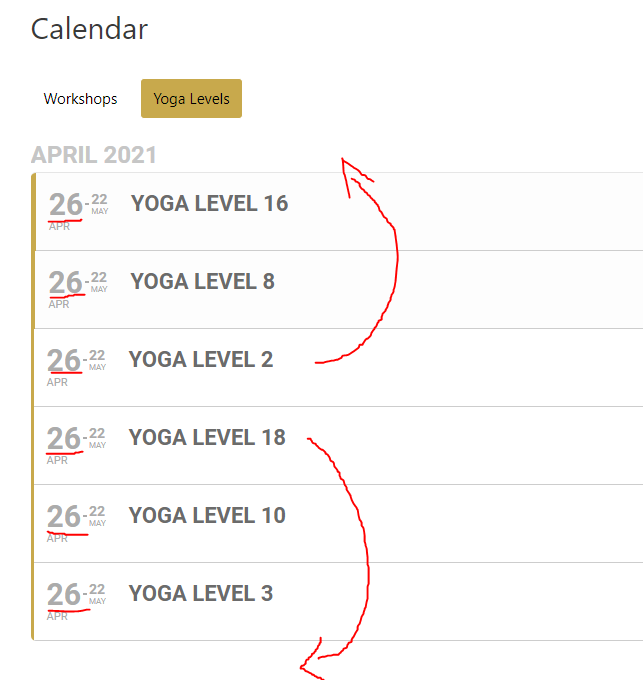
How is the order determined right now?
The last string fixed it, thanks.
Hey there, I wan to implement this code-string. But my question before is:
This is only hiding the weekend visually. What if somehow looks at the calendar on a saturday? Will he see the current empty week or will he see the next week already?
Happy to but I’ve just tried adding Classic Editor (I missed that in your earlier message) and that seems to work. Is there a logic to that?
I'm sorry but it is starting to be urgent and I haven't any answer from you
since a long time...
The online ticketing season will start soon and we are unable today
to sell tickets in our office !!
Please help us to solve this problem related to your work and
Wordpress update (json error).