There was a bug in the code which didnt show virtal information please update to latest version 2.7.1 that resolve this issue. https://docs.myeventon.com/documentations/changelog-rsvp-events/ Appreciate your patient Danna!
Archives: Replies
Replies for tickets on suppota
Reply to: tickets(224121)
Danna, if you are using virtual events and users are required to RSVP to view the virtual event information, we need some way to track the users that is why we have enabled account creation for a new user when they RSVP you can of course disable this in here.

Reply to: tickets(224506)
Hello,
Could you try putting a bigger value to number_of_months=”24″? 48 or bigger.
Reply to: tickets(224545)
Hello,
Please try this shortcode and let us know:
[add_eventon_list number_of_months=”12″ hide_empty_months=”yes” tiles=”yes” tile_bg=”1″ tile_style=”1″]
Reply to: tickets(224453)
You can find available video guides here: https://www.youtube.com/playlist?list=PLj0uAR9EylGrROSEOpT6WuL_ZkRgEIhLq
And here: https://www.myeventon.com/support/video-tutorials/
Unfortunately, some videos can be unavailable, so make sure to check documentation: https://docs.myeventon.com/
There is something wrong with your files:
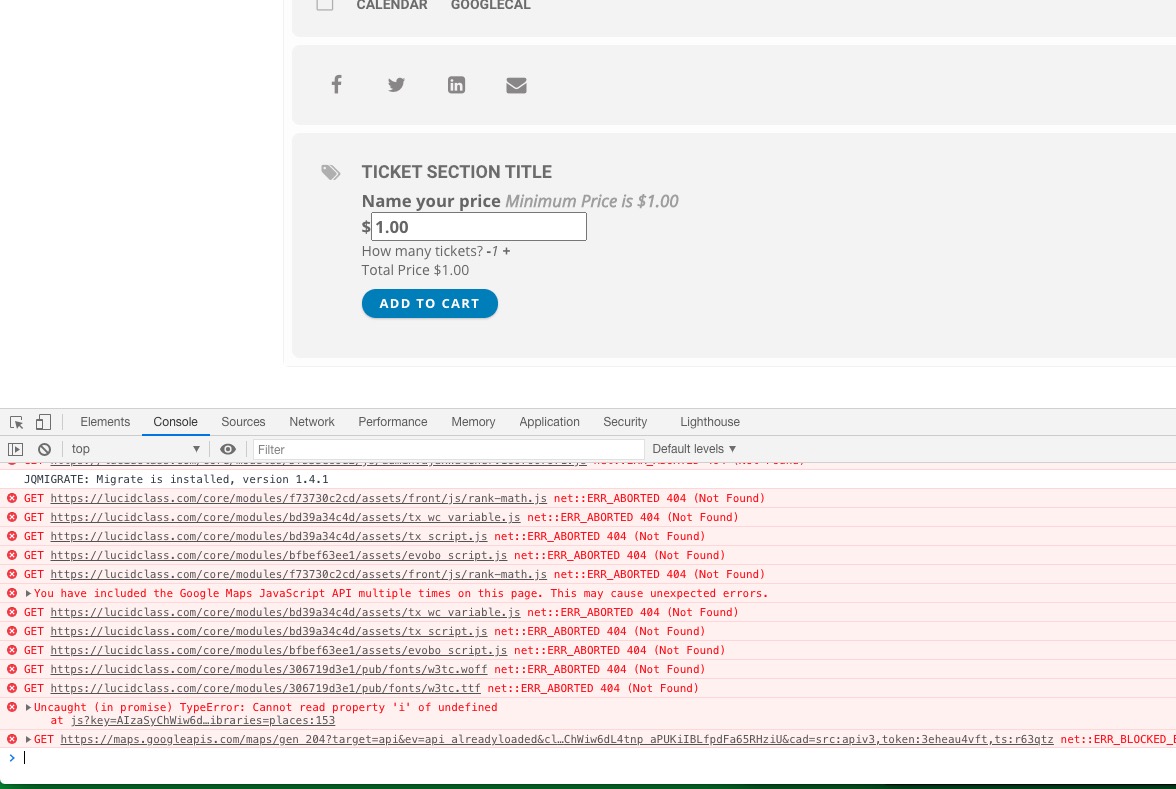
Could you tell us why it shows https://lucidclass.com/core/modules/bd39a34c4d/ and not https://lucidclass.com/wp-content/ like it supposed to by default. Maybe you need to disable some kind of cache plugin?
Reply to: tickets(219640)
Ok Vasily I added some code changes please test it out now.
Reply to: tickets(201713)
Hello Carmen Kronspiess,
Please go to Edit Event > Ticket > put 0.00 to Ticket Price. Now your customers can buy tickets for free and you can then charge them at the door.
Reply to: tickets(216284)
Edit page:
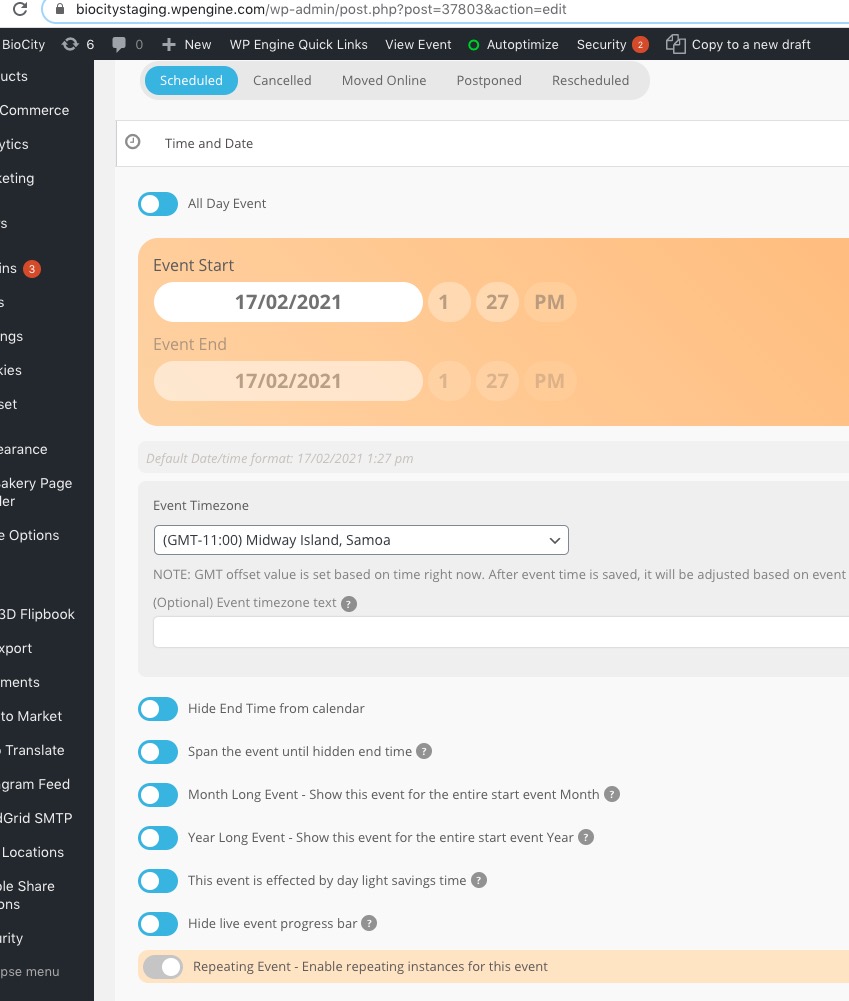
as well as EventON Settings work on my side:
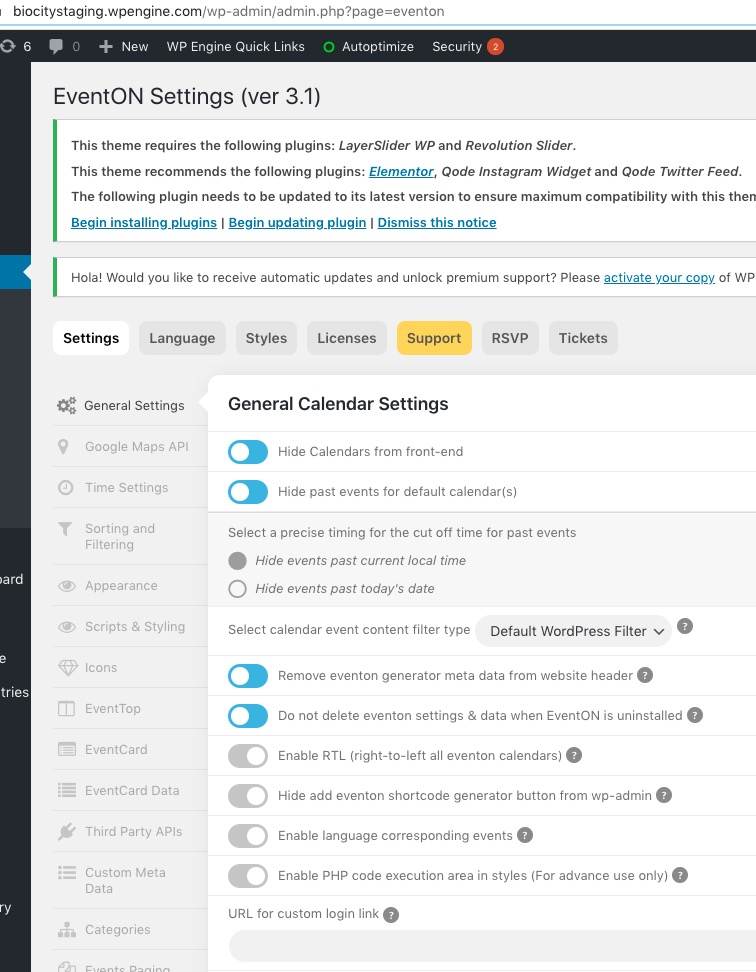
Could you clean your browser cache?
Reply to: tickets(224529)
Hello,
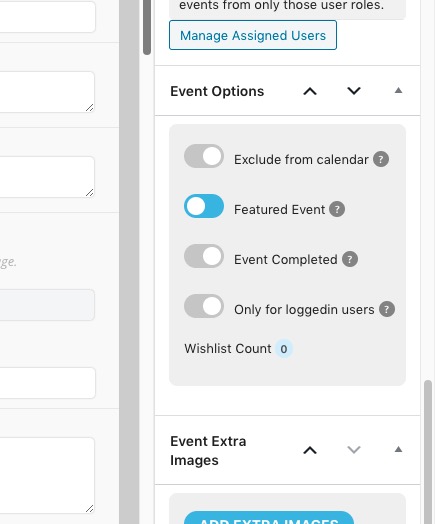
Please go to Edit Event > Event Options > enable Featured Event:
Reply to: tickets(224371)
ok, thank you for letting me know. I will watch for Ahan’s reply.
Sarah