Event API doesn’t support Tile Design at the moment, I am afraid. You can send us a customization job request by creating a new ticket in here and selecting Customization Request as the category.
Archives: Replies
Replies for tickets on suppota
Reply to: tickets(218894)
Please remove my previous custom CSS code and use this one instead:
#evcal_list p { padding: 0 !important; }
And the next question is:
Thank you for your great suggestion, at the moment it is not supported. However please create a new ticket and select Feature Request as category so others can vote on your idea and get it moved into development faster. OR You can send us a customization job request by creating a new ticket in here and selecting Customization Request as the category.
Reply to: tickets(223665)
Nevermind. Found the function in the plugin-folder and copiet it: <?php do_action(‘eventonrs_confirmation_email’, $RSVP, $eRSVP );?>
It’s working now. Thank you for your fast support.
Reply to: tickets(223665)
Hi
Its this line? <?php do_action(‘eventonrs_confirmation_email’, $RSVP->ID, $RSVP->pmv, $RSVP->get_rsvp_status() );?>
What should it be updated to? It was modified by your support sometime ago. The licens to the plugin was with user mail@kaspergram.com which is our develpoper. We just renewed the license in our company name.
Reply to: tickets(223412)
Hello,
Please go to https://congressiconvegni.it/wp-admin/admin.php?page=eventon&tab=evcal_2 > Months and Dates and change it.
Reply to: tickets(223657)
you can change language in myeventon>>>>language>>>rsvp
people who have RSVP’d are available when you edit the event in the rsvp section- you can email them, download a csv or view atenndees
Reply to: tickets(223665)
Hello,
The problem is in your customized version of rsvp email template:
wp-content/themes/astra-child/eventon/templates/email/rsvp/confirmation_email.php(124)
Could you go to your theme/eventon/templates and make sure that it’s updated?
Reply to: tickets(223579)
It seems to be working: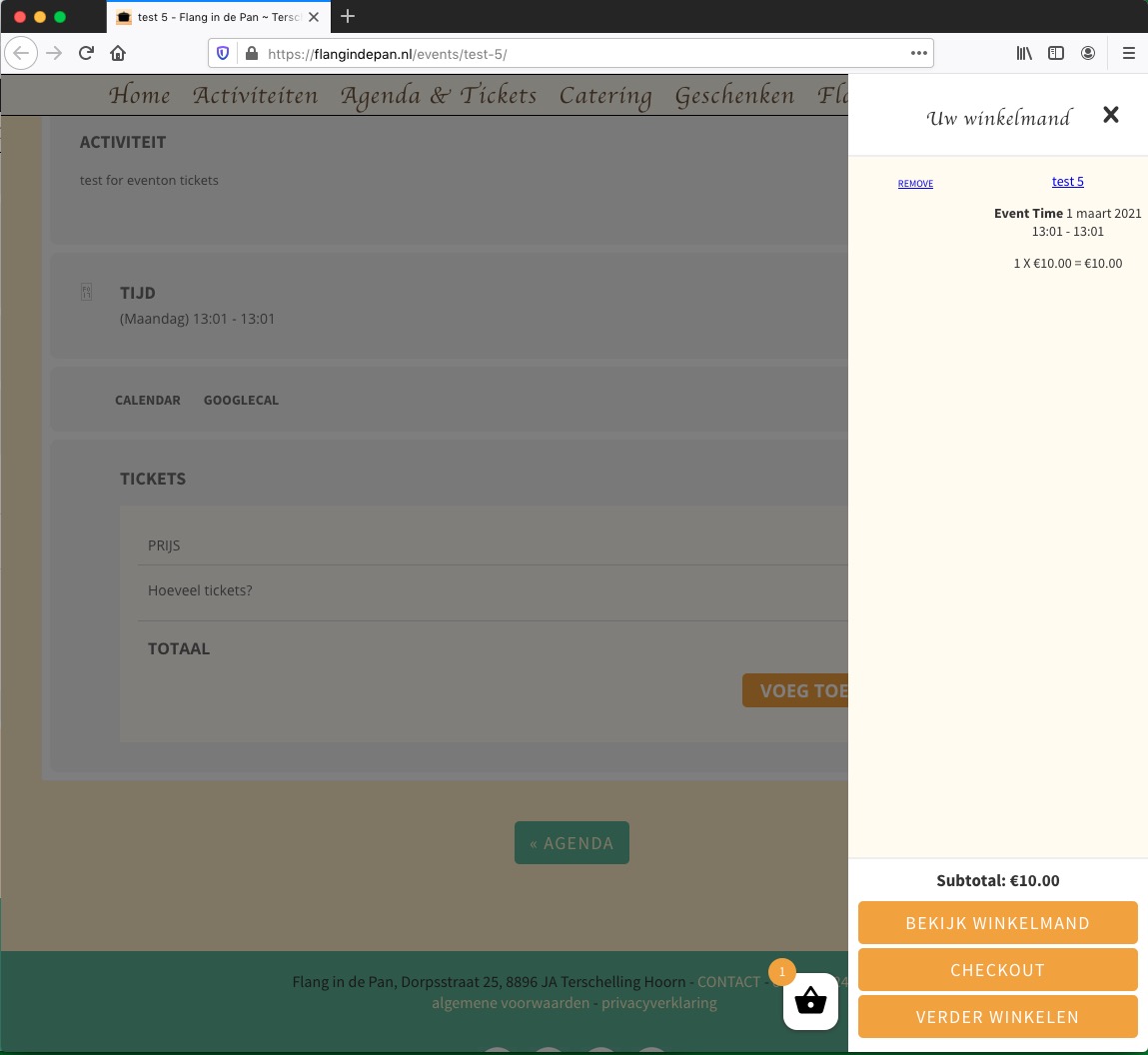
Since you are trying to create variable tickets you can either try switching your theme to make sure that it’s not causing this or try our Variations & Options add-on: https://www.myeventon.com/addons/ticket-variations-options/
Reply to: tickets(223592)
You need to use this option:
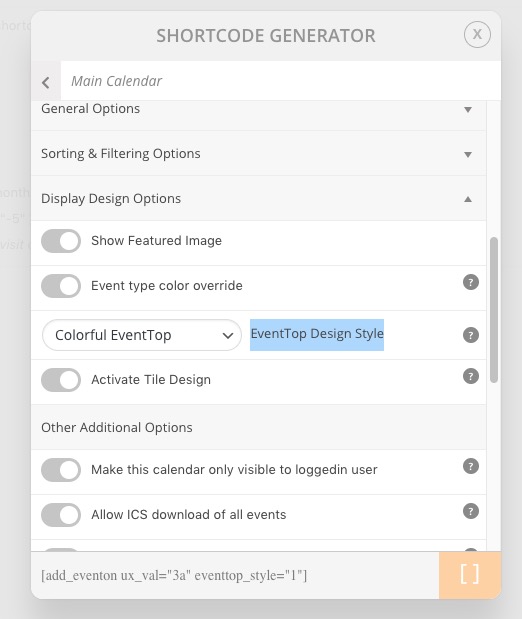
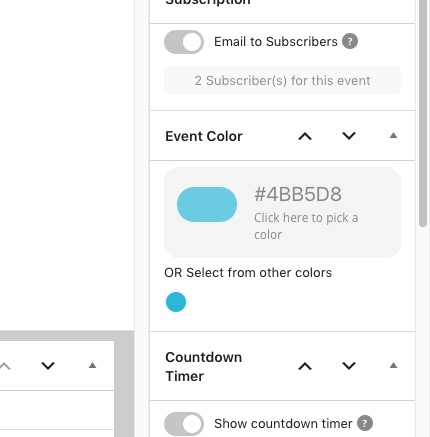
Just add eventtop_style=”1″ to the shortcode and then go to Edit Event > change it’s Color:
Reply to: tickets(215045)
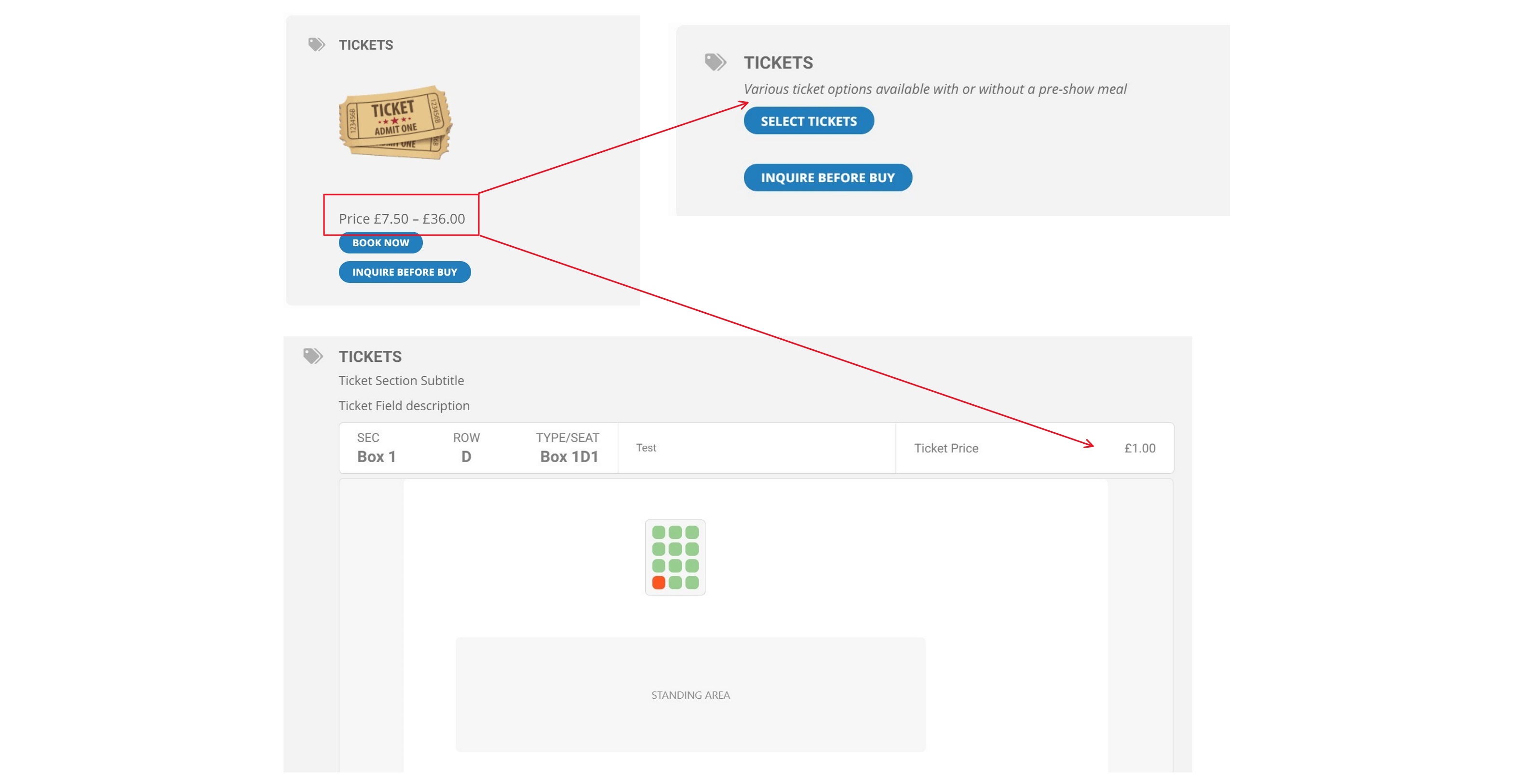
Just to be clear, the price range Event Card ticket section would need to show the full range of prices as it does for a standard ticket that doesn’t use the seat map
The seat/section price would need to show the range from just the variations that have been assigned.
Hope this makes sense?