Hello,
If possible, please send us wp-admin access to your site as a private message for us to further assist your situation.
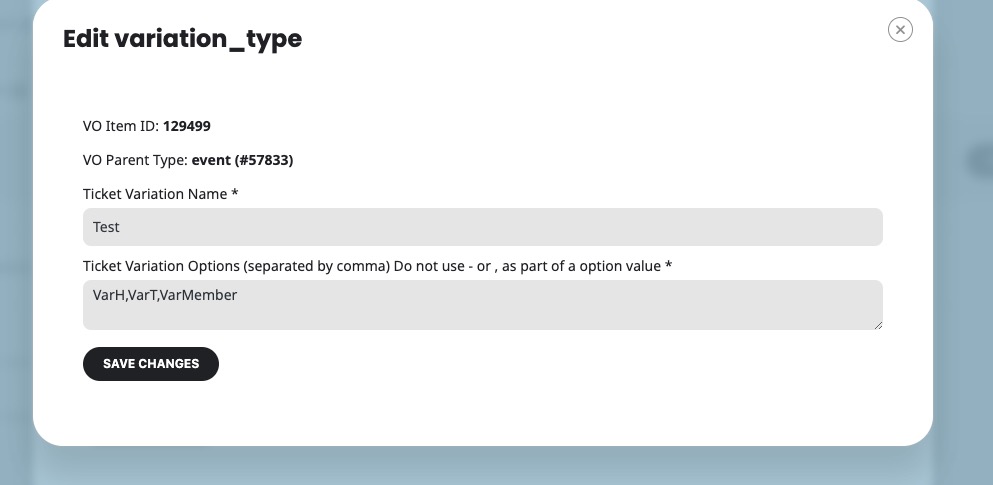
Or please take a screenshot of each Edit Variation Type page, similar to:
So we can recreate the issue.
Please also check for latest version of this software from here Your issue might be related to an older version you are running and we might have resolved this already in the newer version update. If you are on latest version of our software and the issue still persist please let us know.
if you are updating a plugin that is modified I strongly recomment you get a staging site and do it on that even if it cost $20 on your server (some servers have it for free some charge a little extra)
that will alllow you to update with no fear of your live site going down
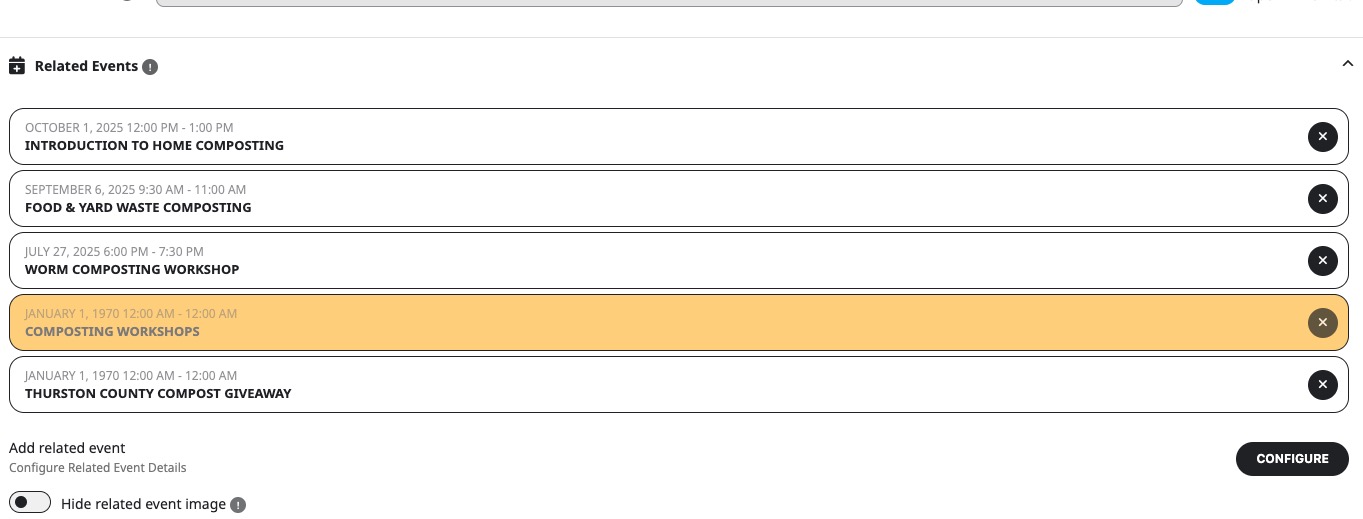
I am trying to find “Thurston County Compost Giveaway” event, but it doesn’t exist anymore.
And when I go to https://www.kxxo.com/events/food-yard-waste-composting-workshop-2/ and click on “Composting Workshops”, it redirects me to the same page.
Could you elaborate more about how you’ve managed to assign these two events:
OK this one is loading a bit better
https://raum124.com/jahresansicht/
you might be interested in this varient https://raum124.com/eventon-testing/ of the full cal as well
and I added to the shortcode off the weely view a load the calendar with no ajax
https://raum124.com/wochenansicht/
and I had to add some custom css to hide a loading pattern which I put into your customize>>>>additional css section (right at the end) it just hides a loading bar that isn’t needed as you are not using ajax
Thank you for your great suggestion, at the moment it is not supported. However please create a new ticket and select Feature Request as category so others can vote on your idea and get it moved into development faster. as there are different apps it might not be possible but you can make a request
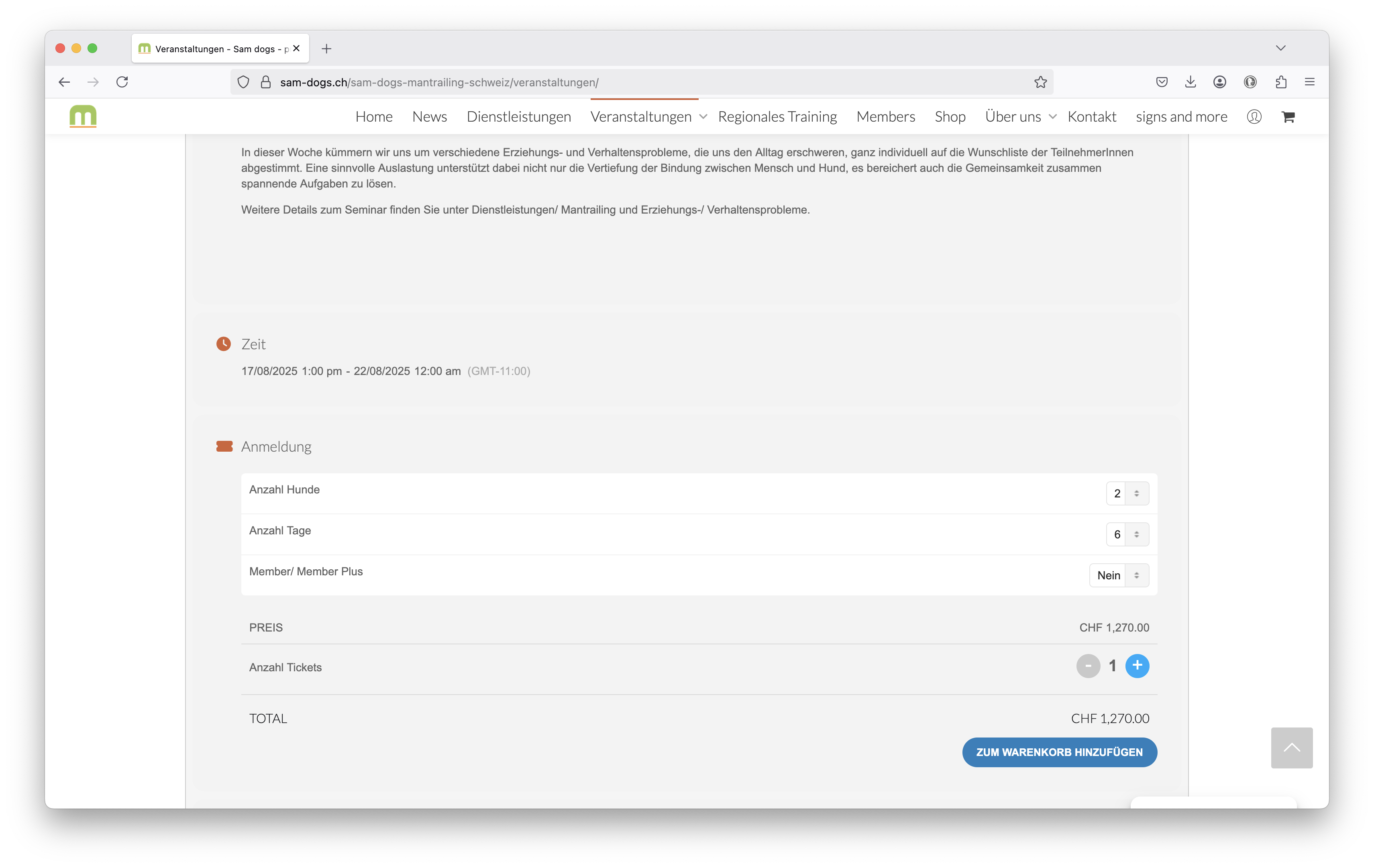
and here an old event where the calculation is correct …
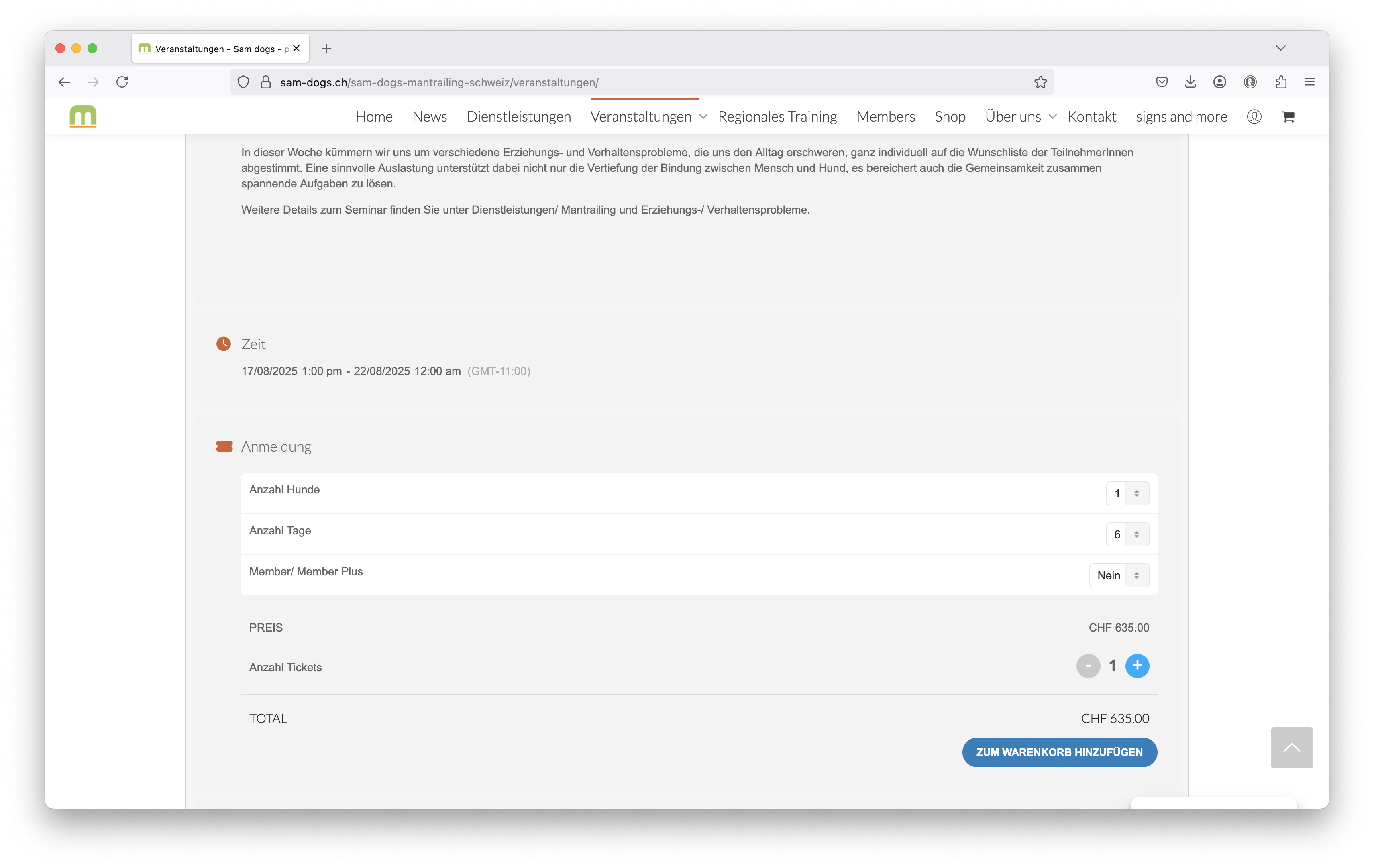
the strange thing is that this applies only to newly created events (old ones were created a year ago)
see example in the screenshot
Hello Artem – You’re not seeing our problem yet. When events that have *not* expired have Related Events attached to them that have expired, the Related Events that have expired still appear on the listing but with a start date of January 1, 1970.
For an example, look at https://www.kxxo.com/events/food-yard-waste-composting-workshop-2/ . You’ll see that the Event has not happened yet (11 June). However, at the end of the listing under Related Events it displays three future events and two past events. The two past events are shown as occurring on January 1, 1970. What I’d like is for those past events to not display at all on the main listing after they have expired. Instead of showing with the January 1, 1970 date, they just should not show at all.
Thanks! – John
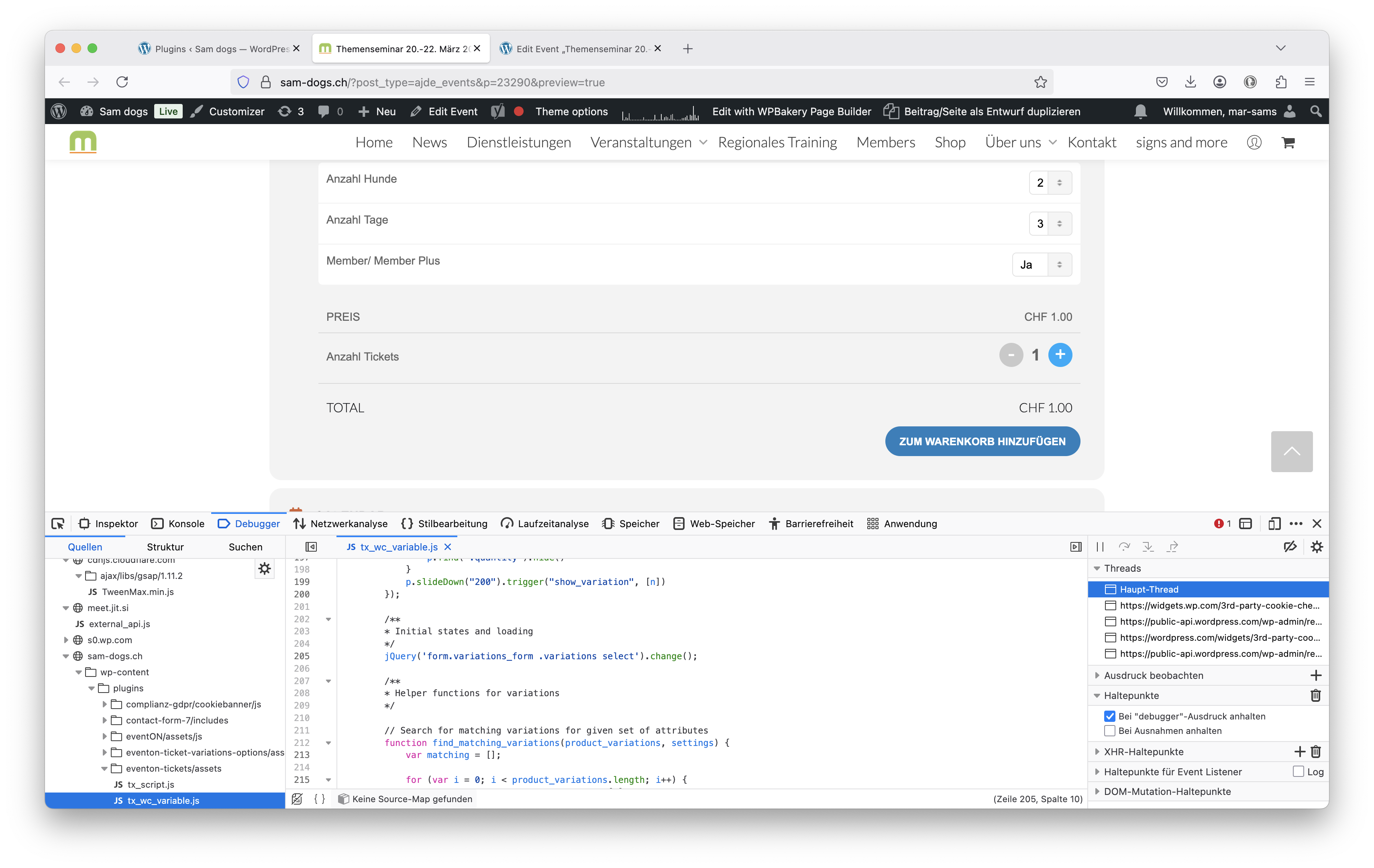
it the dev tools I see a warning “unreachable code after return statement tx_wc_variable.js:205:9 “
line:
jQuery(‘form.variations_form .variations select’).change();
this might be the issue …
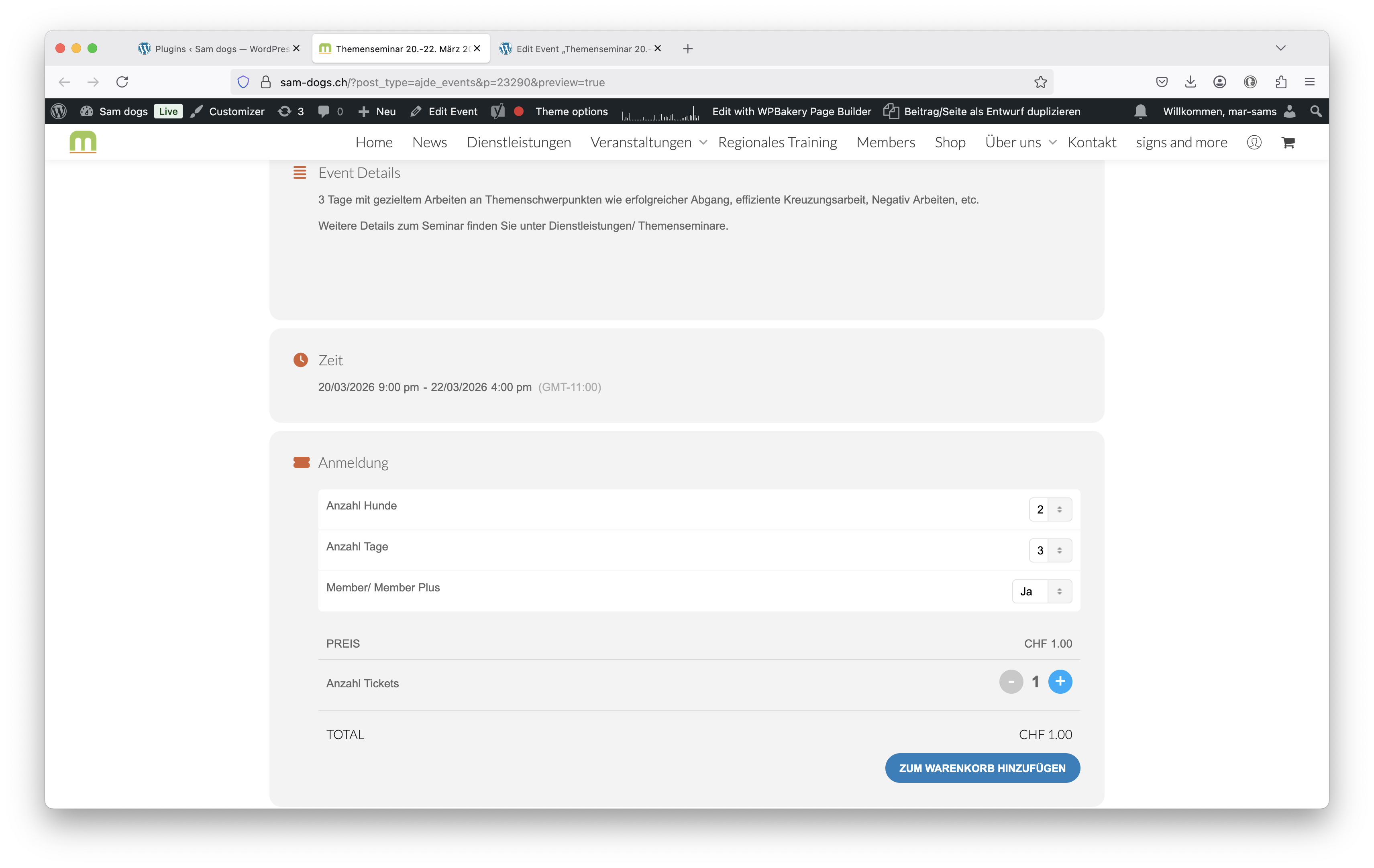
as soon as you change the first dropdown to 2 (=price should go up to 1170) total amount is 1 again …