Please open your Developer Console and send us a screenshot of Network tab.
Archives: Replies
Replies for tickets on suppota
Reply to: tickets(222915)
We are very sorry for the inconvenience.
Could you please check this screenshot and confirm that this date is correct:
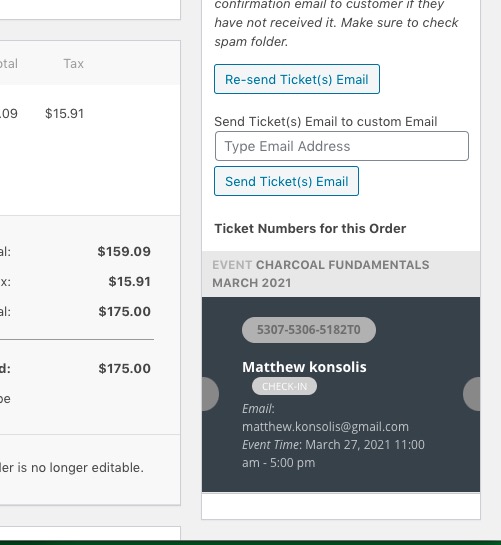
and this one is not:
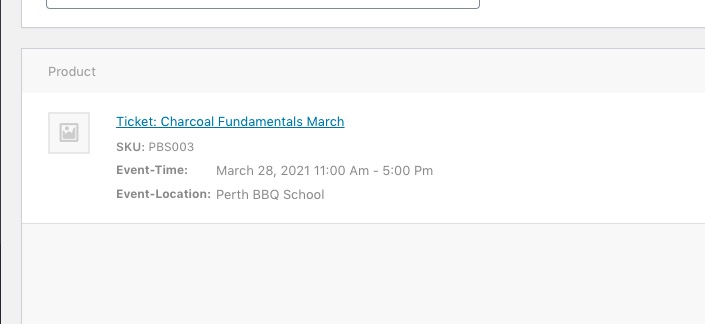
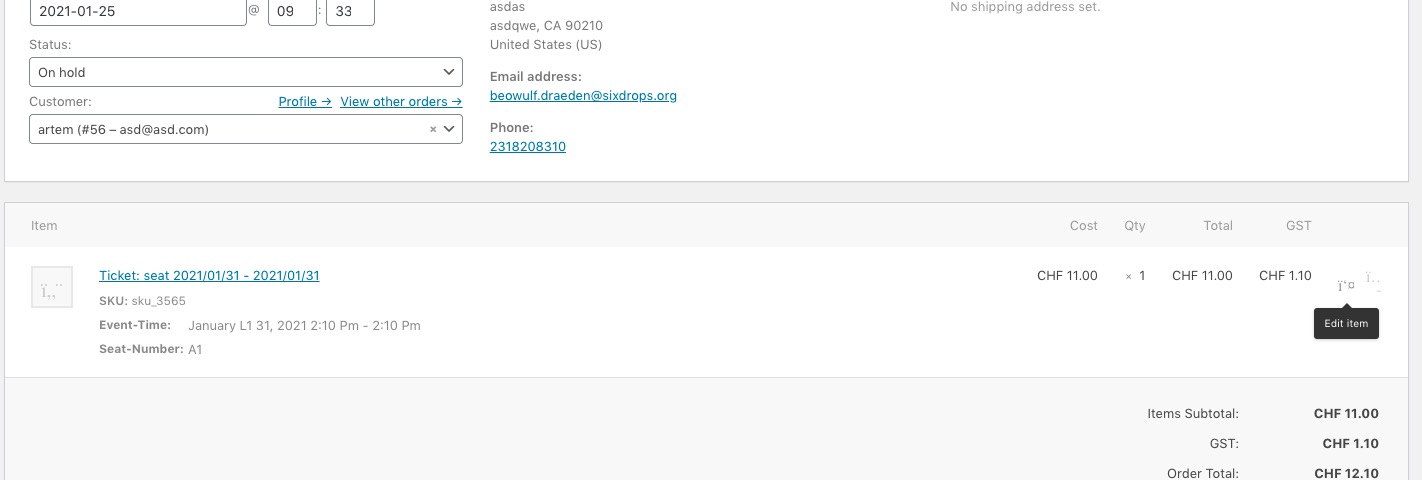
You can edit orders by changing it’s Status to “On Hold” and then press “Edit Item”:
Reply to: tickets(222538)
Yes you need them both
heres a video on setting up your calendar
https://vimeo.com/511873325
and as for action user
from wordpress dashboard you – Users
and then next to each name is eventon capabilities- they need to be able to submit events and also upload files (images)
get that sorted and have a look here: https://docs.myeventon.com/documentation/addons/action-user/
Reply to: tickets(222702)
ok
Reply to: tickets(223432)
kinesoma.com/wp-admin
U: Matthias
P: Kinesoma22!
Reply to: tickets(223432)
Hi Bree,
Please send us wp-admin access to your site as a private message for us to further assist your situation.
Reply to: tickets(223398)
Hello,
The problem is not in EventON, but in WP Rocket and it’s “Minify JavaScript files” and/or “Combine JavaScript files (Enable Minify JavaScript files to select)” functionalities.
Please try disabling it and check in incognito mode.
Reply to: tickets(223406)
Hello,
Please add this CSS code to EventON > Styles (If you don’t see any change, EventON > Scripts & Styling > turn off Write styles to header > save settings > turn on Write styles to header):
.ajde_evcal_calendar .calendar_header .evcal_arrows:before, .evo_footer_nav .evcal_arrows:before { margin: 4px !important; }
Reply to: tickets(223411)
Hello,
Please go to EventON Settings > Language > General Calendar > Join the live stream.
Reply to: tickets(219735)
Please follow this guide: https://docs.myeventon.com/documentations/change-events-slug/