The issue with FTP: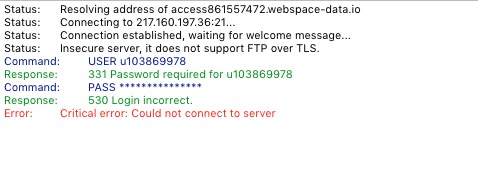
Could you send us the numerical code to wp-admin? I am going to add the fix with Plugin Editor.
Replies for tickets on suppota
The issue with FTP:
Could you send us the numerical code to wp-admin? I am going to add the fix with Plugin Editor.
Please add this CSS code to EventON > Styles (If you don’t see any change, EventON > Scripts & Styling > turn off Write styles to header > save settings > turn on Write styles to header).
Hello,
Could you please update EventON and check once? Please make sure to clean your browser cache.
To update eventon to latest version: If you are unable to do autoupdate, you can go to codecanyon your account > download and get the latest eventon version as zip file. Then you can go to your website, deactivate old eventon, activate (Do not delete eventon settings & data when EventON is uninstalled) from eventon settings, delete old eventon, install new one and activate. This link will further explain the process it. Also you can follow us on twitter to get real-time announcements on updates!
In order to request a refund, please create a new ticket under Billing & Accounts and be sure to include the order ID for which you need a refund for and the reason for requesting a refund.
Every slot is always once available because there is only 1 bike!
That is the logic. If you read my very first mail you would understand!
RSVP Limit does not work as it should. In your way you can only book 1 time slot for a bike.
Exporting every single Event? Really??? We have 10 bikes at each of our 30 locations, so I have to export 300 CSV?
Ok. I have given up to find a solution!!! It works not perfect with WooCommerce but it works. I will do it that way.
I just want my money back for RSVP Add-on. A voucher would be okay as we need to upgrade all other addons and the main plugin to a 2-5 user license anyway.
Ok. If I write the <p> tag in the text editor, it works.
But it doesn’t work in the visual editor when I press Enter.
So I always have to insert the p tags directly in the text editor.
Can the plugin still be updated? Or will the changes be lost with updates?
One more… Can you add the fields you create to the translation option in general RSVP settings? Thank you.
Another bug:
When adding a timeslot to this event, the first timeslot is not available
https://dev.citedesmetiers22.fr/wp-admin/post.php?post=3085&action=edit
What we have noticed: on timeslot creation, date is unselectable but hours and minutes are. When you save, the time slot is created. Could you set the date of the event and not the date of the day when setting a timeslot?
Where do I need to put this code?
I am just a regular user, not an Website-Pro. So please tell me exactly were I need to put this code. Thank you
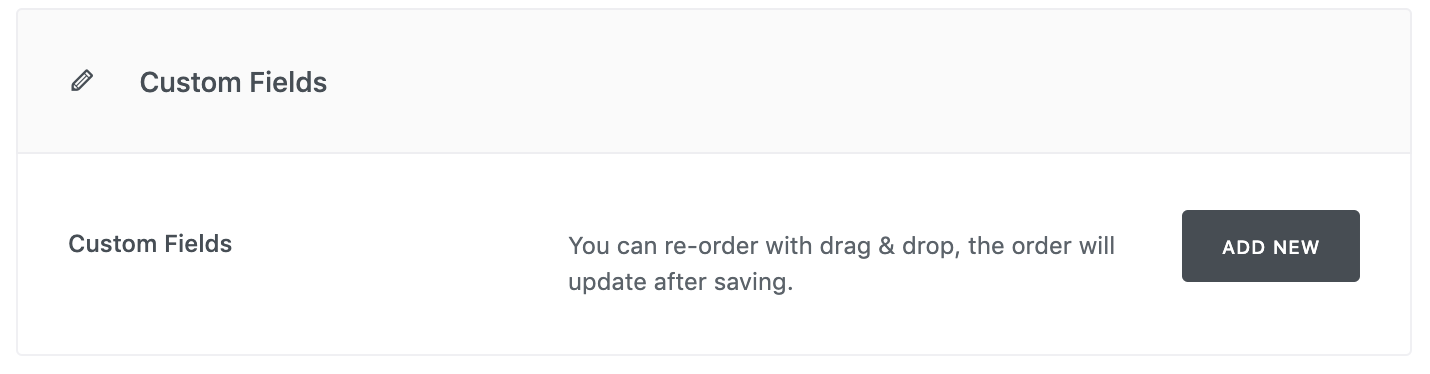
Should the custom fields you use should be declared in the back office of the Uncode theme?
https://dev.citedesmetiers22.fr/wp-admin/admin.php?page=uncode-options#section_uncode_evo-rsvp_section