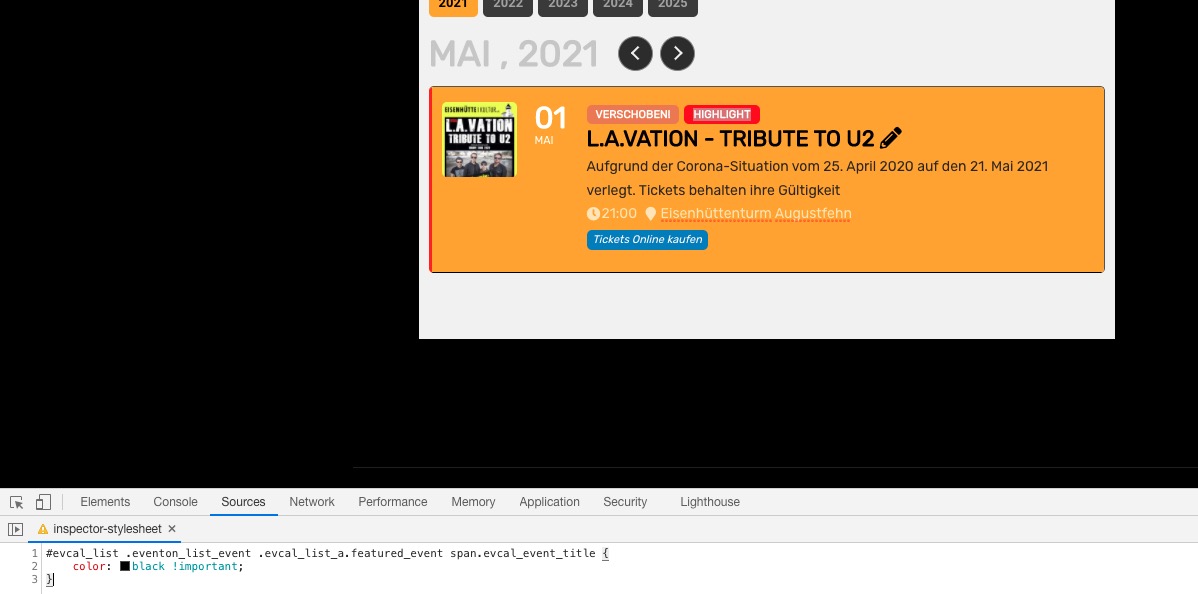
Hello,
1. Please go to EventON Settings > Appearance > Calendar Header > Jumper – Month/Year Buttons OR Jumper – Month/Year Buttons: Current.
If you don’t see any change, EventON > Scripts & Styling > turn off Write styles to header > save settings > turn on Write styles to header
2. Please add this CSS code to EventON > Styles (If you don’t see any change, EventON > Scripts & Styling > turn off Write styles to header > save settings > turn on Write styles to header):
#evcal_list .eventon_list_event .evcal_list_a.featured_event span.evcal_event_title { color: black !important; }
#evcal_list .eventon_list_event .evcal_list_a.featured_event .evcal_desc em { color: black !important; }
Most welcome!
If there is anything else we can do for you, please let us know
Hi Oscar,
Happy we could help.
If you have a moment, we would greatly appreciate if you could kindly leave us a review at codecanyon! from your account > downloads. Cheers!
Hey Thane,
Can you try open in icognito please?
What you recieve is a javascript error.
Hi,
You will need to eventually update to the latest version, can we do it?
Hello Said,
Thank you for the trust on our software.
Have you bought the plugin that does the front end requests?
Hey Jayson,
Most probably this is a conflict with the JS of the theme and our plugin.
We have noticed previously some issues around that ( mobile menu triggering ), but not something specific on how it can be fixed.
We have asked our main developer to review, your patience is highly appreciated.
Hi, Since there is usually nothing for free on the Internet, I prefer to ask beforehand what this adaptation would cost me.Many Thanks
Hey Raymond,
https://docs.myeventon.com/documentations/setup-language-corresponding-events/
Please check the documentation and let us know if it will be helpfull
Hey Dana,
If it is a repeating event happening every Wed, it should still be in the list, that is correct right?