also wp-admin access did not work for me – could you post the correct login
Archives: Replies
Replies for tickets on suppota
Reply to: tickets(220755)
and which event in particular – or is it all events?
Reply to: tickets(219298)
Hello. We are not allowed to give out the FTP and wp-admin access info. Please provide the files and the instructions to apply the update. Also, will this update prevent me from updating the speakers add-on or is this now included in the speakers add-on?
Reply to: tickets(220768)
it is the correct image- instead of loading 101 tiny images it loads the same image but a section of it – this speeds up the page load and is better for seo
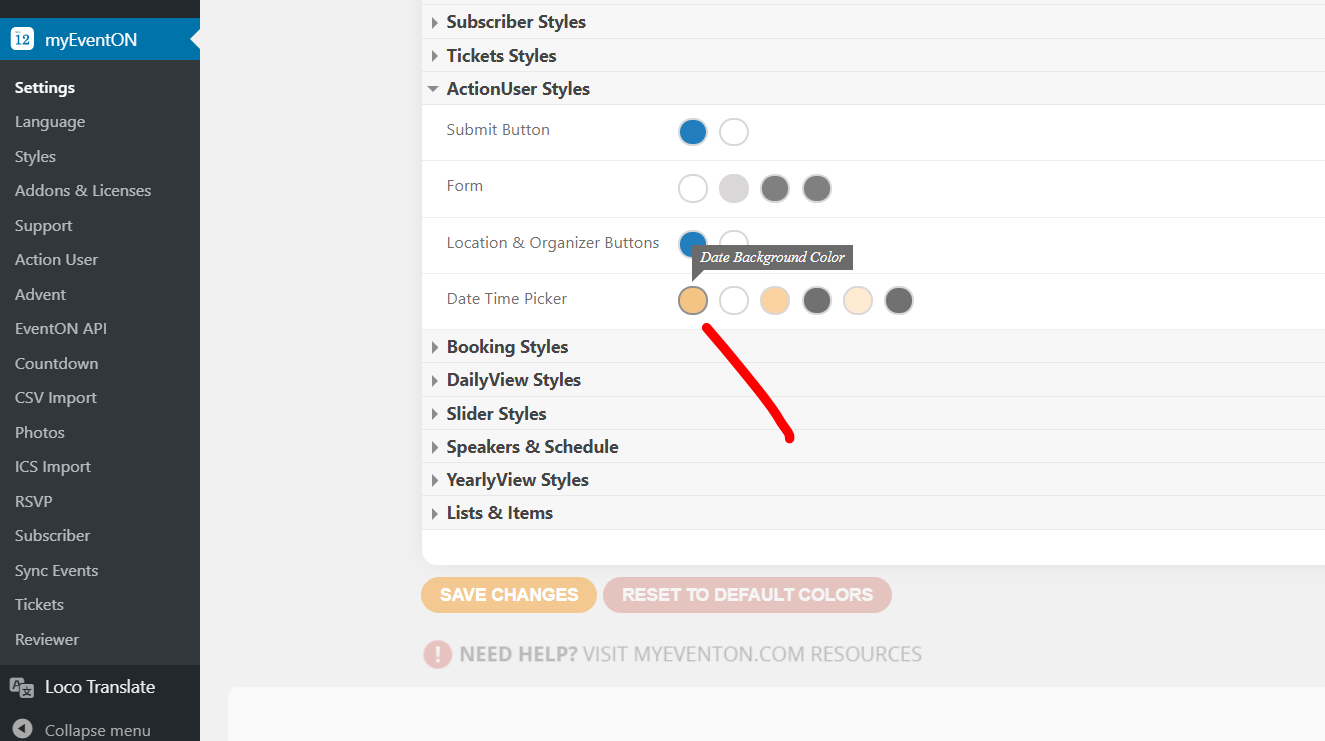
basically what has happened is you have a black bachground and a black button
so either change the balc background see screenshot in myeventon>>>>settings>>>>appearance>>>>>>action user
or provide wp-admin access and we can sort it out
Reply to: tickets(220755)
Thanks for the quick reply! The main calendar is at the bottom of this page:
https://newfonadevelop.wpengine.com/home/events__programs/
The list view is on this page:
https://newfonadevelop.wpengine.com/
-Susan
Reply to: tickets(220672)
I’ll get one of the ICS specialists to look over that file- But Its is possible that with the ICS import – its not recognising the timezone in the ICS file if that Apply default timezone to all events is enabled
it could very well be overiding your imports? I do not know for sure but test it out while you wait for one of the experts come on
Reply to: tickets(220744)
filtering is available with the full cal addon (adding it is the smae as if you were using the main calendar)
as for the grid with names
on this page are 2 versions of the full cal other than the dots (theres the events with names- go back to october 2020 to see a full cal) and then under that is a events on the side
https://ezystreamlive.com/full-cal-test/
Reply to: tickets(214576)
Test it in 3.0.6 version
Reply to: tickets(220755)
could provide a link to your main calendar and a link to the events list and then tell us the event in question so we can see what you have set up
I believe its just a shortcode issue but we need to look at each calendar
Reply to: tickets(214576)

We have downgraded to eventon 2.9.1 and we get this message.
It does not work.