The main purpose of PDFer is to include a pdf version of the ticket for easy printing.
You should be able to change pdf version by customizing email template by following https://docs.myeventon.com/documentations/customize-ticket-email-template/.
Please make sure that you are using the latest version of the .pdf file by re-generating it from Events > Tickets > Edit Event Ticket:

Now, what about the end users? Do they have to clear the cache in their browsers too?
Browser’s cache is quite limited by size or update time, so they should get the freshest files.
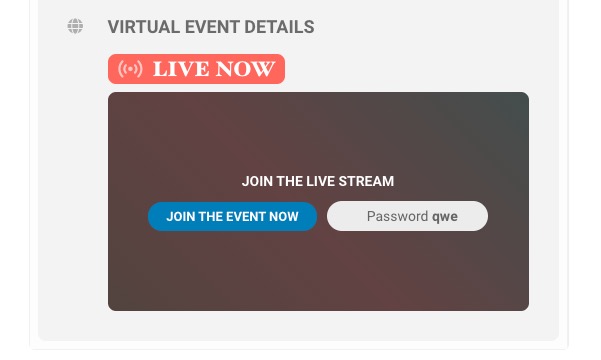
And, why do we need these two titles?
This is because when there is a password it looks like this:

You can remove the title please add this CSS code to EventON > Styles (If you don’t see any change, EventON > Scripts & Styling > turn off Write styles to header > save settings > turn on Write styles to header):
.evo_vir_access_title { display: none !important; }
Multiple customers reported similar issues and the solution was to clean the browser cache.
If you send us FTP access as a private message, we can install EventON 3.1 alongside with the current version for a test.
On my side:
Could you try cleaning your browser cache and use Incognito Mode?
Well, I found it, they are in the language section. 🙂
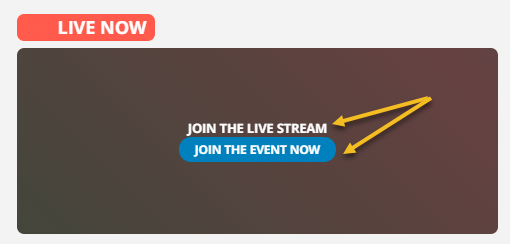
And, why do we need these two titles? I understand the button link, where does this “Join the Live Stream” title comes from?
Whooo…. Thank you! I cleared the cache and all good.
Now, what about the end users? Do they have to clear the cache in their browsers too? They don’t know about the updates happening at the backend. They will see some skewed images on their end after any changes to CSS or plugin revisions. What would be the solution?
Appreciate any advice.
Hello Artem,
This was not due the cache (I suppressed it for testing)
EventON 3.1 needs the latest version of EventON – RSVP Events otherwise you face the issue I had.
When I upgrade the RSVP then EventON 3.1 works normally.
The point is these new version introduce unexpected changes (like moderator in Virtual event, etc.) and this surprised me as it introduce unexpected new elements on my events !
So to manage the live site properly and reversed back both modules to the previous version.
And now I need to understand exactly what those changes are.
Do you have a list of the changes in RSVP ?
Thanks
Right.
so if I want a custom order confirmation email ( the only reason why I was using woocommerce was because it is much easier to do that the EventOn email ) I have to edit the EventOn confirmation email template? But because that email is essentially the ticket as well, what does the PDF addon actually do? Does it just turn the confirmation email into a PDF? Or does it create its own version of the ticket that is different to the confirmation email?