Ah yes, of course, sorry. Repeating Events aren’t compatible with Seats and Booking.
In this case the only solution is to create multiple events for each date: 8 and 25.
Replies for tickets on suppota
Ah yes, of course, sorry. Repeating Events aren’t compatible with Seats and Booking.
In this case the only solution is to create multiple events for each date: 8 and 25.
You can also send us a customization job request by creating a new ticket in here and selecting Customization Request as the category.
Unfortunately, Action User doesn’t have such functionality at the moment, so you cannot access Media Gallery from the front-end submission form.
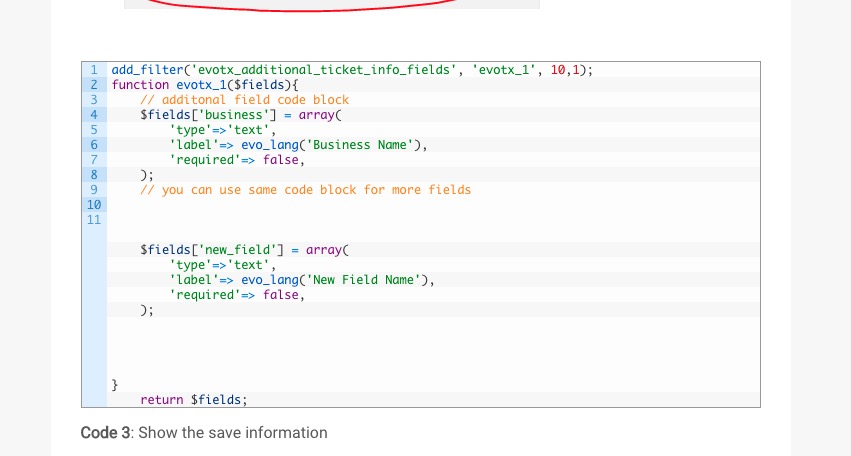
You can try adding one by following https://docs.myeventon.com/documentations/add-additional-fields-actionuser-event-submission-form/ and https://jeroensormani.com/how-to-include-the-wordpress-media-selector-in-your-plugin/
Great! Please keep us updated.
Hello,
Thank you for your great suggestion, at the moment it is not supported. However please create a new ticket and select Feature Request as category so others can vote on your idea and get it moved into development faster. OR You can send us a customization job request by creating a new ticket in here and selecting Customization Request as the category.
Hello,
Thank you for your messages, I am going to assign this ticket to Ashan and he will be able to take it from here and find you a solution. Please allow some time for him to get back to you, we greatly appreciate your patience and thank you for being a eventon customer! Also please disable any IP blocking on your site if there are any.
Ashan,
Not sure how to make sure that their initial Ticket Stock was indeed 420:
https://thespiritconsultants.com/wp-admin/post.php?post=2387&action=edit

Could you check?
Hi Jason,
I am sorry to hear about the issue you are having.
I am going to assign this ticket to Ashan and he will be able to take it from here. Please allow some time for him to get back to you, we greatly appreciate your patience and thank you for being a eventon customer! Also please disable any IP blocking on your site if there is any.
Hi Tammy,
To view events for all months in a list, you can use this shortcode:
[add_eventon_list number_of_months=”12″ fixed_year=”2020″]
You can edit or remove the number of months or fixed year as needed.
Please check these screenshots: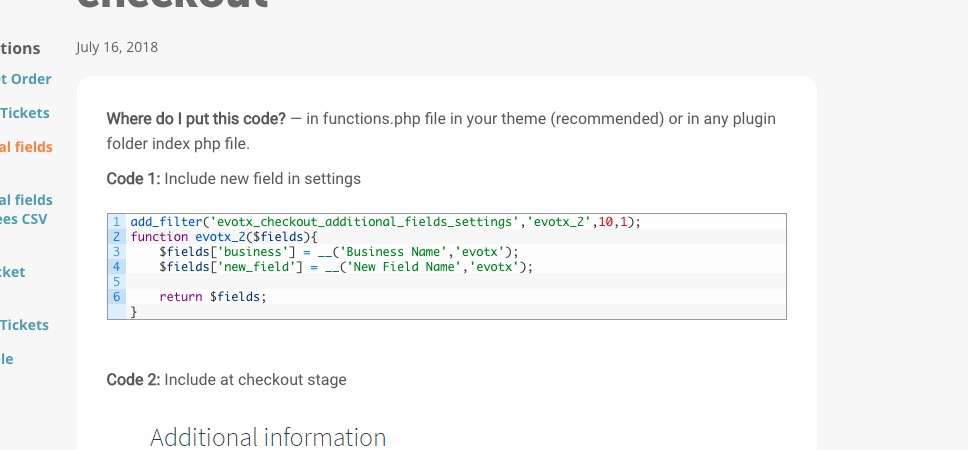
and let us know.