You are correct the event and the ticket are not really connected
so you need to assign a user to the event and then assign the vendor to the product>>>>2 steps- 1 for the event , 1 for the product
see video below:
If you install this plugin- I can test it out and then also create avideo on how you would use it
https://wordpress.org/plugins/login-as-user/
Hello,
I see that you’re not available over the weekend, so I’d like to ask if I can get an update Monday morning, please?
- Is there anything else you need from us to complete this job?
- Is the direction clear?
- When do you determine you’ll finish?
Thank you,
Naomi
Thank you so much infotainerdave, you are the best!
How i know how to setup the dashoard and assign vendors to the product.
However, i don’t quite understand that the ticketing and woo-commerce product, i tried it out and it seems that they are not related? I tired to do a test purchase for a ticket but it doesnot seems to show on dokan.
Thanks again!
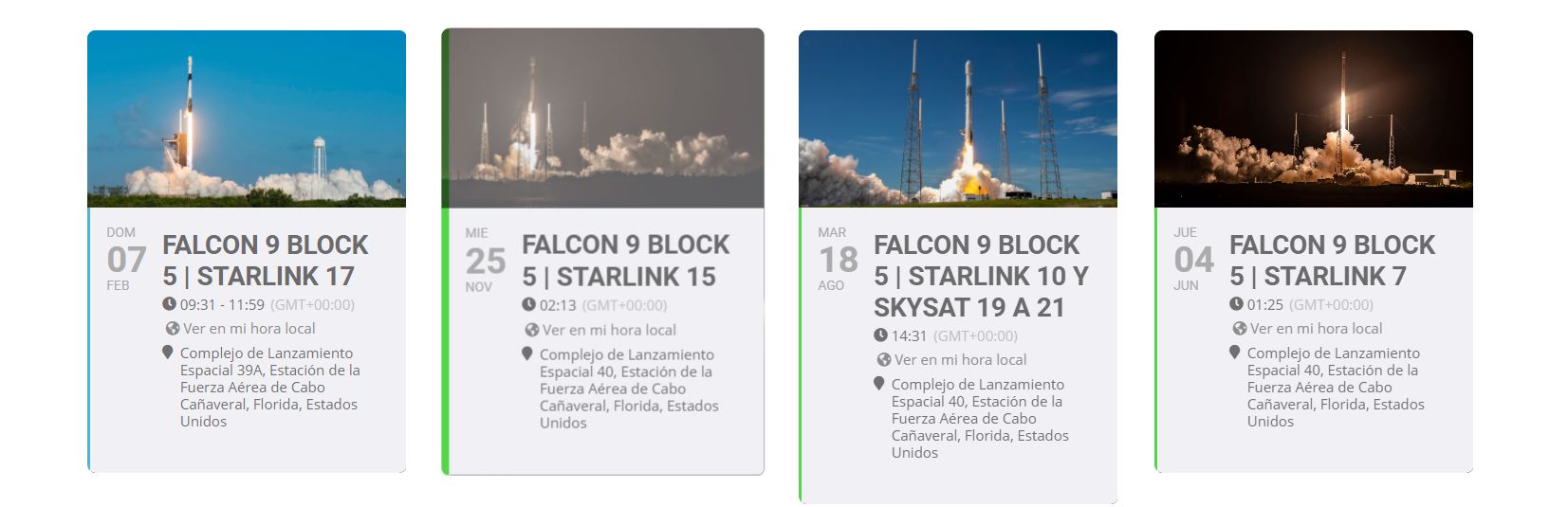
Activate the option and in the main calendar if the year appears, but in the single event that is where I need it, it does not appear, I leave a screenshot of the page with the single event where the year is not seen.
can you roll back your wordpress version?
5.6.1 came out on the 3rd of Feb, we learn about the update when everyone else does- you have to give us more time to update eventon
for some reason your site would not accept a pencil icon or a pen
So I made it a spanner
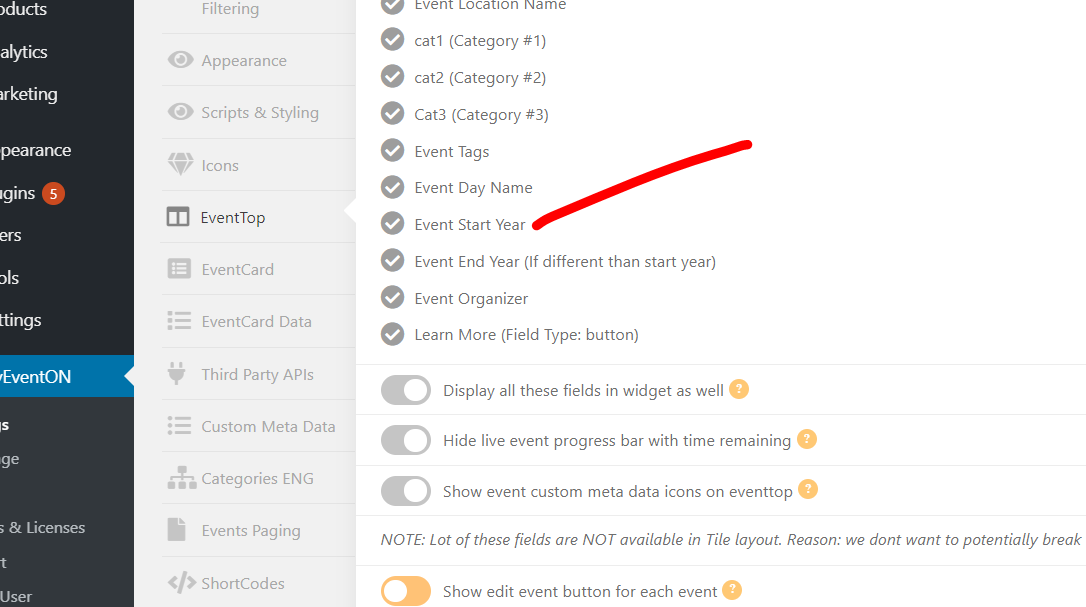
In myeventon>>>>setttings>>>>>event top
activate the “Event start year”
Thank you for your messages, I am going to assign this ticket to Ashan and he will be able to take it from here and find you a solution. Please allow some time for him to get back to you, we greatly appreciate your patience and thank you for being a eventon customer!
You can try to install the addon on the other site- most functionality will still work, and Ashan will sort this out on Monday (Sorry he is away on weekends)
OK Please see video below
Step 1: create the event and activate tickets & Assign the user then publish
Step 2: refresh the edit page
Step 3: click further edit of the product
step 4: Assign the user to the product
An idea to make it easier
watch this video
https://wordpress.org/plugins/login-as-user/
This may allow you to login as the customer and submit events in their name via action user- which should automatically assign them the to the event and connect the product with them.
you’ll need to test it
the reason i want to create the product for them is because the key business model for my site is to ask vendors to allow my site to sell their venue tickets. I want to make things easiest so they will be willing to sell on my site.
Just like Expedia, they sell hotel rooms and they also do everything for the vendors.
Thanks