It is possible now or it is possible with customization? Please clarify.
Archives: Replies
Replies for tickets on suppota
Reply to: tickets(219676)
Maybe you didn’t understand the issue. That error message only appears when I try to export all events. This was not happening a week ago before I upgraded to 3.0.8. I gave you access to my site to troubleshoot it. Did you do that?
Reply to: tickets(219643)
Hi Artem,
Thank you.
Your suggestions have worked perfectly.
Susann
Reply to: tickets(219735)
Unfortunately, one-click translation isn’t available. You need to translate everything manually.
Does it work correctly for the event calendar plugin?
Could you elaborate more?
Reply to: tickets(219735)
thank you for your quick response !
Another question
Here is this option it works as?
The plugin itself will translate everything into Russian?
Does it work correctly for the event calendar plugin?
https://docs.myeventon.com/documentations/translating-eventon-backend/
Reply to: tickets(219783)
Hello,
1. Unfortunately, no. The only solution for this is to use Event Types. You can also try “Show only featured events”:
[add_eventon_list only_ft=”yes”]
2. Thank you for your great suggestion, at the moment it is not supported. However please create a new ticket and select Feature Request as category so others can vote on your idea and get it moved into development faster. OR You can send us a customization job request by creating a new ticket in here and selecting Customization Request as the category.
Reply to: tickets(219742)
Hello,
Please add this CSS code to EventON > Styles (If you don’t see any change, EventON > Scripts & Styling > turn off Write styles to header > save settings > turn on Write styles to header):
.eventon_events_list .evose_repeat_header span.title { display: none !important; }
Reply to: tickets(219735)
Hello,
Unfortunately, Russian translation isn’t available. However, in order to fully translate please follow these guides: https://docs.myeventon.com/documentations/how-to-translate-calendar-front-end/ and https://docs.myeventon.com/documentations/translating-eventon-backend/
Please also note that you can import the file by going to EventON Settings > Language > Export & Import Translations > IMPORT.
Reply to: tickets(218458)
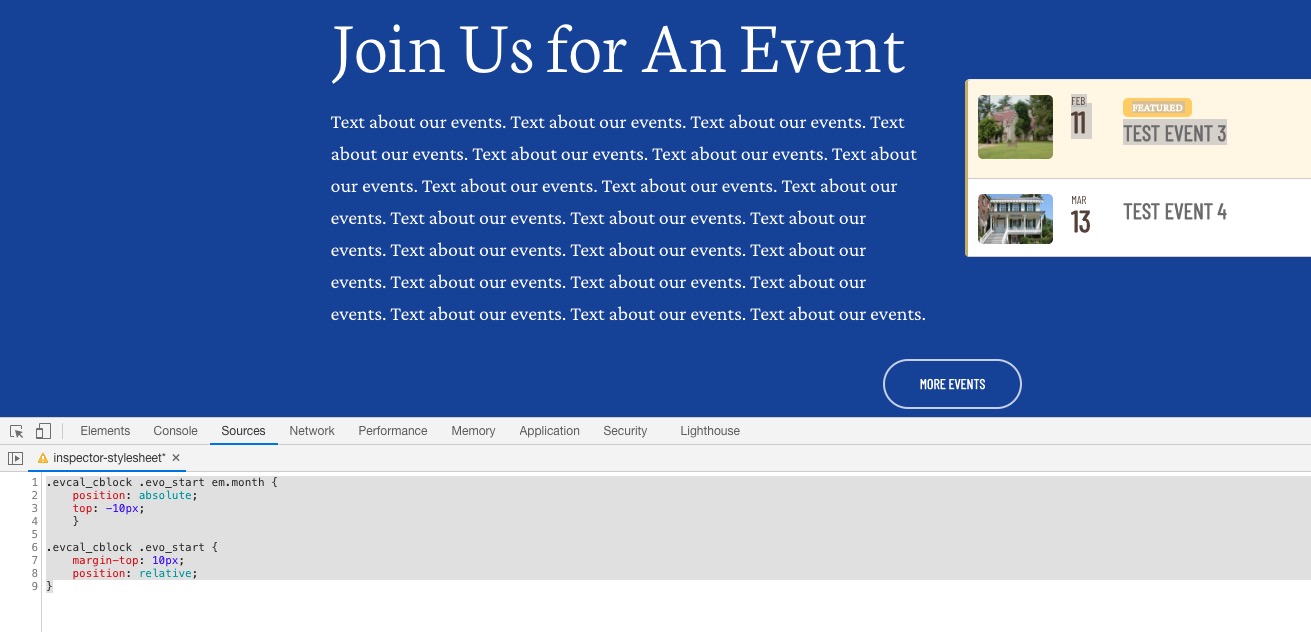
Please add this CSS code to EventON > Styles (If you don’t see any change, EventON > Scripts & Styling > turn off Write styles to header > save settings > turn on Write styles to header):
.evcal_cblock .evo_start em.month { position: absolute; top: -10px; } .evcal_cblock .evo_start { margin-top: 10px; position: relative; }
Reply to: tickets(219703)
Hello,
If you are referring to Your Full Name and Your Email Address:
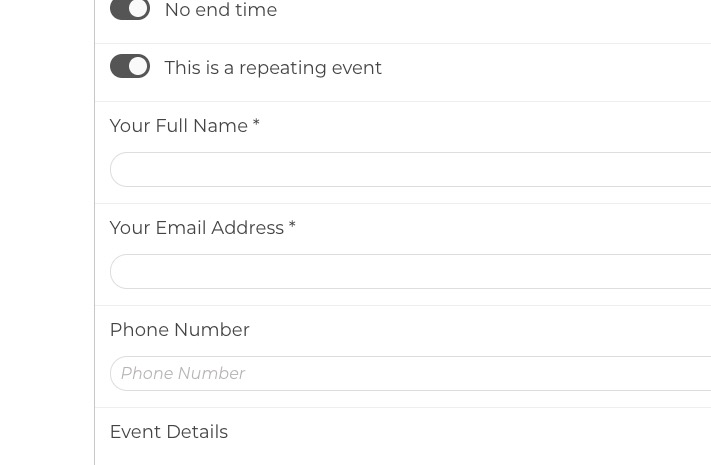
Then, unfortunately, these fields aren’t included in the .csv file.
You can send us a customization job request by creating a new ticket in here and selecting Customization Request as the category.