Thank you very much. 😊
Archives: Replies
Replies for tickets on suppota
Reply to: tickets(219526)
I have changed the word to webinar in myeventon languages
Hiding the dates
If you had past events on a different page you could add
.eventon_events_list .eventon_list_event .evcal_cblock em, .evo_pop_body .evcal_cblock em {
display: none;
}
to custom css
however when added on that page- it makes the dates vanish on the future events as well
Reply to: tickets(171700)
Reply to: tickets(171700)
Βασίλη καλησπέρα,
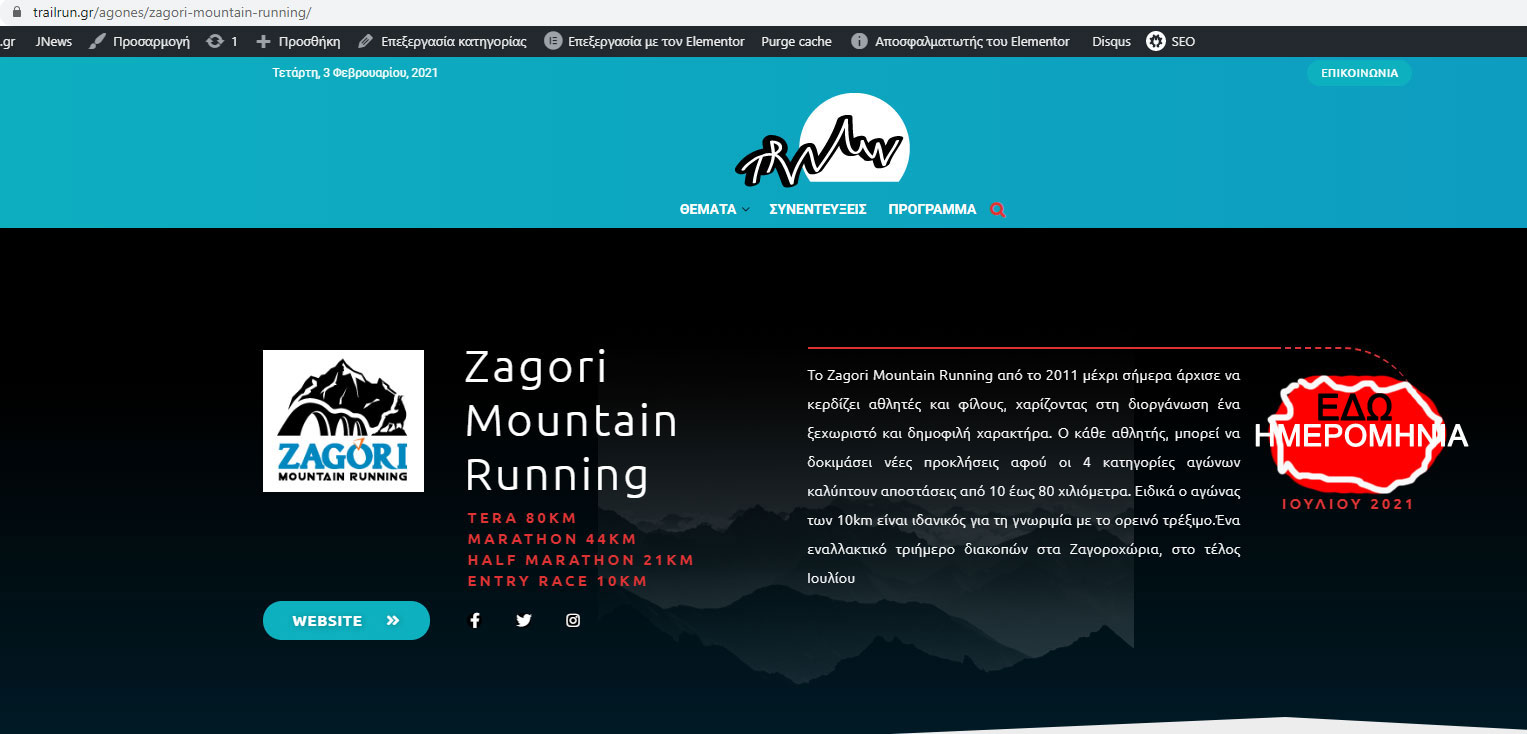
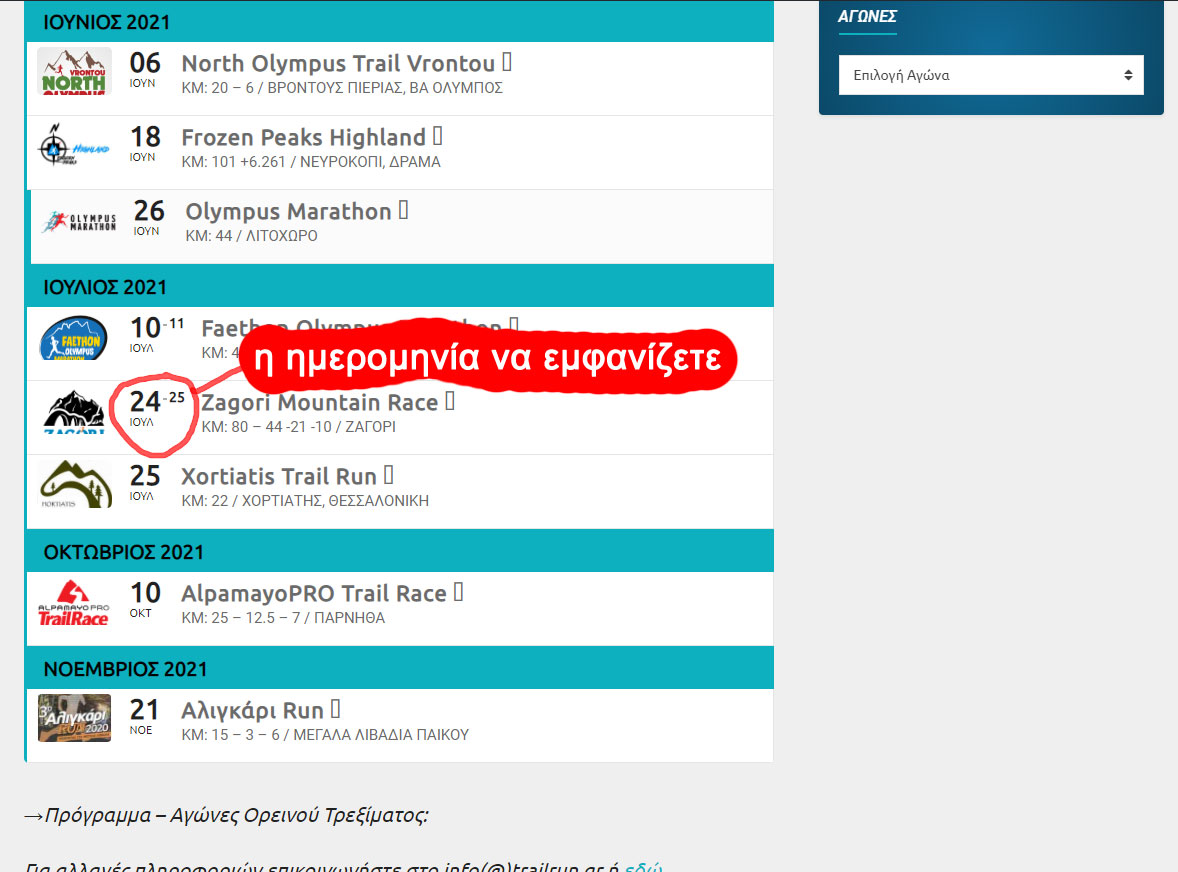
χρειάζομαι να εμφανίσω την ημερομηνία του κάθε event σε οποιοδήποτε σημείο του site.
στέλνω 2 φώτος σαν παράδειγμα.
Reply to: tickets(219507)
Thx, but I know how to activate it but I need it not in the Ticket section. I need the count in the Subheading of the event or in the tile of the event.
Reply to: tickets(219354)
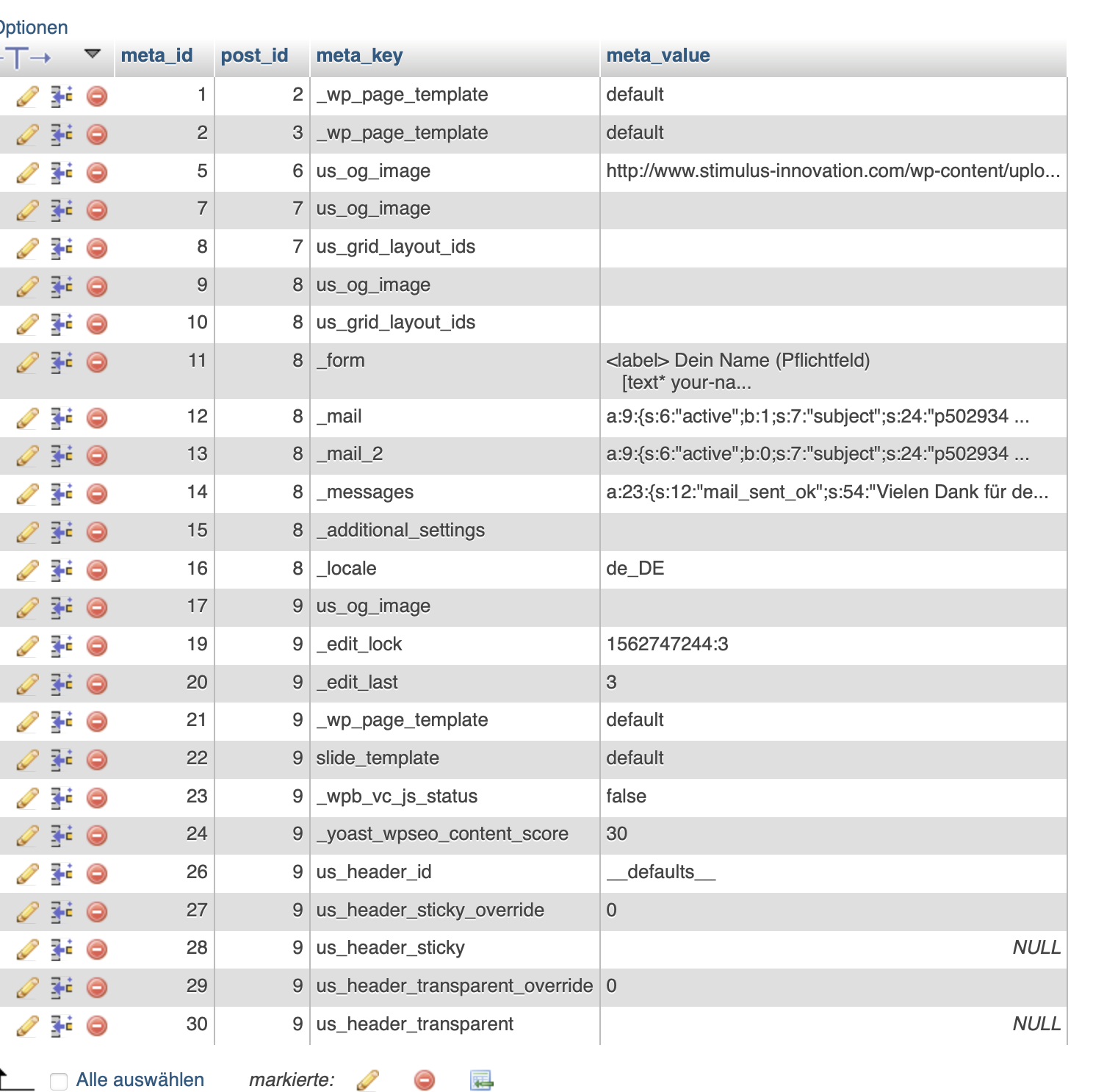
don’t know that to do? 🙁
Reply to: tickets(219354)
Hi Artem,
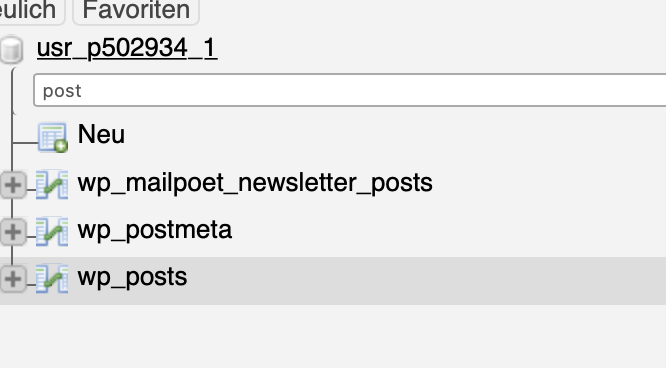
thank you for the quick support. But I can’t find anything like evo or rsvp … wich one of these tables I have to chose? Or is there another way to export all RSVPs?
Reply to: tickets(218458)
Hi Alex,
Sorry, your last message is not very clear.
So that I understand, would you like to display the month above the day and hide the year?
Reply to: tickets(219154)
Hi Jay,
I’m glad that this did the trick!
Feel free to contact us should any other issues come up.
Thanks!
Reply to: tickets(219507)
Hi Christian,
Thanks for reaching out!
You can toggle the option to show remaining ticket counts when editing the event as shown below:
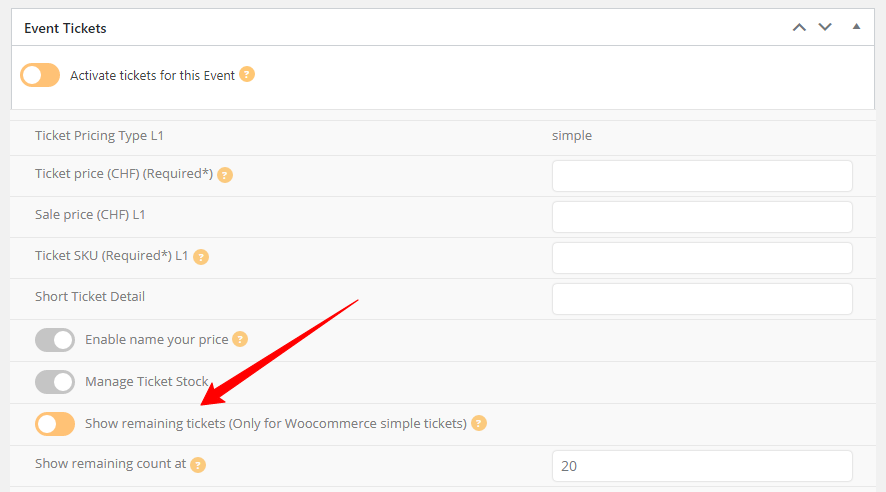
I hope this helps!