the color of the left border is the event color
see video below
as for tweaking words sizes- please provide a screenshot of the words you want increase/color changes so we can give you the css?
perhaps a couple of screenshots with arrows pointing to what you want changed
ithemes is a security, sync and backup product – see sync.ithemes.com for more.
The error that comes up when I have eventon turned on is
“Sync could not contact your site. It may be offline, experiencing network connectivity problems, a webserver issue, a plugin conflict is blocking access, or the Sync client plugin has been removed/deactivated.”
Turn eventon off and it works fine – so there is a conflict between the two.
I did check your helpdesk for known conflicts before I purchased the plugin and addon and ithemes was not listed.
What solution exists?
Could you please try the instructions mentioned in this documentation to make sure your issue is indeed coming from eventon.
Here’s the video: https://youtu.be/2xjnK8L4U8c
I made a screen capture of the issue, notice the event start time and end time changing
I am thinking something like this
https://wordpress.org/plugins/add-admin-css/
and then say use this css
.ui-datepicker .ui-datepicker-next span, .ui-datepicker .ui-datepicker-prev span {
background-image: initial !important;
}
might get the arrows to show
Hi Ashish,
I’m testing again on your website but devs do not work as expected. Everything is ok for you?
Please tell us. We need visibility for finale release…
Regards,
Arnaud.
depends on what user pro is doing- so once they get back to you- let us know what they say.
There are plugins out there that allow you to change the css of the backend – (they are free ones on the repository) it may be needed to tweak the css
But if you are building for yourself and not a client then you could simply live with it- the months still switch when you click the upper right and left corners- its just visual
if its for a client its a different story
let us know what userpro says, then we can figure out the next step
did 2 tests and dates were not changed see video below
Sorry. I continue with the explanation
I understand that you tall about some like this:
li::before {
content: “https://kulturagernika-lumo.eus/wp-content/uploads/2021/01/Rosamari-3.jpg”;
}
But the problem its to detect the place to instert the content:
<span class=”evcal_event_types ett1″>
<em><i>Jarduera mota:</i></em>
<em data-filter=”event_type”>(I WANT TO INSERT THE IMAGE HERE, BUT IT HAVENT AN id ) Zine-Kluba</em>
<i class=”clear”></i>
</span>
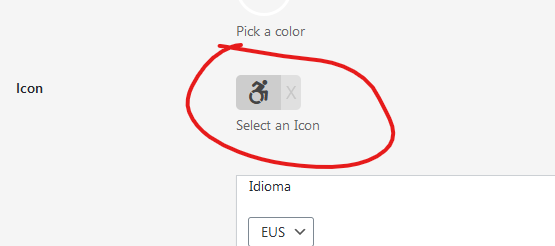
I know that in the Everton settins, in Event Type, i can select and icon from Font Awesome… but i need to insert there my own icon.. Is this possible?
Thanks in advance.
Pedro.