Reply to: tickets(213049)
Replies for tickets on suppota
Hello
currently I see it the same as the start without any modification?
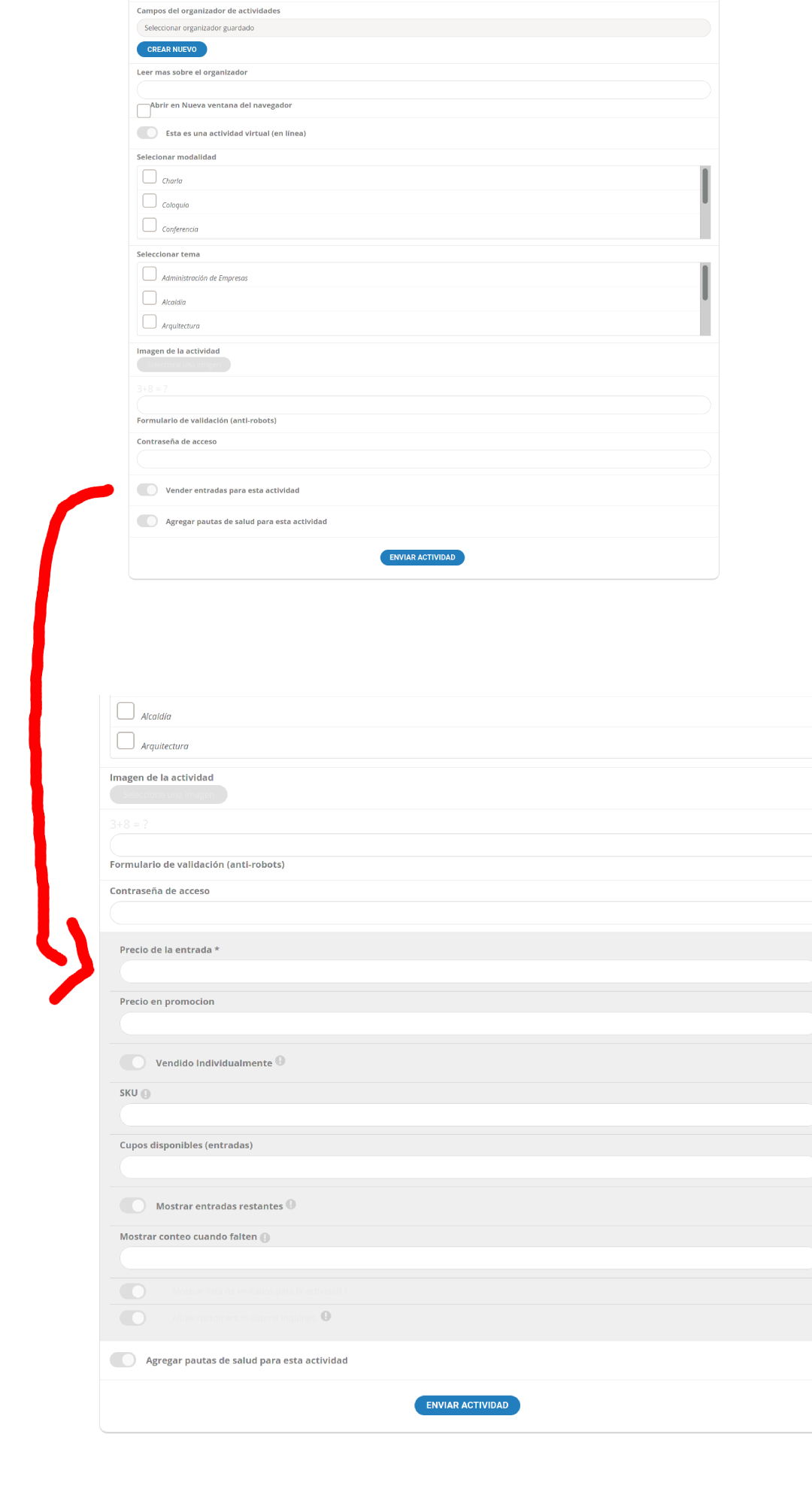
recapping the idea from the start it was activate by default the button/switch from “Vender entradas para esta actividad” (sell tickets) by default and remove the title from the form.
It is like this in the image that I am adding, at the top it is like is now (currently) and at the bottom it is how I want it to be
Hey Antonio,
I am not clear with the screenshot. The idea was that the button I add you, is turned on from default right? I have done this and you confirmed it, right?
Hey Daniel,
You will have no problem on updating plugin at all, no.
Ahhh! This worked! A million thank yous for all of this help.
Two very small things, and then I think I’ll be 100%:
it’s working for me. It’s not possible to add this feature on the pop up window?
Because it’s kind of tricky to click on the exact heart to add and if you click somewhere else it opens the pop up.
Thanks.
Exactly what I was looking for. Does exactly what I was looking for.
Thanks!
Hello, I partially solved
5. By using [add_eventon_el number_of_months=”24″ sep_month=”yes” show_et_ft_img=’yes’ hide_empty_months=”yes” show_year=”yes” ux_val=”3 ] all months are showing up again. But now I have to come back to my original question there… how can I cange the title font only for the mobile view? Because on mobile, the title is getting cut in the middle of the word.
Thanks Dave. I look forward to hearing back.
Are you able to point me towards a guide/instructions for the Speakers & Schedules add-on? I can’t work out how to display a schedule, for example, or how to display a list of all speakers at all events.