I think it’s the shortcode generator that’s broken
Replies for tickets on suppota
I think it’s the shortcode generator that’s broken
I think the issue might be roles related not your software.
wp-admin: https://choreographybyrae.com/wp-admin/
username: techsupport
password: Y9$4#y3WJbF8s^#Z3Uc6*Kpe
If you conclude I set it up correctly, then let me know.
Oh and now the event images aren’t showing up
Still not working with this shortcode and the page you created doesn’t limit the number of events displayed either.
The shortcode generator isn’t working properly either, I keep ending up with “shortcode copied!” in the shortcode pane in elementor.
[add_eventon_el event_count= "4"
number_of_months="3" etop_month tiles="yes"
tile_count="4" tile_style="1" tile_bg="1" pec="cd"]
Please delete the plugin.
Download it again from the same link, install it and use it.
Thanks
Variation “Ticket”
Variation “Partner”
Too bad it can’t be done, I hope you can implement this function as soon as possible, thanks
Hello,
1. You can replace “Organizer” with “Speaker” by following https://docs.myeventon.com/documentations/how-to-translate-calendar-front-end/ and https://docs.myeventon.com/documentations/translating-eventon-backend/
2. You can use Event Type for this. Please check https://docs.myeventon.com/documentations/confused-event-type-categories/
You can try using Custom Meta fields for this https://docs.myeventon.com/documentations/setup-use-custom-meta-fields-events/. The problem is that you’ll have to do a lot of manual work.
If I buy it and it’s not quite what I’m after, is it possible to arrange a refund (within, say, 48 hours)?
Please check our Refund Policy on this page https://docs.myeventon.com/documentations/terms-and-conditions-and-refund-policy/ > 8. Refund Policy > 8.1 Eligibility conditions for a refund request.
If not, can I ask you some more specific questions about it?
Yes, of course.
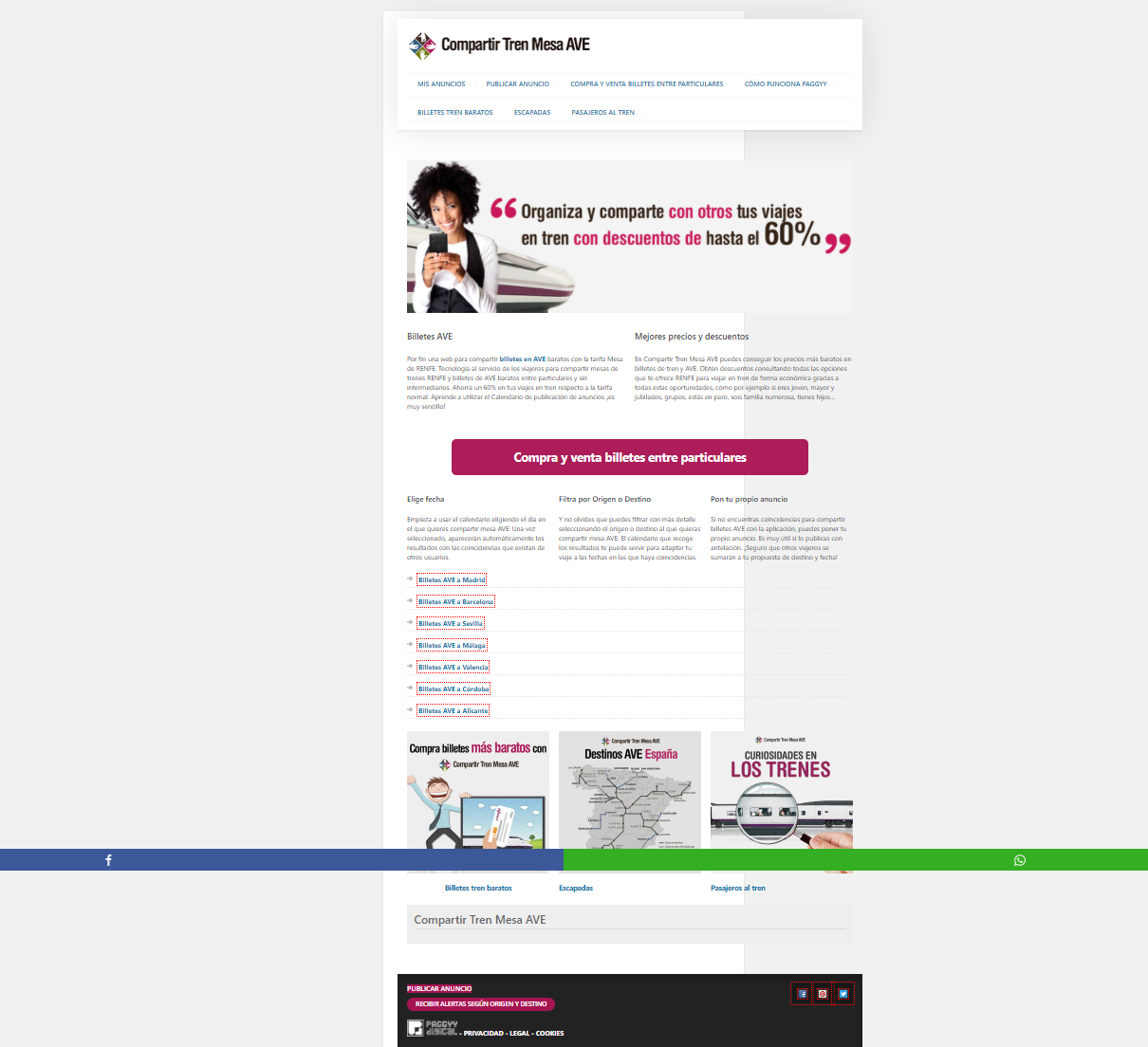
As you settled 2 plugins you can check if you activate Eventon Subscriber 1.3.6 and see the errors in CSS and when you activate version 1.3.5 it doesn’t happens.
Please, before you activate 136 see how it looks like this 3 urls:
https://compartirtrenmesaave.com/
https://compartirtrenmesaave.com/anuncios/
https://compartirtrenmesaave.com/no-pierdas-tiempo-buscando-billetes-recibe-alertas-de-los-trayectos-que-te-interesen/
After you activate the 1.3.6 version the css crashes as you can see in this screenshots of the home (attached image).
Besides, if you activate 136 and go to https://compartirtrenmesaave.com/anuncios/ you’ll see that Eventon doesn’t works, the monthly calendar it doesn’t appears.
Finally, in other hand, https://compartirtrenmesaave.com/subscription/ it works perfectly with 1.3.5 and it shows the correct language (spanish) because I’ve modified directly the code of the plugin version 1.3.5 because if you activate 1.3.6 it doesn’t work the correct language, it appears in English because it doesn’t take the correct language although I have done correctly the translation in MyEventon/Language/EventonSubscriber, but it doesnt take in spanish, only english.
We are glad your issue is resolved, if you have any further questions or concerns please create a new ticket.
If you have a moment, we would greatly appreciate if you could kindly leave us a review at codecanyon! from your account > downloads. Cheers!