Please send us wp-admin access to your site as a private message for us to further assist your situation.
Archives: Replies
Replies for tickets on suppota
Reply to: tickets(218614)
Hi Basilis,
Unfortunately, nothing has happend so far. Could you check?
Thank you,
Michaela
Reply to: tickets(219437)
Yes in mYeventon>>>>language>>>>>event card- in that section is a way to change the text
Reply to: tickets(219437)
Awesome. I got it to work. Thank you.
I do have another question. Is there a way to change the “Learn More” text to something else in the event card?
Reply to: tickets(207332)
This problem is still a problem. Import times is still off. by exactly 6 hours. All the times are correct in the Google calendar but import times are off once imported.
Reply to: tickets(213237)
Om Hey Ashish,
I did not get reply from my previous message.
Maybe the message did not went through ?
Please, can you just tell me YES or NO ?
Do you think it is doable to add this button on RSVP section – Event Card ?
If so, do you need to adjust the amount of cost of this project in order to complete this button ?
I guess, we could make this button happen, if we add Toggle Switch in the : ADD EVENT => RSVP Section => Add the “yes, commit to all event” button on Event Card.
Once this Toggle Switch is enable for a singular event, from Event Description WP Back End, then on the Event Card Front End, we can see the RSVP section is looking different :
YES YES
commit to one class commit to all classes
Please please please, tell me
We really need to move on
Many thanks,
Marc.
Reply to: tickets(219543)
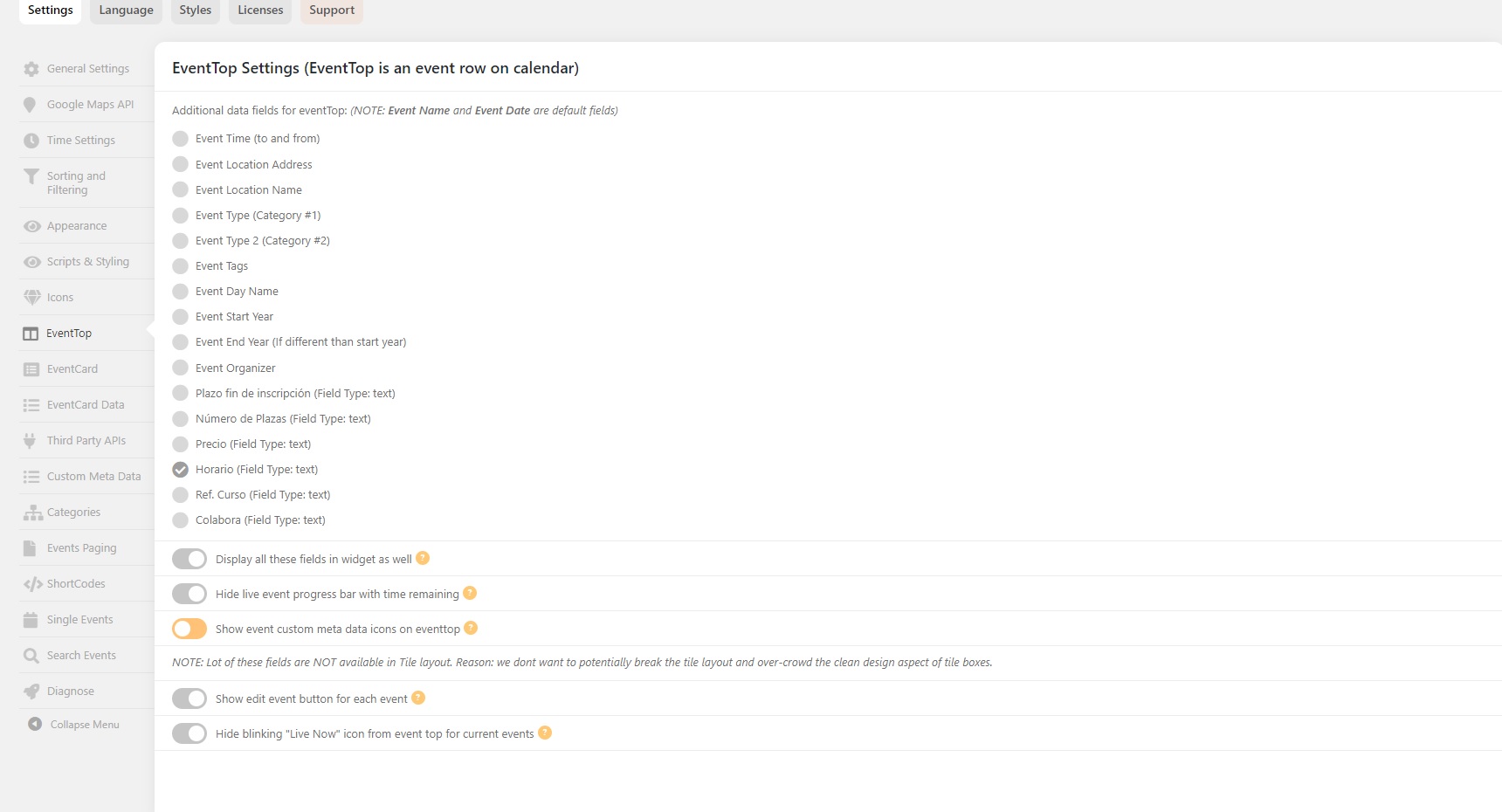
I have the latest version 3.0.8
Reply to: tickets(219476)
Also if say 10 events are happening right now- they will all show in the right now list,
and then it will have a countdown to the next event
Reply to: tickets(219543)
The last option (Hide blinking “Live Now” icon from event top for current events) is not active. Dont work for me
Reply to: tickets(219543)
Inmyeventon>>>>>settings>>>>event top
the last option is to hide the blicking light
if you update to 3.0.8 it may fix the issue if you have not already done so