Please go to eventON/includes/eventon-core-functions.php:1920. You can also send us FTP access so we can add this for you.
Archives: Replies
Replies for tickets on suppota
Reply to: tickets(218992)
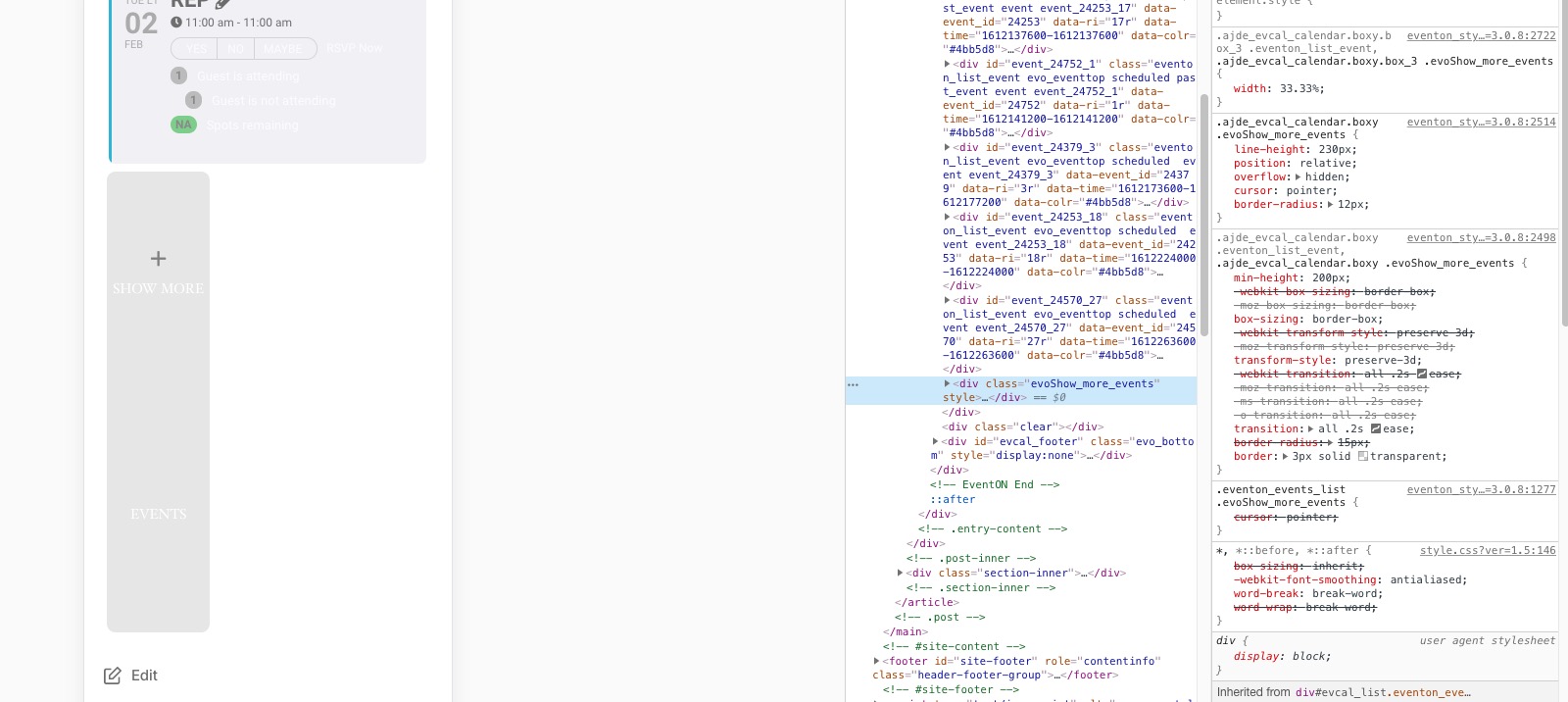
Reply to: tickets(218992)
Thank you for your messages, I am going to assign this ticket to Ashan and he will be able to take it from here and find you a solution. Please allow some time for him to get back to you, we greatly appreciate your patience and thank you for being a eventon customer! Also please disable any IP blocking on your site if there are any.
Reply to: tickets(219124)
Hello,
Please use this shortcode:
[add_eventon_el number_of_months=”12″ hide_empty_months=”yes”]
Reply to: tickets(219031)
Hello,
Please follow this guide: https://docs.myeventon.com/documentations/import-additional-fields-using-hooks/
Instead of _field_var_name use _evorsw_waitlist_on.
You also need to enable RSVP by adding another evocsv_function2 with evors_rsvp instead of _field_var_name.
You can also send us a customization job request by creating a new ticket in here and selecting Customization Request as the category.
Reply to: tickets(218005)
Thank you, I have received the refund and repurchased the single licence.
Thank you for all your help
Best wishes
Scot
Reply to: tickets(219154)
I tested this and it worked at first, but when I refreshed the page the map disappeared again.
I tried clearing the cache and refreshing but it doesn’t appear now.
Also, wouldn’t that URL only authorise that one particular event? What about the other event listings as listed here:
https://onehourout.com.au/events-two/
Reply to: tickets(216473)
I have another idea
Doing it in the backend is rather annoying & time consuming so perhaps instead you do it via the front end- bare with me
this free plugin https://wordpress.org/plugins/payment-gateways-by-user-roles-for-woocommerce/
will allow you to turn on certain payment gateways for admins only for example
so you could say admins can view and pay via direct deposit
everyone else can only pay by paypal, credit card or stripe
this way you open the event- click the right seat and once you get to checkout- you will have the direct deposit option which you click- then in the backend- you change the order to completed for the customer to get the ticket- its probably the fastest way to get the right seat
the bulk of it is done from the front end- you just need to refresh the new orders page each time and change the order to completed
Reply to: tickets(218050)
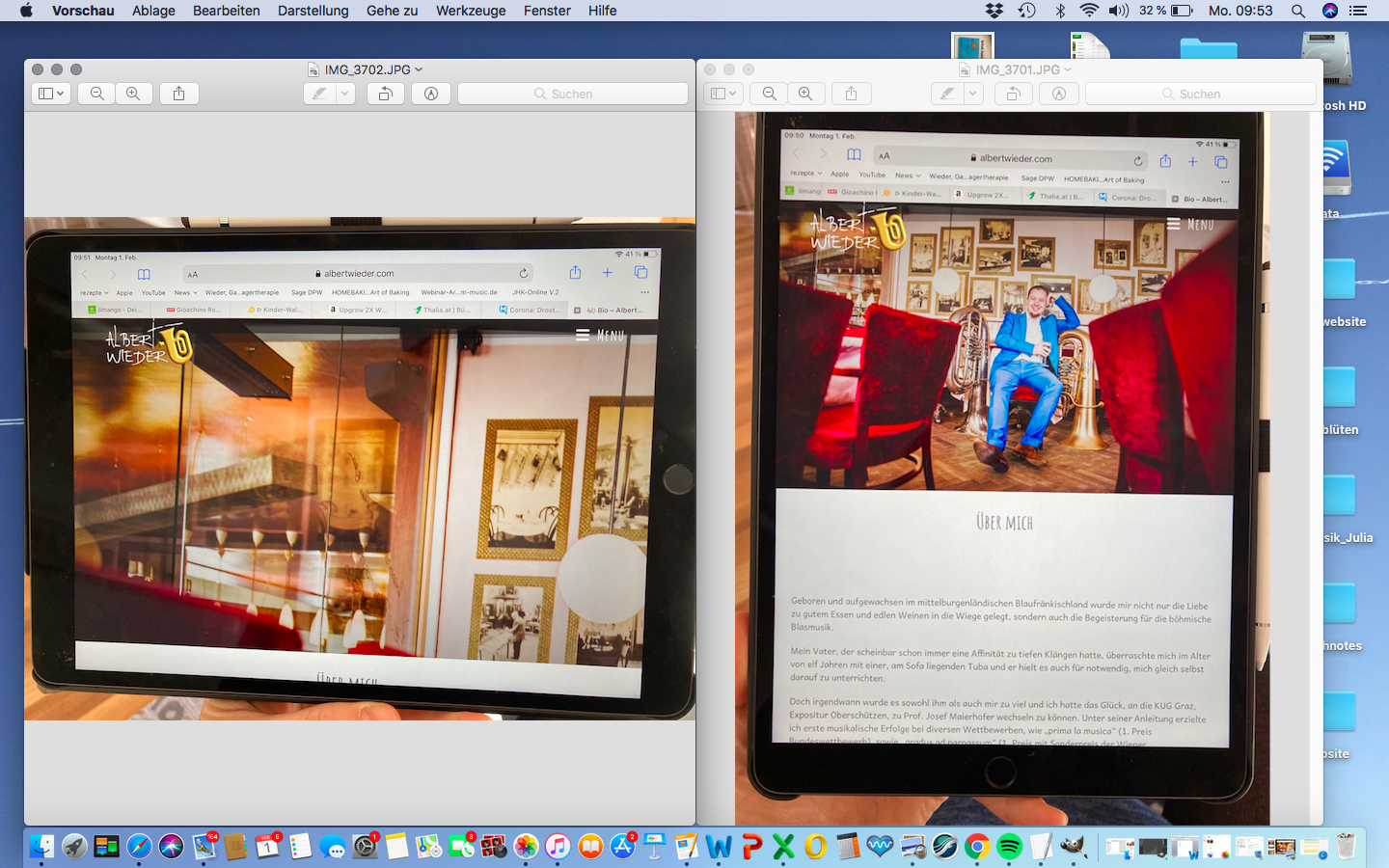
Hello!
I have now another problem! I just took a look the tablet view and realized, that I just see part of the picture in the header, when I hold the tablet horizontal. If I turn it vertical, everything is ok. When i deactivate Eventon, everything is fine and I can see the picture in vertical and horziontal tablet view in the correct way.
You can see the problem on the picture – it’s always the same picture in the header!
How can I solve this problem?
Thank you!
Reply to: tickets(215969)
Hey Basilis,
i realy waiting on the job to be finshed. Any updates ou can give me on that?
Thanks.