Hello,
I don’t think that you need a customization in this case. You can just use Event Type:
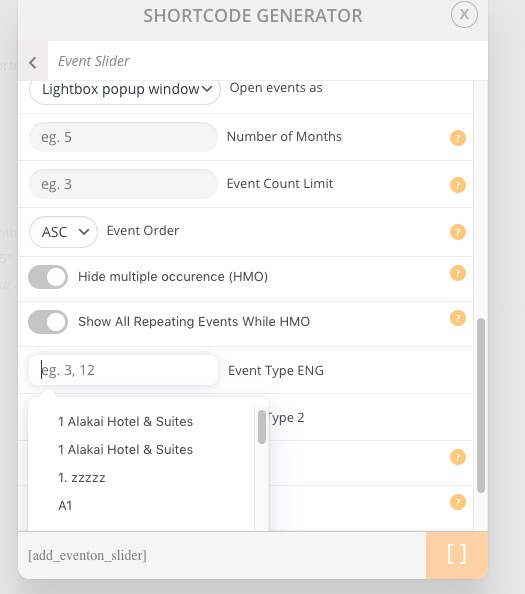
More info: https://docs.myeventon.com/documentations/confused-event-type-categories/
Please try on our demo site: https://dev.myeventon.com/wp-admin/
Replies for tickets on suppota
Hello,
I don’t think that you need a customization in this case. You can just use Event Type:
More info: https://docs.myeventon.com/documentations/confused-event-type-categories/
Please try on our demo site: https://dev.myeventon.com/wp-admin/
Hello,
Please check https://docs.myeventon.com/documentations/how-to-cancel-addon-subscription-before-auto-renew/ > Step 2:
This will change the status of the subscription to Pending Cancellation which means the license is still active until its expiration date and on its expiration date, it will be cancelled and you will not be charged.
Hello,
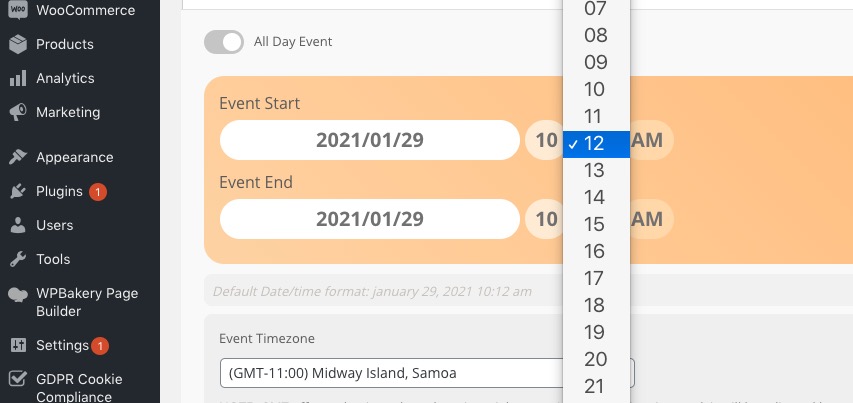
Please check now:
1. Please add this CSS code to EventON > Styles (If you don’t see any change, EventON > Scripts & Styling turn off Write styles to header > save settings > turn on Write styles to header):
.evotx_ticket_purchase_section .evovo_variation_types p.evovo_var_types select { width: 100% !important; }
the above does not work as well
please use the below login
username: findmyplay.com
pw: FindMyPlay.com2020!
Hello,
I have now decided to use the standard calendar list on our home page for desktop/tablet and the tile view for mobile (it is possible in Elementor to define which elements on the page a visible for mobile and which ones for desktop).
But the problem now is, that when I have 2 different types of kalendar on 1 page, Eventon uses part of the CCS code in calendar NO2 CCS for calendar NO1 as well?!
I’m precisely talking about:
}
.ajde_evcal_calendar.boxy.boxstyle1 .evo_boxtop { height:300px !important; } #evcal_list .eventon_list_event p a.desc_trig { padding-top: 310px !important; }
.evcal_event_title {
text-transform: none !important;
}
This CCS code is only for calendar NO2 – but calendar NO1 automatically changes based on this CCS too?!
Can you help there?
This is the page:https://www.zd-bb.de/kopie-von-kopie-von-kopie-von-kopie-von-kopie-von-entwurf-startseite-michaela/
Thanks & regards,
Michaela
thank you for your reply, actually, i would like to know if there is a paid service for customization request such as point 2? Thanks
Hi Kurt,
yes this is done
Hey Carmen,
I am working on the online, there where an issue when u moved it love and for something strange the trigger of the popup was not happening, so I am fixing this now.
Hi Basilis,
i am still waiting for you work to be finished.
Thanks.
Hello,
1. Please add this CSS code to EventON > Styles (If you don’t see any change, EventON > Scripts & Styling > turn off Write styles to header > save settings > turn on Write styles to header):
.evotx_ticket_purchase_section .evovo_variation_types p.evovo_var_types select { width: 100% !important; }
2. Thank you for your great suggestion, at the moment it is not supported. However please create a new ticket and select Feature Request as category so others can vote on your idea and get it moved into development faster. OR You can send us a customization job request by creating a new ticket in here and selectingCustomization Requestas the category.
3. Please go to EventON Settings > Tickets > Checkout and also check https://docs.myeventon.com/documentations/how-to-add-additional-fields-at-checkout/
4. Please check https://wordpress.org/plugins/dokan-lite/ with Action User add-on: https://www.myeventon.com/addons/action-user/