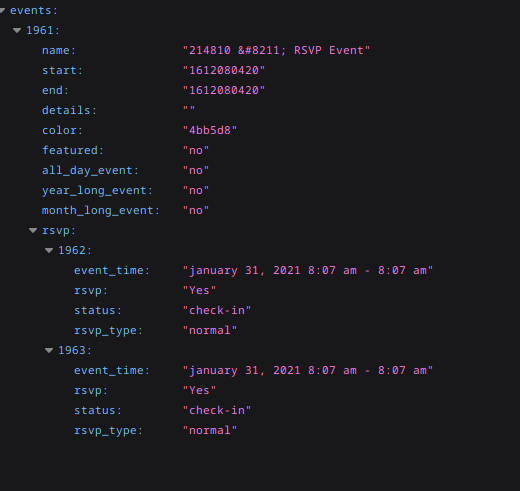
I have installed the work. Please check.
Here are few demos:
if you are using API addon:
http://380.momothemes.com/wp-json/eventon/events?event_id=1961
If not using API addon:
http://380.momothemes.com/wp-json/eventon/eventrsvp/1961
Replies for tickets on suppota
I have installed the work. Please check.
Here are few demos:
if you are using API addon:
http://380.momothemes.com/wp-json/eventon/events?event_id=1961
If not using API addon:
http://380.momothemes.com/wp-json/eventon/eventrsvp/1961
Many thanks for your reply, I understand the set up.
I will request a customization job, thank you.
Awesome! So what do I need to do?
Not really unfortunately
if the image was online somewhere- you could copy and paste the links to those images into the details field and the wp-admin could download and put them in via the back end
(say if the images were on facebook- they copy and paste the direct link in)
but to add multiple images would require customization
You can send us a customization job request by creating a new ticket in here and selecting Customization Request as the category.
that worked, thank you.
OK so you purchased eventon on codecanyon-
so you’ll be able to download it from there: https://codecanyon.net/item/eventon-wordpress-event-calendar-plugin/1211017?ref=ashanjay
or at least log in to download it
Hello,
The only option is to make it look like this:
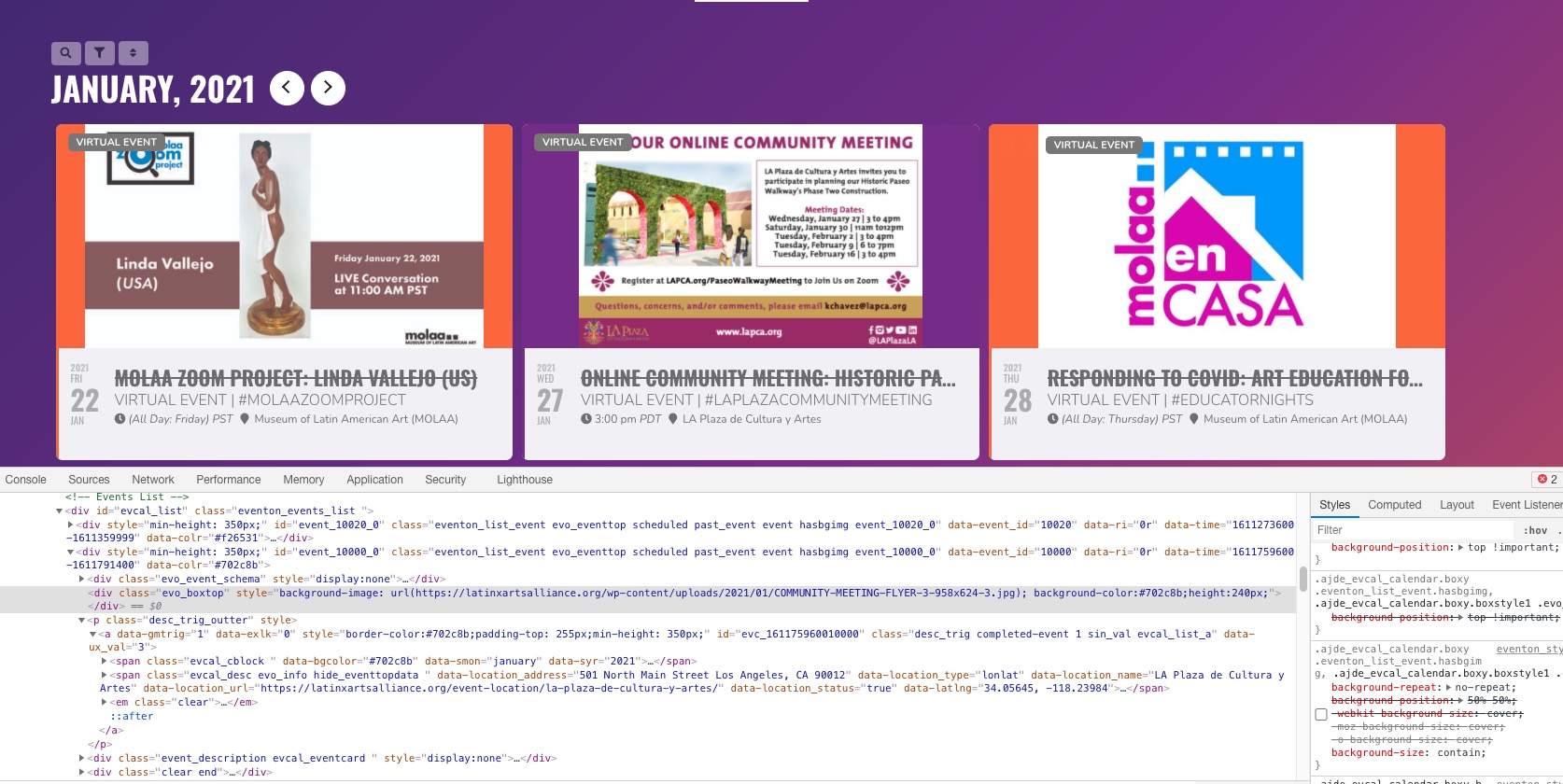
.ajde_evcal_calendar.boxy .eventon_list_event.hasbgimg, .ajde_evcal_calendar.boxy.boxstyle1 .evo_boxtop { background-size: contain !important; }
You can also try adding tile_height=”500″ to the shortcode and try different tile heights.
We are glad your issue is resolved, if you have any further questions or concerns please create a new ticket.
Hello,
Action User add-on is what you need: https://www.myeventon.com/addons/action-user/
What is the lowest user role that can post an event?
Any user role you like. Just go to EventON Settings > Action User > User Capabilities > enable Submit New Events From Submission Form:
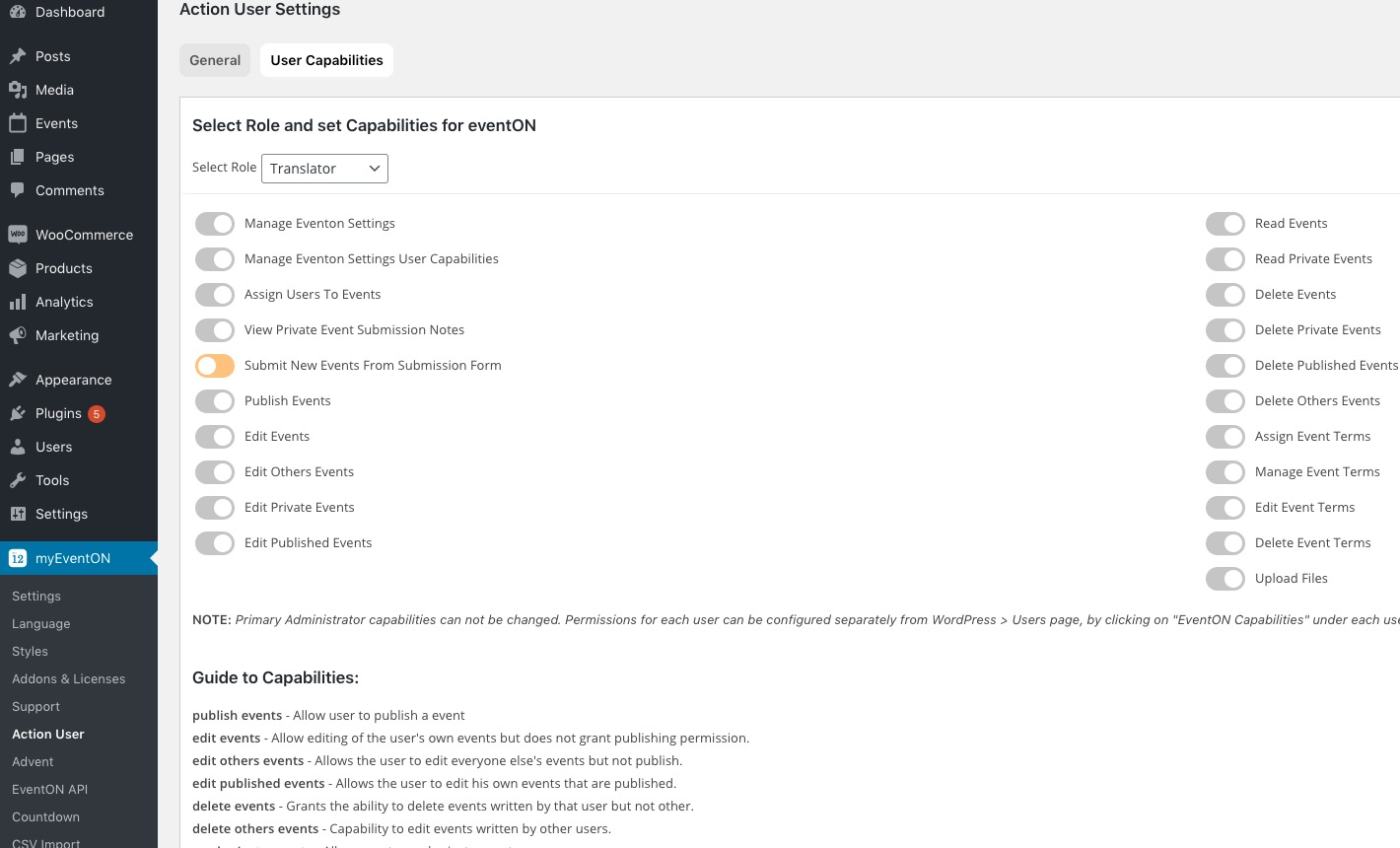
‘ability for a logged in user to create an event via the sites frontend’.
Go to EventON Settings > Action User > Allow only logged-in users to submit events > enable Allow only users with “Submit New Events From Submission Form” permission, submit events.
John-Pierre Cornelissen,
Thank you very much! I am going to contact Ashan about this.