Hello,
Could you tell us more about how you migrate? Please understand that if you use some kind GoDaddy internal functionality that it’s not quite our expertise.
Maybe CSV Importer will work in this case: https://www.myeventon.com/addons/csv-event-importer/? Try on http://dev.myeventon.com/wp-admin/
Here is the link to the book club:
https://rwn.org/wp-admin/post.php?post=4355&action=edit
Alright, thank you very much for you feedback on this. I’ll try to find a suitable format within the available calendar styles and if it all fails, I’ll reach out to you again. Best regards, Michaela
Hello,
Thank you for your great suggestion, at the moment it is not supported. However please create a new ticket and select Feature Request as category so others can vote on your idea and get it moved into development faster. OR You can send us a customization job request by creating a new ticket in here and selecting Customization Request as the category.
Thank you, as soon as the money is in my account, I will re-purchase the single licence… Thank you for your help!
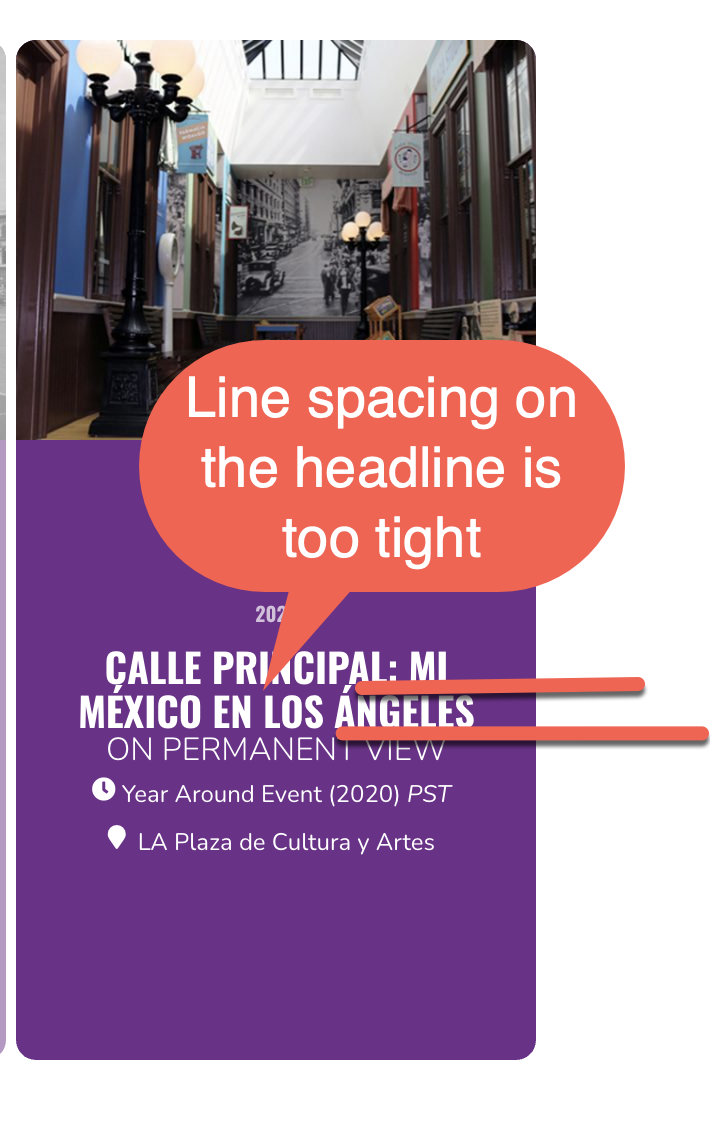
Hello,
Yes. that worked. Thank you.
Is there a way to adjust the line spacing between text lines? It’s so tight, doesn’t look good.
Hello,
Is the list in order of post date?
This is correct. Unfortunately, the only option is to customize the source code.
I saw another poster state their list of events was getting long and asked about filtering.
You can activate pagination by using pagination=”yes” events_per_page=”5″:
[evo_event_manager pagination=”yes” events_per_page=”5″]
Is this currently possible?
Unfortunately, this is not supported. Please send us a customization job request by creating a new ticket in here and selecting Customization Request as the category.
Hello,
In order to translate please go to EventON Settings > Language > RSVP > EMAIL BODY.
Please check this guide on how to customize RSVP emails: https://docs.myeventon.com/documentations/customize-rsvp-emails/
Hello,
Please add this CSS code to EventON > Styles (If you don’t see any change, EventON > Scripts & Styling > turn off Write styles to header > save settings > turn on Write styles to header):
#evcal_widget #evcal_head .evcal_arrows { height: 25px !important; width: 25px !important; } .ajde_evcal_calendar .calendar_header .evcal_arrows:before, .evo_footer_nav .evcal_arrows:before { margin: 6px !important; }
This isn’t really an acceptable answer.
I’ve tried moving the listing over a number of times by syncing the staging site with the live site and it’s not working. I spoke with my host, godaddy, and that this is an issue with your plugin.
I don’t know how to import the data from staging to live site. I’ve paid for tech support with your plugin so I need you to resolve this as soon as possible these events need to be live right away.
Please advise immediately. I will be standing by.