Hi Artem,
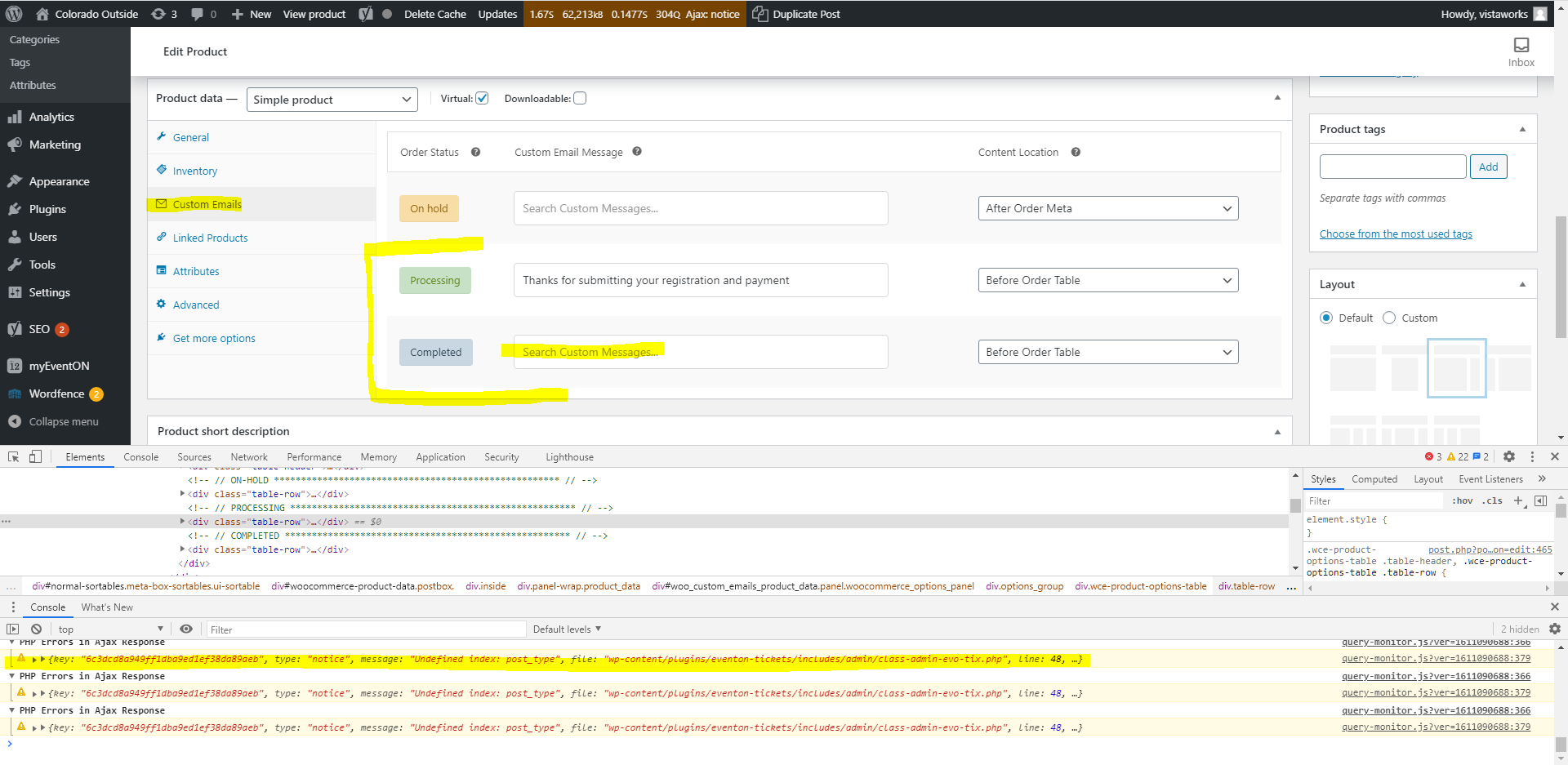
I installed Query Monitor on the site and it has identified that there is still an error being thrown that is preventing us from working with the Custom Emails section of the ticket products.
See this example product and the attached error message:
https://coloradooutside.com/wp-admin/post.php?post=1774&action=edit
Hello Ashan,
Looks its still not work for speaker for exmple:
https://standupist.co.il/tag/ori-broyer/
This is the short code i am using: [add_eventon_li cat_type=”ori-broyer”]
Can you pleaes advice ?
Thank you
Nitzan
Hey Marc,
I was trying to debug and I have checked your settings.
https://nimb.ws/ZnsWtk
You have not enabled reminders 🙂
You just need to enable them, no need to add anything on the body, just the time etc you need them to go out so you can be ready.
Great! That solves the problem!
Will you handle that in the future if someone changes the format in the settings?
From: Darren Stokes <coloradooutside@gmail.com>
Sent: Tuesday, January 19, 2021 2:47 PM
Subject: Re: [EventON Help Desk] New reply for ticket #216348
Hi Artem,
Although it seems to work separately from the other course. The new event in Mancos, CO does not have a corresponding “product”, so I am unable to build and assign a new “custom e-mail”.
Darren
please update to latest version 0.12 https://docs.myeventon.com/documentations/changelog-event-lists-items/ that should resolve this.
Surely, I’ll write a good review!
Regarding the AVADA Theme Sound Cloud Element:
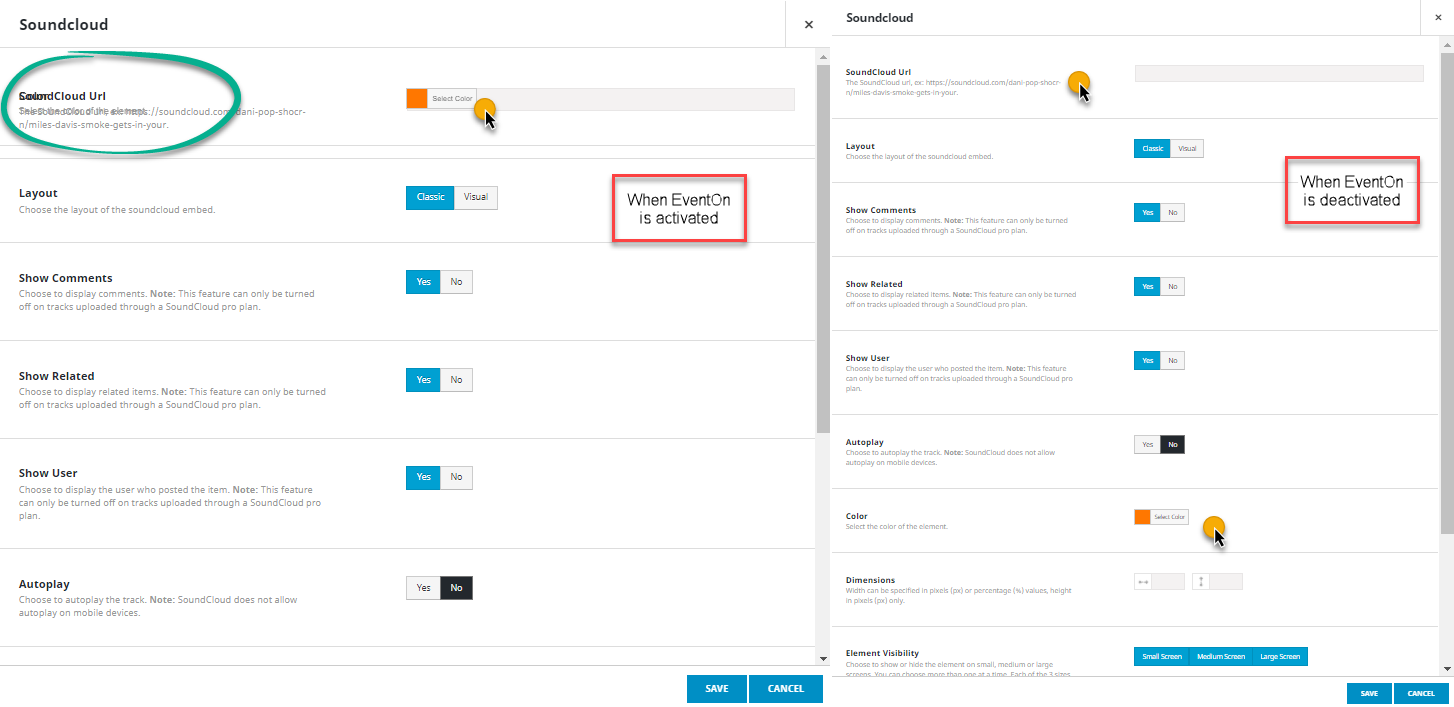
Currently, I am still developing the site on a localhost. As soon as I get it up on the Hosting account I can show you the issue. Until such time, here is the screenshots of those two instances -when the EventOn is activated and when it is not activated. You will see that when the EvntOn plugin is activated the SoundCloud Element’s color option jump up and sit over the URL field, so I cannot enter the URL in that field.
Here is the screenshot:
Hello,
Thank you for your messages, I am going to assign this ticket to Ashan and he will be able to take it from here and find you a solution. Please allow some time for him to get back to you, we greatly appreciate your patience and thank you for being a eventon customer! Also please disable any IP blocking on your site if there are any.
“Current Month” allows your users to go to the current month which is January. I think the best solution is to go to EventON Settings > Language > CALENDAR HEADER > translate “Current Month” as “Go to Current Month”.
No Worries. I can live with that and I did disable the title only.
Perfect! We are glad your issue is resolved.
If you have a moment, we would greatly appreciate if you could kindly leave us a review at codecanyon! from your account > downloads. Cheers!
…to find out some Fusion elements like SoundCloud element…
Could you send us a link where we can check this issue?