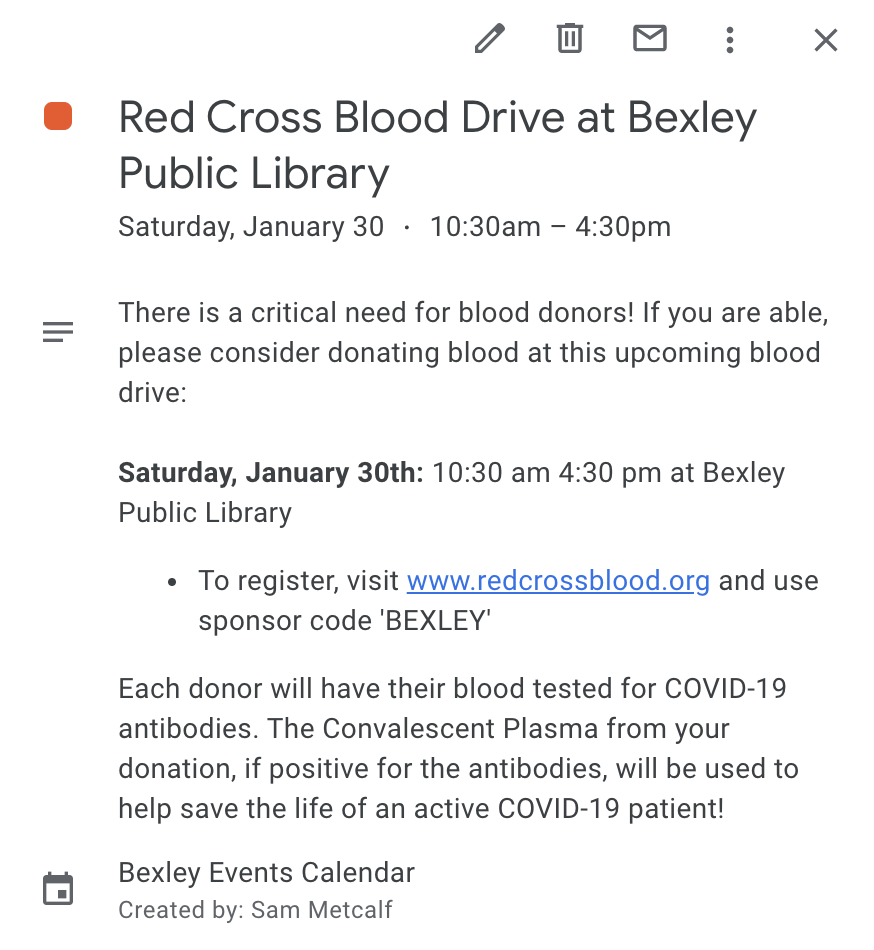
Here’s a screenshot of an event that I have on our Google calendar, but isn’t showing up on our website
Replies for tickets on suppota
Here’s a screenshot of an event that I have on our Google calendar, but isn’t showing up on our website
Worked. Thanks!
Unfortunately, this is not the string – The translation i’d need would be for the exact string “End Date/Time” to be found in eventon-action-user/includes/form/class-form.php, line 580.
It’s not included in your translation setup in eventon-action-user/includes/admin/class-admin_lang.php
best!
Hello, I’m trying to pull up just the speakers on a specific page passing the post id.
Can you help me with the PHP code to pull up that info?
Unfortunately even after updating from 2.2.3 to 2.2.4, the problem stays.
Are you referring to “Event Repeat Type: Custom”?
Yes, that’s it.
If one creates a custom repeat date, we’re not able to create another one past the first date, because the jQuery UI datepicker maxDate value hangs.
The code above solves that.
Hi,
It works well, thank you,
nice week-end
Hi,
It works well,
Thank you.
OK, Thanks for your quick response. Here are the admin credentials that you can use.
User: EventAdmin
Password: k7tZiq#%axdjUyoy)2G2n@at
Email: noreply@myeventon.com
Hi Kenneth
Thank you very much, now I can see the two different fields for desricption and link and it works in the frontend.
Would it be possible to grab the pdf directly from the media library when clicking on the link-field? Like the ‘Event Extra Image?