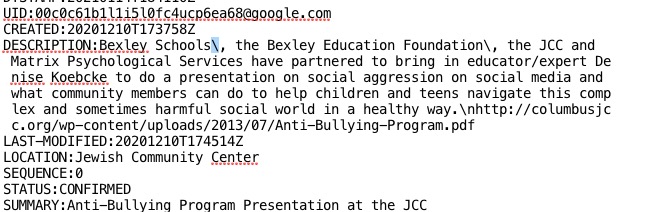
1. This is because your Location Name and Address are the same. You can either go to wp-admin > Events > Event Location > Edit > change them OR Hide Location Name with this CSS code:
.evo_metarow_time_location .evo_location_name { display: none !important; }
2. It seems that the problem is in these slashes I can see in the .ics file:
Hello, I too would like to insert the “Additional Information visible to customer after ticket purchase” field in the customer email. How can I do?
many thanks
Hello,
1. This part https://i.imgur.com/FfT2j4m.png only shows fields from “EventON Settings > Action User > Form Fields” and not other settings. If you want to make this option available please send us a customization job request by creating a new ticket in here and selecting Customization Request as the category.
Hello,
I went to EventON Settings and saved them so it should be visible now. Please check and let me know.
Ok
https://www.norbert-gymnasium.de/wp-admin/
User: Red-EventON
Passwort: w)JliMhO^rHV30tHjNNjl!MK
Hi Juan,
Thanks for reaching out!
1. Is there an option so that the list of events only show 10 or 20 events and that the others go out by means of a “show more” button at the bottom?
Absolutely! Please add the following attributes to your shortcode event_count=”5″ show_limit=”yes” show_limit_ajax=”yes” Replace 5 with the number of events that you would like to display.
2. Is there an option so that in the event list, the most recent past events appear first “up” and the oldest events last “down”?
You can add this to your shortcode event_order=”DESC” by default is it set to ASC.
I hope this helps!
Hi Ashan,
The “Add to wishlist” icon does not seem to be working as expected on the latest version.
Please take a look.
Thanks!
Hi Milk,
Thanks for reaching out. I’m sorry for the trouble caused.
I have been able to reproduce this bug and this has been submitted to the developer for closer investigation.
We will be getting back to you in a short while.
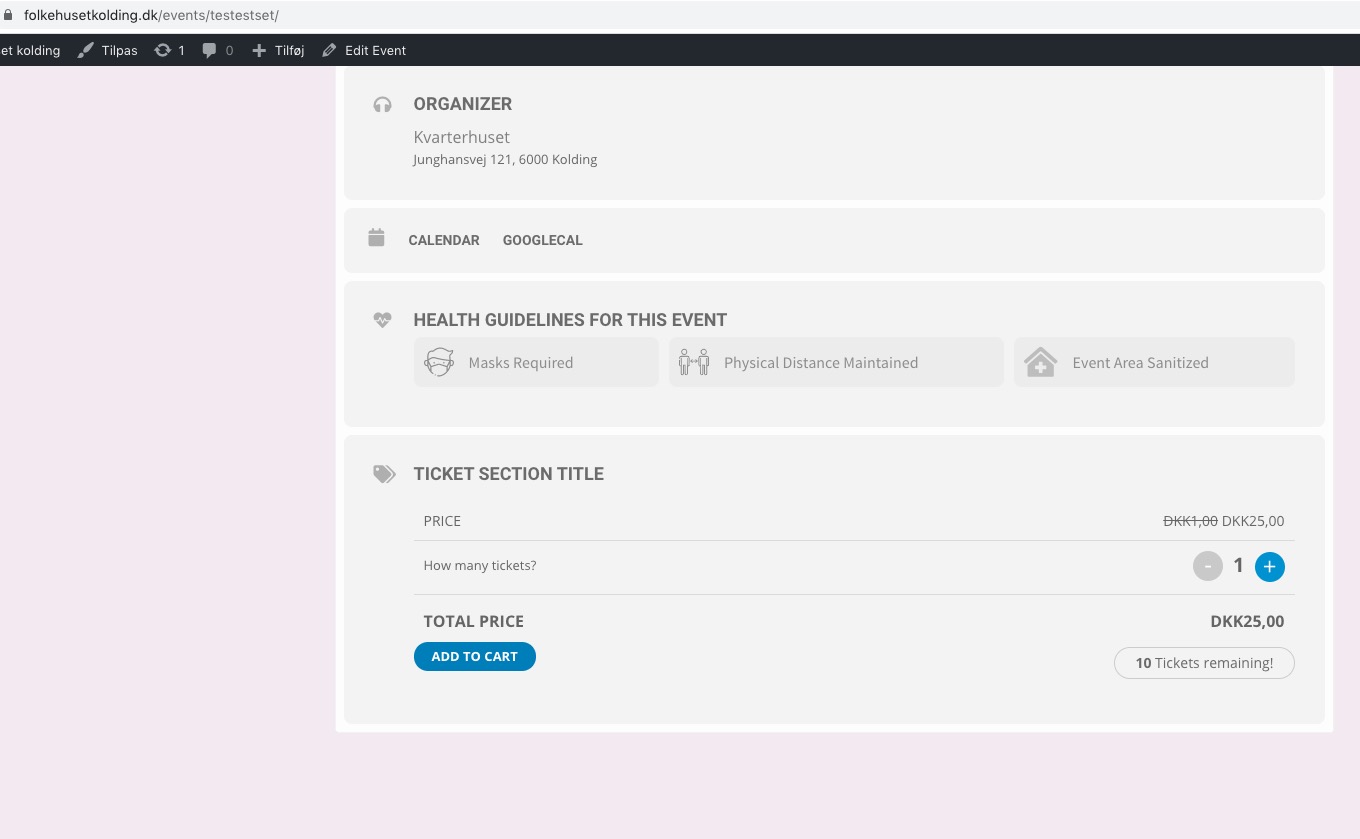
new link to ticket:
https://folkehusetkolding.dk/events/testestset/
Hi Jessica
We are glad your issue is resolved, if you have any further questions or concerns please create a new ticket.
If you have a moment, we would greatly appreciate if you could kindly leave us a review at codecanyon! from your account > downloads.
Cheers!