Could you send us Editor login info as well?
Archives: Replies
Replies for tickets on suppota
Reply to: tickets(213920)
are you still available ?
Reply to: tickets(217384)
Hello,
1. EventON Settings > Appearance is where you can change colours. If you don’t see any change, EventON > Scripts & Styling > turn off Write styles to header > save settings > turn on Write styles to header.
2. Please fix this issue:
Google Maps JavaScript API error: RefererNotAllowedMapError
https://developers.google.com/maps/documentation/javascript/error-messages#referer-not-allowed-map-error
Your site URL to be authorized: http://www.beta.woundtightband.com/calendar-of-events/
Reply to: tickets(217347)
We are glad your issue is resolved, if you have any further questions or concerns please create a new ticket.
If you have a moment, we would greatly appreciate if you could kindly leave us a review at codecanyon! from your account > downloads. Cheers!
Reply to: tickets(217379)
Hello,
Please send us wp-admin access to your site as a private message for us to further assist your situation. I don’t think that the message from DreamHost is related to the disappearance of events.
This code should solve “We have recently scanned one or more users on your…” issue:
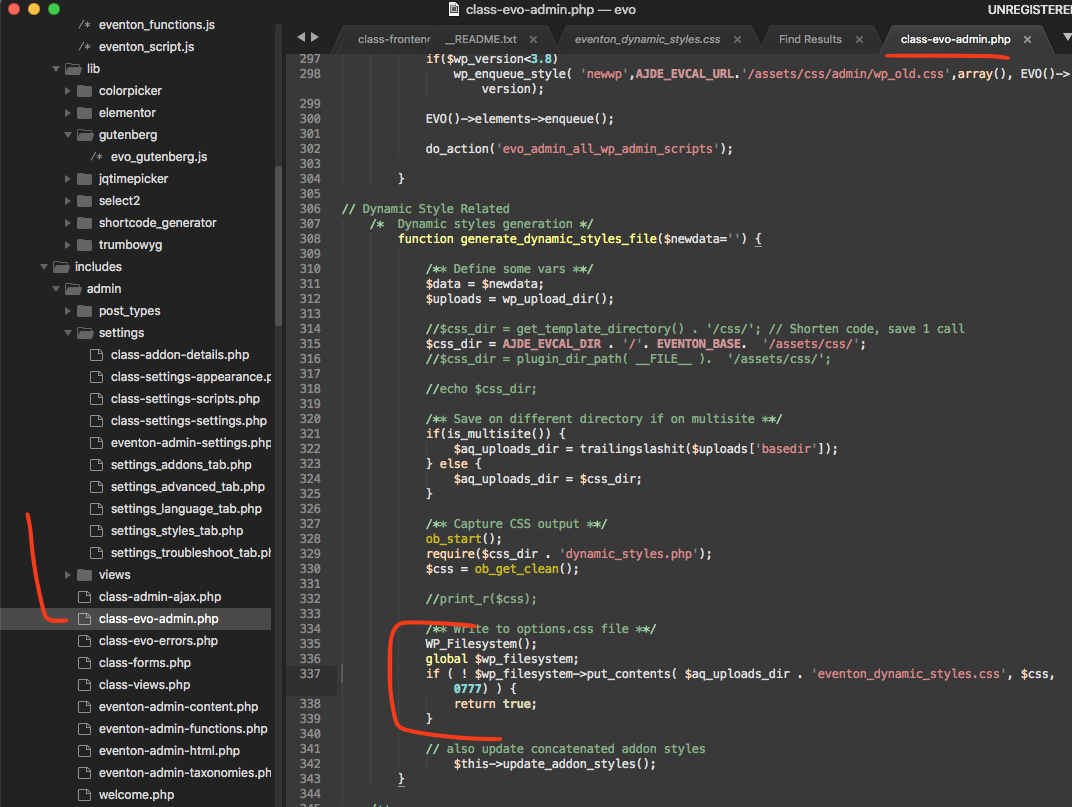
Reply to: tickets(213049)
Yes I just did it now , but thats is for hiding the event selling , now we need to fix those 2 button switches
– Esta es una actividad virtual (en línea)
– Agregar pautas de salud para esta actividad
They appear with the content open and need to click 2 times to make it normal (to work normal)
Reply to: tickets(217337)
Please try this and let me know:
H:i{h}
Reply to: tickets(213920)
Hy Basilis
Sorry
I did not saw your message
I’m available
Reply to: tickets(214644)
I was able to do a manual sync and it seemed to fetch 250 items and then I clicked process and it processed 250 items but it is only showing 47 events in the Events area. The login information is:
tempadmin
Vh(ejEtB!x4d6iETUp%Uny%7
I can send the zip file that I downloaded from the google calendar if you provide an email address. Thank you!
Reply to: tickets(213920)
Hey marc,
I am available at 8PM GMT+2 Greece / Athens time. Does it work for you?